
Cheat Sheet — PyAutoGUI documentation. This is a quickstart reference to using PyAutoGUI.
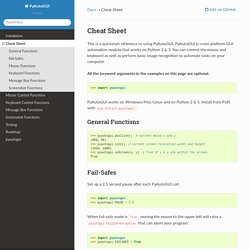
PyAutoGUI is cross-platform GUI automation module that works on Python 2 & 3. You can control the mouse and keyboard as well as perform basic image recognition to automate tasks on your computer. All the keyword arguments in the examples on this page are optional. PyAutoGUI works on Windows/Mac/Linux and on Python 2 & 3. Install from PyPI with pip install pyautogui. General Functions¶ >>> pyautogui.position() # current mouse x and y(968, 56)>>> pyautogui.size() # current screen resolution width and height(1920, 1080)>>> pyautogui.onScreen(x, y) # True if x & y are within the screen.True Fail-Safes¶ Set up a 2.5 second pause after each PyAutoGUI call: >>> import pyautogui>>> pyautogui.PAUSE = 2.5 When fail-safe mode is True, moving the mouse to the upper-left will raise a pyautogui.FailSafeException that can abort your program:
PL_Python. Pythonista - omz:software. PyDDE: Python/C DDE solver. PyDDE is an open source numerical solver for systems of delay differential equations (DDEs), implemented as a Python package and written in both Python and C.
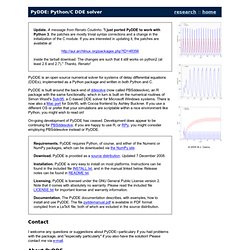
PyDDE is built around the back-end of ddesolve (now called PBSddesolve), an R package with the same functionality, which in turn is built on the numerical routines of Simon Wood's Solv95, a C-based DDE solver for Microsoft Windows systems. There is now also a Mac port for Solv95, with Cocoa frontend by Ashley Buckner.
If you use a different OS or prefer that your simulations are scriptable within a nice environment like Python, you might wish to read on! PyDSTool. PyDSTool is a sophisticated & integrated simulation and analysis environment for dynamical systems models of physical systems (ODEs, DAEs, maps, and hybrid systems).
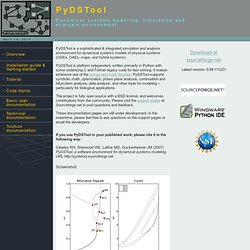
PyDSTool is platform independent, written primarily in Python with some underlying C and Fortran legacy code for fast solving. It makes extensive use of the numpy and scipy libraries. PyDSTool supports symbolic math, optimization, phase plane analysis, continuation and bifurcation analysis, data analysis, and other tools for modeling -- particularly for biological applications. The project is fully open source with a BSD license, and welcomes contributions from the community. Please visit the support pages at Sourceforge.net to post questions and feedback. Complex Networks. SimPy: Simulating Systems in Python.
By Klaus Müller and Tony Vignaux 02/27/2003 Simulating complex real-world systems is now possible with SimPy , an open source simulation package.
SimPy, originally developed by the authors of this article, has been developed to production quality by a small team of enthusiastic open sourcerers around the world. As far as we know, it is the only existing discrete event Python simulation package. Actually, it is one of a very small number of fully object oriented simulation systems. This article is written with the explicit goal of whetting the appetite of simulation newbies to play with this powerful problem solving technique and to get even more users and developers for SimPy. Why consider simulation? To demonstrate using SimPy for simulation we will study a simple scenario.
When customers call they may have to wait for a free line. To model "quality of service", we label a customer "happy" or "unhappy" depending on wait time. SimPy yield hold,self,t yield request,self,line. Epigrass: a tool to study disease spread in complex networks. SciPy - Python Programming Language – Official Website. Array creation — NumPy v1.6 Manual. Introduction There are 5 general mechanisms for creating arrays: Conversion from other Python structures (e.g., lists, tuples)Intrinsic numpy array array creation objects (e.g., arange, ones, zeros, etc.)Reading arrays from disk, either from standard or custom formatsCreating arrays from raw bytes through the use of strings or buffersUse of special library functions (e.g., random) This section will not cover means of replicating, joining, or otherwise expanding or mutating existing arrays.
Nor will it cover creating object arrays or record arrays. Both of those are covered in their own sections. Converting Python array_like Objects to Numpy Arrays In general, numerical data arranged in an array-like structure in Python can be converted to arrays through the use of the array() function. Examples: Intrinsic Numpy Array Creation. Cookbook - Pyplot — Matplotlib v1.0.1 documentation. Thumbnail gallery — Matplotlib v1.0.1 documentation. How not to write Python code » Ikke’s blog. Lately I’ve been reading some rather unclean Python code.
Maybe this is mainly because the author(s) of the code had no in-depth knowledge of the Python language itself, the ‘platform’ delivered with cPython,… Here’s a list of some of the mistakes you should really try to avoid when writing Python code: Some days ago RealNitro pointed me at this list of essential Python readings. “Idiomatic Python” is a must-read, even for experienced Python developers. That’s about it for now, maybe I’ll add some more items to this list later on. If you have some other hints, comments! Posted in Development, Technology. Tagged with Development, python. By Nicolas – February 8, 2008.