

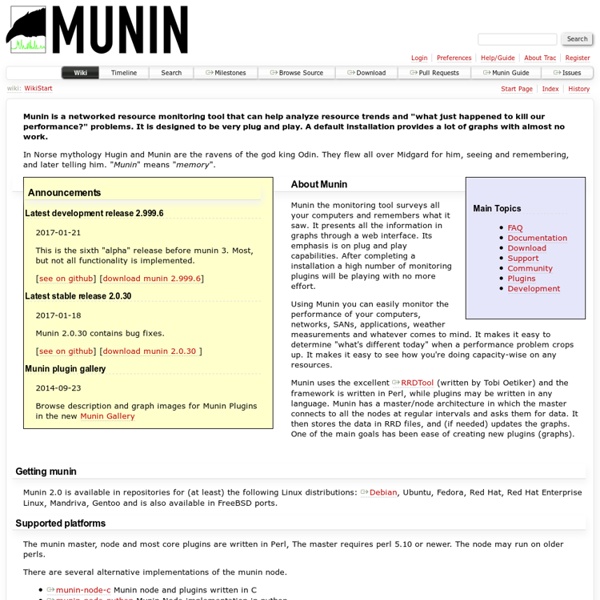
Server Monitoring With munin And monit On Fedora 7 Version 1.0 Author: Falko Timme <ft [at] falkotimme [dot] com> Last edited 10/04/2007 In this article I will describe how you can monitor your Fedora 7 server with munin and monit. munin produces nifty little graphics about nearly every aspect of your server (load average, memory usage, CPU usage, MySQL throughput, eth0 traffic, etc.) without much configuration, whereas monit checks the availability of services like Apache, MySQL, Postfix and takes the appropriate action such as a restart if it finds a service is not behaving as expected. The combination of the two gives you full monitoring: graphics that lets you recognize current or upcoming problems (like "We need a bigger server soon, our load average is increasing rapidly."), and a watchdog that ensures the availability of the monitored services. Although munin lets you monitor more than one server, we will only discuss the monitoring of the system where it is installed here. 1 Preliminary Note 2 Install And Configure munin
Statsd OpenNMS Statistics Daemon The statistics daemon. Design Configuration Scheduling When Website Speed Test - Uptrends How fast does your website load? When it comes to delivering the best website experience to your users, slow and steady page-load times just won’t do. With the Free Uptrends Website Speed Test, you can put the performance of any web page to the test. Simply enter a website URL, select any 1 of our 35* available global checkpoints, and hit ‘Start.’ Exchange - Plugins Network: Home Directory Plugins Search Exchange Advanced Search
NGINX NGINX is a free, open-source, high-performance HTTP server and reverse proxy, as well as an IMAP/POP3 proxy server. NGINX is known for its high performance, stability, rich feature set, simple configuration, and low resource consumption. NGINX is one of a handful of servers written to address the C10K problem. Unlike traditional servers, NGINX doesn’t rely on threads to handle requests. Instead it uses a much more scalable event-driven (asynchronous) architecture. This architecture uses small, but more importantly, predictable amounts of memory under load.
Top 15 Free Website Speed Test Tools of 2017 The speed of a website can be a critical factor to its success. As discussed in our Content Delivery Network: A Beginners’ Guide, faster loading websites can benefit from higher SEO rankings, higher conversion rates, lower bounce rates, longer visitor duration on site, better overall user experience, and engagement. That is why it is important to take advantage of the many free website speed test tools available out there so you can achieve optimal performance . Google Wants Your Site to Load in Less Than a Second What Can a Website Speed Test Help You Analyze? Here are just a few of the common ways websites speed test tools are used:
Decorators – uWSGI The uWSGI API is very low-level, as it must be language-independent. That said, being too low-level is not a Good Thing for many languages, such as Python. Decorators are, in our humble opinion, one of the more kick-ass features of Python, so in the uWSGI source tree you will find a module exporting a bunch of decorators that cover a good part of the uWSGI API. Notes
prefork Summary This Multi-Processing Module (MPM) implements a non-threaded, pre-forking web server. Each server process may answer incoming requests, and a parent process manages the size of the server pool. It is appropriate for sites that need to avoid threading for compatibility with non-thread-safe libraries. It is also the best MPM for isolating each request, so that a problem with a single request will not affect any other.
Django at a glance Because Django was developed in a fast-paced newsroom environment, it was designed to make common Web-development tasks fast and easy. Here’s an informal overview of how to write a database-driven Web app with Django. The goal of this document is to give you enough technical specifics to understand how Django works, but this isn’t intended to be a tutorial or reference – but we’ve got both! When you’re ready to start a project, you can start with the tutorial or dive right into more detailed documentation.