
55 Useful and Free Web Forms {CSS, HTML & jQuery} Web form is one element that must exist at each website, we usually find it in the comments form, search form, email/contact form and login form.
Along with the expanding world of web design, now you can create awesome website just using CSS3 and HTML5, with a bit of code, you can change the website look more professional and attractive. In the post today, I would like to share with you 55 useful and free web forms tutorial and source code for beginners and advanced users. These tutorials will help you learn and create a beautiful form using CSS, HTML and jQuery for your website. You might also want to check out our related posts below; 1. 2. 3. 4. 5. 6. EmailMeForm - Online Form Builder. Online Surveys, Web Forms. Kontactr. Form Manager. 20 Splendid CSS3 Web Forms Tutorials. CSS3 is the latest development in the stylesheet language and it has instantly become a hit with its ability to create amazing web pages and forms.
Now you can create a simple or a complex form with same ease. Today we have collected some tutorials which will show you how to use CSS3 to make amazingly beautiful Forms. Nowadays, more and more Developers are trying to give back to the internet community and their fraternity by sharing their experiences and know how, thus reducing your workload to a massive extent. If you like this article, you might be interested in some of our older articles on CSS3 Animation Tutorials, Online CSS Generators, CSS Cheat Sheets, CSS Grid Frameworks, and CSS Typography Tricks. Advertisement. 15 Nice Solutions for Free Contact Form Services. There are many free options from which you can create a contact form for your website.
The services usually offer both free service plans with less features and the paid ones which will remove the limitations and offer extra features. In this round-up, you’ll find the range of 15 free contact form services that allow you to create contact forms easily even without knowing much about PHP programming. Note that some of them may additionally have advanced premium options that actually require a monthly fee. Email Form - Simple Form to Email PHP Contact Form. Marketplace : Pick ready-to-use business apps or Get it done by the expert developer community.
10 Best Free Contact Form Services and Generators. There are many free Contact Form Services and Generators.
If you have a website whether fashion, educational business or entertainment related, then you must have a Contact us page which is a customary on every website we come across. Many websites directly publish their contact address, email and phone number in their Contact Us page. In that case there is a higher chance of getting spam emails. A free contact form for your website - Foxyform.com. Web Form Factory (v0.1.3 beta) - Open Source Web Form Generator. FAARY - Free, Online CSS Form Generator - Build Form in Easy Way! Create a Stylish Contact Form with HTML5 & CSS3. Follow this step by step process to create your own stylish contact form completely out of HTML5 and CSS3.
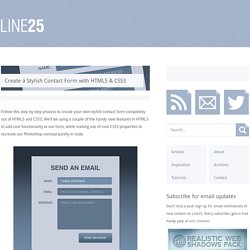
We’ll be using a couple of the handy new features in HTML5 to add cool functionality to our form, while making use of cool CSS3 properties to recreate our Photoshop concept purely in code. The design we’ll be building features all the things that make a rich interface; gradients, highlights and shadows! We’ll create a visual concept in Photoshop first of all, but when it comes to building the form we’ll recreate every effect with HTML5 and CSS3.
View the HTML5/CSS3 form demo Open up Photoshop and create a new document. Use Photoshop layer styles to add a subtle drop shadow at around 30% opacity and a thin 1px stroke using a very light grey. Add a title to the design using the darker blue colour swatch. Use the same font styling on each of the labels, then draw a rounded rectangle with 5px corner radius to create an input field. The visual concept is now complete. <! Full CSS3 HTML5 Contact Form with No Images. In this tutorial, I will show you the code step by step to create a full HTML5 CSS3 contact form like the one above, without using any images.
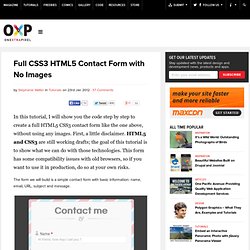
First, a little disclaimer. HTML5 and CSS3 are still working drafts; the goal of this tutorial is to show what we can do with those technologies. This form has some compatibility issues with old browsers, so if you want to use it in production, do so at your own risks. The form we will build is a simple contact form with basic information: name, email, URL, subject and message. For the sanity of the code, I omitted the vendor prefixes in this article, but you will find them in the complete file (or by viewing the source code of the example) HTML5 New Form Elements HTML5 specs introduce many new form elements to enhance form functionalities.
Input type = email can be used when user needs to enter an email address. Now that you are more familiar with the new elements, let’s see the HTML code for our nice little form : Creating the Striped Background. Fancy Sliding Form with jQuery. Today we are going to create a fancy sliding form that shows some validation feedback to the user after each step.
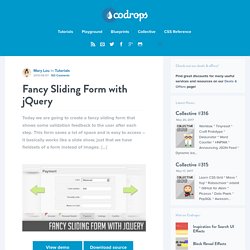
This form saves a lot of space and is easy to access – it basically works like a slide show, just that we have fieldsets of a form instead of images. […] View demoDownload source.