
HTML5 deployment platform. Performance is key to mobile web app and game development, and CocoonJS was designed from the ground up to accelerate all aspects of HTML5 execution.

CocoonJS provides the best JavaScript and HTML5 execution environments to choose from, depending on the type of your project and the platforms you want to deploy it to. If your project is an HTML5 canvas game CocoonJS provides the most performant canvas 2D and WebGL implementation in the market for iOS and Android. This environment is a highly specialized JavaScript virtual machine with a blazing fast implementation of everything needed to make canvas 2D or WebGL based games scream on mobile! 60 Excellent Free 3D Model Websites. 3D printers have immensely revolutionized the art and manufacturing industry.

With advancements in the 3D printer technology, it is now not very difficult to own one, even in your home or office. Moreover, you don’t have to be an AutoCAD engineer to design a 3D model for your needs, as this job is taken up by numerous 3D model websites. So, either you want to create 3D furniture, a mechanical component, or even human or animal figurines, here are 50 of the best free 3D model websites to cover up all your needs. 3D. Learning Three.js. Examples created by Yomotsu using THREE.js. Three.js - examples. Three.js Examples The goal of this collection is to provide a set of basic and instructive examples that introduce the various features in Three.js.
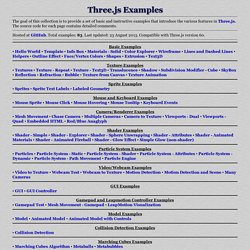
The source code for each page contains detailed comments. Hosted at GitHub. Total examples: 83. Last updated: 23 August 2013. Basic Examples • Hello World • Template • Info Box • Materials - Solid • Color Explorer • Wireframe • Lines and Dashed Lines • Helpers • Outline Effect • Face/Vertex Colors • Shapes • Extrusion • Text3D. How to Learn Three.js for Game Development – Game Development – Tuts+ Three.js is an open-source JavaScript library/API used to create and display animated 3D computer graphics on a web browser, compatible with the HTML5 canvas element, WebGL, and SVG.

In this How to Learn article, we'll explore the capabilities of this engine and share resources and suggestions to help you start developing games with it right away. Why Use Three.js? Since Three.js was first released by Ricardo Cabello to GitHub in 2010, the code base has been continuously maintained and enhanced by a growing and supportive community. The set of built-in features is extensive, and includes: Over 100 examples illustrating these features (and more) are included in the main repository, and many other sites provide collections of examples with source code available.
Notable Games and Visualizations HexGL A futuristic racing game created by Thibaut Despoulain: Trigger Rally An automobile racing game created by Jasmine Kent: Related development articles can be found at Jasmine's Gamasutra blog. Is there a container type object in three.js to transform a group of children. Japh(r) by Chris Strom: Grouping Three.js Objects to Make a Hole. ‹prev | My Chain | next› I found yesterday that my initial attempt at making holes in Three.js / Physijs shapes was ill-founded.
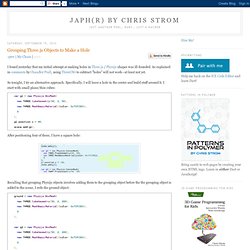
As explained in comments by Chandler Prall, using ThreeCSG to subtract "holes" will not work—at least not yet. So tonight, I try an alternative approach. Specifically, I will leave a hole in the center and build stuff around it. I start with small plane/thin cubes: After positioning four of these, I have a square hole: Recalling that grouping Physijs objects involves adding them to the grouping object before the the grouping object is added to the scene, I redo the ground object: After mucking with the sizes some, I have the following object to support a ball: Which means that I can tilt the entire playing surface to roll the ball in the hole: 20 Impressive Examples for Learning WebGL with Three.js. Martin Angelov By now you have probably heard about Three.js – a library which makes working with 3D in the browser easy.

With it, you can create the building blocks of 3D modeling – cameras, meshes, lights and more, and apply animations on them. Getting Started with Three.js. ## Introduction I have used Three.js for some of my experiments, and it does a really great job of abstracting away the headaches of getting going with 3D in the browser.
With it you can create cameras, objects, lights, materials and more, and you have a choice of renderer, which means you can decide if you want your scene to be drawn using HTML 5’s canvas, WebGL or SVG. And since it’s open source you could even get involved with the project. But right now I’ll focus on what I’ve learned by playing with it as an engine, and talk you through some of the basics. For all the awesomeness of Three.js, there can be times where you might struggle. The basics I will assume that you have at least a passing knowledge of 3D, and reasonable proficiency with JavaScript.
In our 3D world we will have some of the following, which I will guide you through the process of creating: Three.js - JavaScript 3D library. Comparison of WebGL Framework APIs. Besides HTML5 and CSS3, WebGL is one of the most promising evolving technologies for Internet webpages. From simple model viewers to complex scenes, OpenGL ES driven webpages together with CSS3 and video textures may become the next generation. For widespread usage, creating rich WebGL applications must be easy to setup, rendering with small response times and a good scalability. These are some crucial requirements for those APIs that wish to evolve.
At the time of writing, while some frameworks are more promising than others, none of them are perfect, yet. Working hard on improving these APIs is a keystone for WebGL’s popularity. This post compares some WebGL APIs concerning software engineering quality, naming convention, features and drawbacks. All authors of each API covered in this post series put a lot of efforts and work into their software, some of which are already quite good with great examples. User Contributions - WebGL Public Wiki. This is a list of all the WebGL related activities happening on the web.
If you know of anything missing or out of date on this list, we invite you to add it or update it. oogl.js A thin object-oriented layer above WebGL. Blend4Web. Comparison of WebGL Framework APIs. J3D: taming WebGL - Everyday 3D. I started to work with WebGL a few months ago.

WebGL (in case you never heard about it) is a new emerging standard for rendering GPU accelerated graphics in the browser, without any plugins. Not all browsers support it yet, but the latest Chrome and Firefox do and others are about to follow (Safari, Opera, sadly not IE for the moment). The Lessons. SculptFab - SculptGL + Sketchfab.