
How to Add a Private Channel to a Roku 3. Channels make your Roku 3 the entertainment powerhouse it is.

You have to install the right channel to stream Netflix, listen to Pandora or play "Angry Birds. " You’ll find hundreds of options in the Channel Store on your device, or through the Channels section of the Roku site. But many more exist that you won't find listed there. These are called private channels — they are real channels, but Roku doesn't promote them. Often created by independent developers, they can help round out your channel lineup. Here's how you add a private channel. MORE:Your Guide to Cable TV Cord-Cutting. 1. 2. 3. 4. 5. 6. 7. Time Warner Channel Lineups. * All channels and services are not available in all areas.
Valid for residential customers only. To receive all services, Preferred TV, remote and lease of a digital Set-Top Box are required. Some channels are viewable only with the use of Time Warner Cable issued digital Set-Top Box, Digital Adapter or CableCARD-equipped Unidirectional Digital Cable Product (“UDCP”). Channels 100 and above require Time Warner Cable issued digital Set-Top Box, Digital Adapter or CableCARD-equipped Unidirectional Digital Cable Product (“UDCP”), or a QAM tuner. HDTV set and an HD box required for HD service. Sony VGX-XL3. Hello Christopher, I've recently acquired a VGP-XL1 (5 days ago) and it appears that it was hardly used.
I'm guessing you mean a VGX-XL1? I have worked with the VGP-XL1B before and own two of those. It seems that the greatest constraint on upgrading the XL1 is the BIOS and the power supply. Sony: Windows 8 Pro VGX-XL302 UK. Panasonic Slim Blu-Ray Burner Slimline SATA (Slot Load) Drive-PAN-UJ-265A. VGP-XL1B Support for Windows XP Applications - Page 13.
Unofficial VGP-XL1B2 Thread - Page 56. Post #1651 of 1655 Old04-22-2014, 09:03 PM Newbie Join Date: Apr 2014 Posts: 6 Mentioned: 0 Post(s) Tagged: 0 Thread(s) Quoted: 0 Post(s)
Understanding Sony Television Blinking Codes: TechLore. Many of the later model Sony TV’s have a built in self-diagnosis function. If the timer/standby indicator is blinking, this could be an indication of a problem with the unit. The diagnostic blinking will occur automatically with no action required by you to engage it. The timing of the blinking you see would be as follows: two to nine blinks, (depending on the fault), about a third of a second apart, then a pause for 3 seconds, then the two to nine blinks about a third of a second apart again. Here is a list of the problems that might have occurred indicated by the number of blinks. The words in parentheses are those, which you will see for each of these faults on a diagnosis screen described later in this article. Unit is dead, No blinks - Problem in the standby power section. Intermittent problems? Now that you know about these self-diagnostics, how do you use them?
IMPORTANT: After you repair the unit, you MUST clear the values on this diagnostic screen. Sony Trinitron Troubleshooting and Repair - 6 blinks. This is a repair for a Sony Trinitron Model KV-40XBR800.
This fix is also for many different Sony Trinitron CRT TVs. Some symptoms you may find on other models is 1) Occasional power up and sometimes the led just blinks continuously 2) Has sound but picture won’t come on. Trinitron D-Board WEGA Model #KV-32hs500.Lately, when. A-1300-319-A at DuckDuckGo. Sony A-1300-319-A D Board, Complete. D Board Common Models - KV-40XBR800 Blinks 3 times and shuts off - Agoraquest - Sony Forum, News, Reviews. Posted: 2008-12-03 10:52Member Quote On 2008-12-02 22:44, vducote wrote: jehill, thanks for the quick reply. i've gone the "qualified service technician" route already and decided the 600 bucks they wanted to replace the mother board would be better invested in a new set. i was going to chunk this set but really hate to do that. it really had a better picture and features than the sony lcd hdtv that i replaced it with. i've played around with pc repairs and have done a little board soldering on science projects with the kids. i've read some of the posts here, and would be willing to give a try at replacing a chip or two for a minimal investment. i'm confused about some of the terminology though. is the "IC6505" an inexpensive chip on the d board, or is it the entire board?
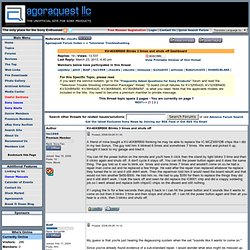
Where can i get one and approximately how much? Thanks... vducote, IC6505 corresponds to a particular IC and its location on on the D-Board. Good luck with your repair attempt! Bob. Low-Profile : Mounts & Brackets. Fry's Electronics - Wall Mounts. WireLogic Ultra-Thin Full Motion Mount 46-005-10.