
Turn a Used Wine Bottle into a Stylish, Mosquito-Repelling Torch. Turn an Old Computer into a Networked Backup, Streaming, or Torrenting Machine with FreeNAS. Turn Your Wall into an Awesome DIY Projector Screen for Less Than $50. You guys should consider mentioning what I consider the easiest, cheapest, highest quality screen out there, which apparently noone ever knows of.
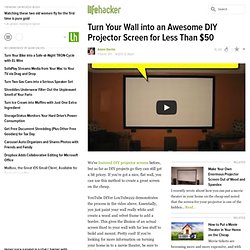
Magic words? Home Depot SKU 174-278 You get a Do-able board, which is similar to 1/8" thick, stiff vinyl, and without painting, treating, or anything, you can just start projecting an awesome quality image onto it. You can even have the friendly folks at Home Depot cut it for you so you have less work to do. Just Buy, Hang, and Enjoy. And how much does this cost? I really don't understand why this isn't more popular, but I assume that people just haven't heard about it. Here's a link discussing this awesome screen, and running some comparisons to pro screens and painted options. More of the write up here: Top10 - Gadgets for your bag. My opinion is that while most of these things can be useful, they are not the kind of things to carry around at all times, here's what I think.. 10.
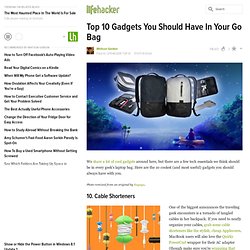
Cable shorteners, maybe I should give it a try. Not sure about the result though. 9. Money clip. 8. 7. Top 10 DIY Miracles You Can Accomplish with a $1 Binder Clip. Top 10 - USB Drive Tricks. HowTo - Back-Up Your Computer. For Linux, there is Back-In-Time which uses the standard Linux filesystem hardlink capability to store multiple versions in a non-duplicate efficient manner.
Unfortunately, none of the data is compressed and if large media files are not excluded (think 5GB videos), then you will quickly run out of backup storage. OTOH, it is bonehead simple and just works. Mom is very happen - ok, Mom doesn't know anything about it. There are Gnome and KDE specific versions of B-I-T. [backintime.le-web.org] Chances are that your distro repo has it, so installation is trivial. If you aren't doing backups on Linux, Back-in-Time is the simplest way. There are lots and lots of other alternatives. HowTo - Control Multiple Computers. How to Turn Your Computer into a Retro Game Arcade. While I've never heard the term "freezes" for save states, they are a very useful feature.

However, a word of caution — be careful to not overuse them. They can really cheapen a game if you use them too much. You start out just using them to make saving and loading a little bit faster, but before you know it, you're saving in times you have no business saving, like in the middle of a long RPG battle, just redoing any mistake you make. It's really tempting, believe me, but try not to use them to the point of basically cheating in a game. I've actually switched over more to emulators on my Wii partially because of the fact that saving and loading save states is slower and less tempting.
But yeah, nice guide. Oh, and one last thing — having played on emulators for at least a decade, I don't even know why you put the section in on using a keyboard. How to Get Motivated: A Guide for Defeating Procrastination. Followup to: How to Generally Reduce Procrastination and How to Stop Procrastinating Right Now UPDATE: The poster has been updated and is now available as a full-sized poster.

Jump down to the end if you want the download links. Two of my recent posts were meant to highlight clear, actionable things we can do to defeat procrastination – whether it’s general life and environment changes or things that can be done immediately – based on The Procrastination Equation by Piers Steel. They’re a bit long, and despite my best intentions to use as many of the methods from the book as possible, when I’m in the middle of procrastinating I don’t tend to go out of my way to look up a post, find a method, and implement it.
Downloads - 50 Best Apps. DIY - Desk USB ports. Seed Starting with the "Baggie Method." When I was ready to sow them using the baggie method I laid them out on a napkin and moistened the napkin with a spray bottle.
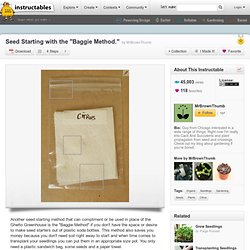
You want to moisten and not soak your paper napkin to avoid having your seeds get moldy. It's imperative if you're going to start citrus seeds that you sow them immediately because the longer you wait the lower your germination ratio will be. Once I had soaked my citrus seeds overnight and set them on the paper towel which I moistened I folded the napkin in half and set it inside the plastic sandwich bag which I sealed. Then I found a very warm spot for them in my bedroom. Since it's winter I take advantage of the heater we have running and place my seed baggies near a vent. Chocolatey Brings Lightning Quick, Linux-Style Package Management to Windows. Tear-em-off Business Cards. The Always Up-to-Date Guide to Building a Hackintosh [OS X 10.8.1]