
The Perfect Sites and Resources for Freelancers. Whether you’re in the process of setting up your own freelancing business or are still not sure is freelancing right business for you, these sites and resources surely will help you to make right decisions.
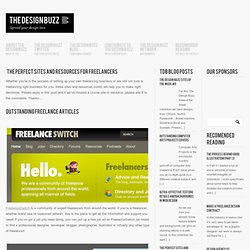
Please enjoy in this post and if we’ve missed a crucial site or resource, please add it to the comments. Thanks… FreelanceSwitch is a community of expert freelancers from around the world. If you’re a freelancer, whether brand new or seasoned veteran, this is the place to get all the information and support you need! If you’ve got a job you need doing, you can put up a free job ad on FreelanceSwitch job board to find a professional designer, developer, blogger, photographer, illustrator or virtually any other type of freelancer!
FreelanceFolder is a community for freelancers, entrepreneurs, work-at-home business owners, and web-workers.
Html tutorial - free html tutorial - html and tutorial - basic html tutorial. HTML (HyperText Markup Language) is the lingua franca of the Internet.
It is not a language per se, so you don't need any prior programming experience, though common sense is very much a required attribute! HTML is very simple, trust me. What is HyperText? (321 unread) - kelecsi - Yahoo! Mail. Website Templates. Managing themes in WordPress. Embed RSS Feeds in Pages with PHP and MagpieRSS. There are lots of scripts out there to put RSS on your page.
A surprising number of them are Javascript based. I understand the reasoning for this. Since so many people don't have access or skills to edit server-side code, it's easy to embed. Unfortunately, lots of people who *could* edit the code on the server are also using that method. Aside from just plain having control over the formatting and content, the fact that a PHP version of an RSS feed "embedder" gives you a page that Google reads as actual content for indexing and ad placement makes for a big bonus. This script is the one powering the front page of :phpgeek: that shows the PHP articles from :here:. How to Import and Display RSS Feeds in WordPress. Importing and displaying external RSS feeds on your site is a great way to share your online activity with your visitors.
If you are active on Flickr, Delicious, Twitter, or Tumblr, your visitors will enjoy staying current with your updates. 10 Essential WordPress Plugins You Should Be Using. There’s good reason why WordPress is the most popular blogging platform.
It’s easy to use and has tons of great features. But what’s really made this open source software excel is its passionate community. Yes, WordPress has lots of features built in, but it doesn’t have everything. The WordPress community fills this need. It’s full of talented developers that are constantly creating plugins to extend the features and make it even better. There are many WordPress plugins out there, but in this article we’re focusing on the most essential.
All in One SEO Pack. 11 Useful jQuery Powered WordPress Plugins. We all know the kind of dynamic and engaging functionality that jQuery can add to a user interface, but integrating jQuery does require some technical know-how.
This isn’t a big deal for many of us, but some WordPress users prefer the simplicity of a plugin. The purpose of this article is to help you discover some of the useful WordPress plugins available that gives you jQuery powered functionality in an easy to implement package. 13 Useful Code Snippets for WordPress Development. WordPress has grown to be commonly defined as the core solution for your blogging needs.
It is the most recognized and sought after Content Management System by writers and designers. Consequently, over the past few years there has been a voluble increase in WordPress blogs, this has caused the “need” for useful tips, tricks, and hacks, all made to allow the customizing of your WordPress powered site. Understanding WordPress Theme: The Basics of Creating Your Own WP Theme – Make Tech Easier. There are a variety of free and premium WordPress themes that you can find throughout the web.
You will sometime find that you can spend hours trying to modify the theme, so it is tailored to the way you want it. Sometimes it’s easier to create your own from scratch, and not deal with the headaches that can happen with customization of an existing WordPress theme. Wordpress Theme Development Checklist. 31 Websites Where To Find Free HQ Wordpress Themes - W3Mag. 28 Free Wordpress Photo Gallery Themes. A Photoblog (or photolog, or phlog) is a form of photo sharing and publishing in the format of a blog.
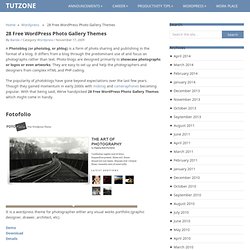
It differs from a blog through the predominant use of and focus on photographs rather than text. Photo blogs are designed primarily to showcase photographs or logos or even artworks. They are easy to set up and help the photographers and designers from complex HTML and PHP coding. The popularity of photoblogs have gone beyond expectations over the last few years. Though they gained momentum in early 2000s with moblog and cameraphones becoming popular. Fotofolio. Widgetbox › World's best place to find and make web widgets. 12 Essential Plugins that Extend WordPress as a CMS. Over the past couple of years WordPress has grown into much more than just a blogging platform.
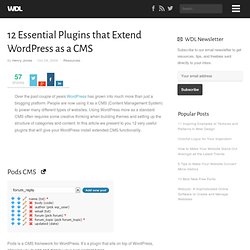
People are now using it as a CMS (Content Management System) to power many different types of websites. Using WordPress more as a standard CMS often requires some creative thinking when building themes and setting up the structure of categories and content. In this article we present to you 12 very useful plugins that will give your WordPress install extended CMS functionality. 15 Great Looking Free Portfolio Themes for WordPress. There are many graphic designers, such as logo designers, business card designers, and print designers, who do not have enough knowledge of HTML and CSS to code for WordPress. There are other artists, photographers and many more that are looking to share their work with the web. In this article we will be sharing some of the great looking FREE portfolio themes for WordPress, so you can use WordPress as your portfolio site.
To download the theme click on the theme name, and to preview the theme’s demo click on the image. 1. Creative by Nature 2. 3. 4. 5. 6. 7. 8. 9. 10. 11. How I create and publish podcasts » Moving at the Speed of Creativity. <div class="greet_block wpgb_cornered"><div class="greet_text"><div class="greet_image"><a href=" rel="nofollow"><img src=" alt="WP Greet Box icon"/></a></div>Hello there! If you are new here, you might want to <a href=" rel="nofollow"><strong>subscribe to the RSS feed</strong></a> for updates on this topic.
<div style="clear:both"></div></div></div> 24 Great Tips & Tutorials To Get The Most Out Of WordPress. WordPress can be so much more than just a blogging platform and can be used to run many types of sites from personal sites to online magazines and portfolios. I guess I could say I’m a hardcore WordPress user. Actually, almost every website I’ve designed/coded runs on WordPress. Throughout the years I’ve learned a lot about WordPress and how it can be used to run almost any type of website.
Today I’d like to share some great resources and tutorials that have helped me along the way! :) The Ultimate Guide to Setting up WordPress after an Install. There are a few essential steps that need to be taken with any new wordpress install. Obviously not every wordpress blog will be the same but there are some basics that I feel should be done regardless of what kind of blog you’re creating. Here we’ll go through 10 steps that are essential to preform after any wordpress install including a list of 10 plug-ins that are a must for blogs of any type. Step 1 – Change Permalink Structure When you go to Settings > Permalinks, you’ll notice that the default permalink is This structure not only isn’t a good idea for SEO but it also doesn’t tell your visitors anything about the link they’re visiting.
I would suggest a custom structure here using only the post title ( which will provide some keywords for search engines as well as giving your readers something to go on. Download "Gallery": A Free WordPress Theme. Just recently we asked 1 you to let us know what theme you would like us to release next. Among numerous comments we found many request for a gallery-theme that could be particularly useful for portfolios and showcases. At the very same time Christopher Wallace 2 has been designing an advanced gallery-WordPress-theme for the design community and Smashing Magazine’s audience. And today finally we are proud to release it – for free, of course. Gallery WordPress Theme Gallery is a beautiful, free, gallery-style Thematic child theme for WordPress, designed by Christopher Wallace 3 especially for Smashing Magazine and its readers. This theme can be seen in action on MixCSS.com 4 , which is being launched as a high-end design gallery that showcases the true power of the Gallery theme.
Atahualpa « WordPress Themes. 10 Killer WordPress Hacks. My Wordpress Cheat Sheet. 8 Useful WordPress SQL Hacks. Advertisement By Jean-Baptiste Jung Over the past 10 years, the MySQL database has become incredibly popular on the Web. Every WordPress blog is driven by a MySQL database, which contains the blog’s posts, settings, comments and much more. Function Web Design & Development [ Blog ] » How-To: Taking WordPress One Step Further. 20 Incredibly Useful Themes and Plugins to Boost your WordPress Admin Area.
Dec 07 2008. Building Custom WordPress Theme. This is the Chapter II of the Complete WordPress Theme Guide series. WordPress Optimization Guide. 50 Beautiful Free WordPress Themes - Six Revisions. 9 Starter Wordpress Themes. 11 Top WordPress Plugins Every Blog Should Have. A 3-column template system with spectacular typography and customizable, rotating images — Thesis Theme for WordPress. Here at DIYthemes, our goal for 2017 is a simple one: We want to make Thesis smarter and better able to accommodate your website needs. We already made great strides with Thesis 2.3 and its built-in WooCommerce compatibility, and we also sprinkled in some features and fixes that help Thesis work better wherever you want to use it (staging servers, WP-CLI environments, etc).
With Thesis 2.4, we are pleased to introduce a new saving/response feedback system on Thesis Admin pages and the Skin Editor. Whenever you hit that green Save button, Thesis will tell you exactly what’s happening. And that’s just the tip of the iceberg with Thesis 2.4. Check out the version 2.4 changelog, or else read on for a look at the most important updates in this new version. WordPress Themes, Plugins, Tips, and Tricks — The Advanced WordPress Help Sheet. WordPress Themes, Plugins, Tips, and Tricks — The WordPress Help Sheet.
How to Use Wordpress as a Membership Directory. Wordpress Security Tips and Hacks. Feb 17 2008. Comment Relish » Justin Shattuck. Emma Alvarez Site: Top Best 50 Blogger & Wordpress Customizations Tips ( Hacks ) Free Web Layouts and Open Source CMS Web Design Templates. Top 10 Template Generators for Blogs and Websites. Custom WordPress Database Error. 16 Must Read Articles For Bloggers. Add-Meta-Tags WordPress Plugin. WordPress and SEO. How to edit Wordpress themes using Dreamweaver. Cre8d design: blog design, Wordpress themes, Drupal, Web 2.0.