
Snapfit.js (javascript jigsaw puzzle functionality for images) <form name="lst" id="lst" method="post" action=".. snapfit.js 1.5 allows you to add jigsaw puzzle functionality to images on your webpages.

It uses unobtrusive javascript to keep your code clean. It works in all the major browsers - Mozilla Firefox 1.5+, Opera 9+, IE 6+ and Safari, else it'll degrade and your visitors won't notice a thing. To add snapfit just set the event onload="snapfit.add(this);" to an div surrounded image. JsTree - Open Source Javascript Treeview Component. Learning PHP: Get Started Using PHP. This PHP tutorial will guide you through the process of learning and using PHP, preparing you with some fundamental knowledge to get you started in the right path. We will talk about the history of PHP, create a local development environment (so that you won’t need a web server) and create a basic PHP script while discussing common beginner PHP gotchas along the way. Introduction In the beginning, there was nothing. Well, there were static web pages that had to be edited manually.
NewsBlur is a slick, impressive, undocumented RSS reader. NewsBlur is a very beautiful feed reader that's laden with tons of JavaScript, but it utterly lacks any form of documentation.

It's an open source project by the talented Samuel Clay, who has been working on it for 15 months now. He's currently working on an iPhone version, but the regular version is very impressive in itself. The sources are hosted over on GitHub, and the project uses the Django Web framework for Python. This means that you can probably install it on your own server and break free from the big G.
But unlike Fever, which is another server-based reader, NewsBlur has built-in multi-user support, and it's free. NewsBlur lets you import your current feeds from Google Reader. How to Become a JavaScript Badass » Clientcide (Formerly CNET’s Clientside) Last week I wrote a rather lengthy post lamenting the fact that finding talented front end developers is rather challenging.

This led to some nice comments and emails about the topic and more than one suggestion that I not just whine about the state of things without suggesting a remedy; specifically, that I post instructions on HOW to become a JavaScript badass. I don’t know that I can tell you how to become a JavaScript ninja, but I can give you some pointers. I’ll start out by saying that I learned what I know via a rather circuitous route that I doubt even I could reproduce if I tried… My Story, In Brief. MyWebSql – Open Source & Ajaxed MySQL Manager. MyWebSql is a web-based and open source MySQL client that is built with PHP. It has an Ajaxed interface and besides the rows of tables, it can control views, stored procedures, triggers and functions. Data can be exported and imported easily (query results can be exported as well).
Featured Content Slider With jQuery: Blockster. Blockster is a lightweight jQuery plugin for creating featured content sliders with beautiful effects. It rotates a a series of divs and displays any side info by pausing for a given period between each other. The plugin has 2 effects which simply makes the transition between one element to the next block by block but results in an impressive look.
The transitions can be customized by defining the number of rows, columns and the speed. Six great resources for budding JavaScript coders. As a relative newcomer to the world of web development, it sometimes seems to me as though there is a gulf in the field: The "pros" versus the "wannabe developers".

As if there's a tight-knit clique of developers, all well-versed in arcane stuff like advanced user scripts, HTML5, or Ruby on Rails -- and then there's the "rest of the world", composed of mere mortals just trying to hack something together that would somehow display and sort of work across multiple browsers. So the question becomes: How do I bridge the gap? How can I become a decent, skilled JavaScript developer without spending a boatload of money? After the fold you can see my take on that issue, consisting of one piece of advice and five resources which I find useful in this quest! So What is "Feed to JavaScript"? So What is "Feed to JavaScript"? An RSS Feed is a dynamically generated summary (in XML format) of information or news published on other web sites- so when the published RSS changes, your web site will be automatically changed too. It is a rather simple technology that allows you, the humble web page designer, to have this content displayed in your own web page, without having to know a lick about XML!
Think of it as a box you define on your web page that is able to update itself, whenever the source of the information changes, your web page does too, without you having to do a single thing to it. . This Feed2JS web site (new and improved!) Windows-Like Popups With jQuery: AeroWindow. Is a for creating . The pop-ups not only look like a native Windows element but also behave similarly as well with the . There can be multiple pop-ups in one page where the active one is highlighted visually. All can be , all like Windows. Flip Any HTML Element With jQuery Flip! Flip!

Is a jQuery plugin that enables you to flip any HTML, text or jQuery element beautifully. It is possible to set the direction of the effect, right-to-left, up-to-down or vice versa of both, the content to be displayed after the flip and the background of it. How to Create a Bubbly Navigation with jQuery. Codrops has shared a tutorial about how to create a bubbly navigation with jQuery.

The idea is to have some round navigation icons that release a bubble when hovering over them. They will use the jQuery Easing Plugin for a even nicer effect. However, if you are an IE user you might have noticed that the bubble looks kind of weird without CSS3 support. He has figured that has something to do with the transparency of the image and the animation, but there is no solution yet. Please use Google Chrome to view the demo for now. Using jQuery The Sexy Way: 7 Great Techniques For a Slick Layout. Whatever content you have to present, you can present them in a more interactive & more responsive ways.
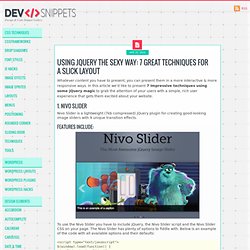
In this article we’d like to present 7 Impressive techniques using some jQuery magic to grab the attention of your users with a simple, rich user experience that gets them excited about your website. 1. Nivo Slider. Reel – Provides 360° View of Anything. How to Create a Sponsor Flip Wall using jQuery. Designing and coding a sponsors page is part of the developer’s life.

It, however, follows different rules than those for the other pages of the site. You have to find a way to fit a lot of information and organize it clearly, so that the emphasis is put on your sponsors, and not on other elements of your design. Uncovering jQuery's Hidden Features. jQuery is not always as it appears.

There's a lot of cool stuff going on under the surface, and there are many methods just waiting to be discovered, and many potential usages of jQuery's API that you may not have considered before. In this article I'll be taking you through a few of the not-so-obvious things I've discovered about jQuery. 1. 15 Best Free Online Tools for Web Design & Development.
You can find a tool for just about anything online, there’s only one problem: they cost money, and in some cases, lots of it!

Many online tools offer a free basic package for anyone to use, but these packages are often strictly limited, rendering these tools practically useless until you stump up the cash. In most cases, however, there are free alternatives available, many of which are very, very good indeed. Below, you’ll find 15 Best Free Online Tools for Web Design and Development. Rather than narrow our focus, we’ve covered various aspects of the design and development process, to include the admin side of freelancing or running a small business. No two tools listed below perform the same function; we’ve chosen our favorite tool for doing each job. 1. Slim jQuery Form Validation Plugin: Ketchup. Ketchup is an easy-to-customize (in means of appearance & functionality) jQuery plugin for validating user inputs on the client-side. The plugin works by inserting the validation rules inside the markup, just like:
Data And Content Visualization: Simile Widgets. Open Source RIA Framework For .NET: LiveUI. How to Create a “Who is Online” Widget. Alloy UI: Feature-Rich JavaScript UI Framework. Alloy UI is a JavaScript UI library, a CSS framework, a set of HTML recipes and a taglib library, all combined to empower developers across multi-skilled teams deliver rich and dynamic applications. Best jQuery plugins - February 2010. Quicksand Reorder and filter items with a nice shuffling animation. Just specify source container and destination collection which will replace the source collection. New elements will appear with fancy scaling+alpha effect, deleted elements (non-existant in destination collection) will scale out and rearranged items will move to their destination positions. Embed Picasa Gallery If you keep your images on PicasaWeb, this plugin lets you integrate an interactive gallery showing images of your choice. RandomImageGenerator: Placeholder Image Generator Online. Animated Reordering And Filtering Of Items: jQuery Quicksand.
Plupload – Making Multiple Uploading Easier than Ever. Plupload allows you to upload files using HTML5 Gears, Silverlight, Flash, BrowserPlus or normal forms, providing some unique features such as upload progress, image resizing and chunked uploads. Flexible Google Maps jQuery Plugin: gMap. DotNet JQuery (DNJ) : new features in version 0.4.0. Main Page - MonoDevelop. Best jQuery Plugins - December 2009. Open Source JSF Library for Creating UI for Web Apps. Wait till I come! » Loading external content with Ajax using jQuery and YQL. 95+ Exceptionally Useful jQuery Plugins, Tutorials and Cheat Sheets JavaScript Frameworks Playground: jsFiddle.
Easy and Slick Way to Do Auto-Complete & Auto-Suggest. Move Elements With Style: JQuery Roundabout. Meerkat – jQuery Plugin for Splash Pages or Promotions. 35 Fresh and Useful jQuery Plugins. jVal – jQuery Form Field Validation Plugin. How To Create A Scrolling Background Effect. jQuery Secrets! 6 Free Sites To Learn About Programming in PHP.
jQuery Tools - A Collection of Javascript UI Components. 25 Fresh and New jQuery Plugins and Tutorials : Speckyboy Design Magazine. 10 Best jQuery Plugins for working with Tables.