
John P Gaioni sur Twitter : "#SolidEdge Turns 20, And You Get the Gift! Buy one seat of Solid Edge, get one free! #BOGO. Hartsfield-Jackson Atlanta International Airport (ATL) Jim Brown sur Twitter : "Changing CAD Survey Please share with your engineering friends!"... Completes the biggest CAD software migration project successfully. The transition to Siemens NX CAD software has been completed in all business units across the GroupMore than 6,200 users have received training Stuttgart – The large-scale project, known internally as PLM2015, has been completed and the new Siemens NX CAD software has been introduced.
Key criteria to switch from the CATIA V5 design software, which had been used for many years, to Siemens NX, were the improvement of efficiency and sustainability - and the wish to integrate the product data management software currently used by Daimler, which forms the IT framework for all the development and product planning processes, with the CAD system. Dr Michael Gorriz, CIO Daimler: "I would like to thank all the people who have worked so hard to complete our biggest IT migration project in recent decades to the planned schedule. The introduction of the new design and product data software not only means that we are well prepared for the future. Mark Burhop sur Twitter : "@jhirschtick here is my heavily modified @Solidoodle3D printer doing @Onshape parts. #CADAndAMisFun! And TenLinks Merge Operations. TORONTO, Ontario and NOVATO, California, April 23, 2015 -- TenLinks and ENGINEERING.com, leaders in engineering and design media, announced today that they will merge their operations.
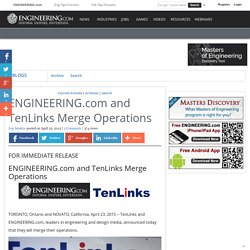
Roopinder Tara, founder of TenLinks, and John Hayes, CEO of ENGINEERING.com at TenLinks headquarters. TenLinks founder Roopinder Tara will continue issuing TenLinks Daily, managing the TenLinks websites, and in addition, become Director of Content of CAD, CAM and CAE subjects for ENGINEERING.com. The industry leading expertise and reputation of TenLinks contributes greatly to our mission to inform, inspire and entertain the worldwide engineering community," said John Hayes, CEO of ENGINEERING.com. "Design is a critical part of engineering, and TenLinks solidifies our coverage and presence in that segment.
" The merger of TenLinks and ENGINEERING.com creates a significant opportunity for advertisers: * More than 100 expert authors * Over 3 million unique monthly visitors. Prelude to COFES: What Does a “System” Look Like? Thoughts On SpaceClaim Engineer 2015. Posted by Deelip Menezes Featured, Opinions Wednesday, November 19th, 2014 Today morning SpaceClaim’s Director of Product Management Justin Hendrickson walked me though SpaceClaim 2015, the latest version of their flagship MCAD system that was made available to customers today (see press release).
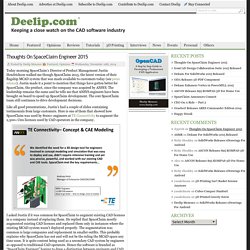
Justin made it a point to mention that things have gotten better for SpaceClaim, the product, since the company was acquired by ANSYS. The leadership remains the same and he tells me that ANSYS engineers have been brought on board to speed up SpaceClaim development. The core SpaceClaim team still continues to drive development decisions. Like all good presentations, Justin’s had a couple of slides containing testimonials from large customers. I asked Justin if it was common for SpaceClaim to augment existing CAD licenses in a company instead of replacing them. This slide sums up what’s new in SpaceClaim Engineer 2015. At the top of the list is new tools for prepping models for 3D printing. 'Get Radical' Razor PowerWing Scooter Design Challenge.
Create a new scooter design for Razor USA.

Shapes and Solids of Constant Width - Numberphile. Taming the Upfront Cost of CAD. Taming the Upfront Cost of CAD Posted by 3DCAD Editor+ on Thursday, October 24, 2013 · Leave a Comment. Local Motors. Get in touch.
Just how did NURBS come to be? - by Dr. Ken Verspr... Solid Edge subscription - This is Not the Cloud. Scott Wertel posted on September 10, 2013 | Comment | 6467 views Since its announcement in late August, Solid Edge’s subscription model has been compared in many different lights.
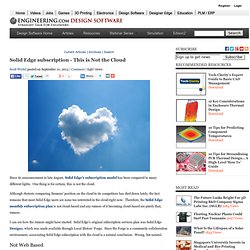
One thing is for certain, this is not the cloud. Although rhetoric comparing Siemens' position on the cloud to its competitors has died down lately, the fact remains that most Solid Edge users are none too interested in the cloud right now. The Future of Design. Index. Burhop : When you walk into a... Burhop : Grouping of history tree to... Mark Burhop (burhop) on Pinterest. CAD Workstation Storage, Part 1: The Evolving Tradeoffs Between HDD and SSD « CADspeed. EngineerVsDesigner EngineerVsDesigner - Get your Solid Edge Catalog Parts….Now! Get your Solid Edge Catalog Parts….Now!
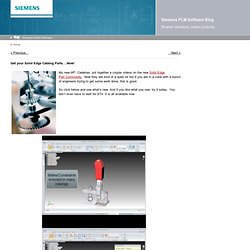
My new bff*, Cadenas, put together a couple videos on the new Solid Edge Part Community. The Advantages of Solid-State Drives for Solid Edge and Other CAD Applications « CADspeed. Home > Hard Drive, Mobile Workstations, Workstations > The Advantages of Solid-State Drives for Solid Edge and Other CAD Applications A few of us CAD folks are experimenting with solid-state drives (SSDs), since they give fast boots and quick launches of Solid Edge (and most other high-end software programs).

However, SSDs cost more than traditional hard disk drives (HDDs), so only a lucky few are getting them. SSDs use solid-state memory to store data and provides access just like a traditional block i/o HHD. Siemens PLM and Synchronous Technology in Solid Edge. There certainly has been a lot going on in the CAD industry of late.
It seems as if just about everyone has been talking about adding or integrating direct modeling into what they offer. Thinking back, direct modeling and feature-history modeling have both been around for some time. But the first software provider to really try to integrate the two together was Siemens PLM when they launched Synchronous Technology. But since then, everyone’s caught up to what Siemens PLM did, right? After some investigation, I think there are several capabilities that are still unique. Background. CAD Jobs, 3D Jobs, GIS Jobs, AutoCAD Jobs, SolidWorks Jobs, Catia Jobs, Inventor Jobs, Pro/Engineer Jobs, Mechanical Design Engineer jobs with CAD from CADjobhunter.com. Dave Ault asks 40 tough questions about the cloud. We've got all 40 of them. Following up on announcements we made at SolidWorks World 2010.
Eight months have passed since we took the stage at SolidWorks World in Anaheim and talked about cloud technology and the benefits it can bring to the product design process. As I travel around the world talking to companies and visiting user groups, I’ve noticed the same questions keep coming up, and I wanted to address some of them directly. First, people are asking what this “cloud” thing is all about In a nutshell, “cloud computing” leverages the Internet to shift processor-intensive tasks from the desktop to more-powerful remote machines.
We’ll talk more about technology later, but if you want to learn more now, this blog post by Faisal Ghadially does a nice job of exploring the different options. Second, people are asking if the introduction of cloud applications means the end of installed software. Rest assured—moving resources online is not an “either/or” decision. Twitter Directory and Search, Find Twitter Followers. People-centric PLM requires enterprise social systems. 25 Things Managers Should Know about FEA by Desktop Engineering. Untitled. Advance Your 3D Software Development Career at SpaceClaim. Solid Edge: Velocity Series: Solutions by Product Line: PLM - Pr. GTAC: Siemens PLM Software. UGS: Solid Edge Forum.
Femap Version 10.1.1: Femap: Velocity Series: Solutions by Produ. Femap version 10.3 is the latest release of the state-of-the-art finite element modeling pre- and postprocessor for engineering simulation and analysis.
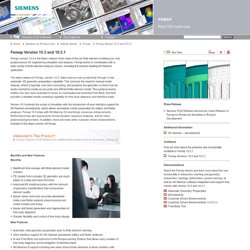
Femap works in combination with a wide variety of finite element analysis solvers, including the industry-leading NX Nastran application. The latest release of Femap, version 10.3, helps improve user productivity through a new automatic 3D geometry preparation capability. This removes the need for manual model cleanup, which is typically very time consuming, and prepares the geometry so that it can be easily meshed to create an accurate and efficient finite element model. The postprocessing toolbox has also been extended to house an overhauled and extended Free Body Tool that provides a detailed results reviewing capability for free body diagrams and interface loads.
Untitled. Untitled. Mark Burhop: I love CAD renderings. You... CADVille post for April Fools day - Siemens PLM Software Blog. Jump to Comments by Mark Burhop | 31 Mar 2010 Yesterday for April fool's day, I released a blog post about a fictitious product called CADVille. This was a running joke within the CAD community on Twitter and I thought this might be a fun post. I sent out a tweet asking some of the CAD bloggers if they wanted to participate and got a few replies.
The joke quickly got a life of its own catching both me and my company by surprise. Explicit Parametric Concept Design.