Bookmark Sync and Search. Speedtile - your bookmarks! La nouvelle génération de favoris. Everybody enjoys things @ enjoysthin.gs. Social bookmarking tool using smart semantic Wikipedia (DBpedia) tags. Organize and share favorites with your friends. Digg - All Topics - The Latest News Headlines, Videos and Images. Web Highlighter and Sticky Notes, Online Bookmarking and Annotation, Personal Learning Network.
Surfmark: Annotate, capture, organize and share your web search. Partagez en un clic vos liens préférés sur Facebook, Twitter ou par e-mail. Trunk.ly. BibSonomy.
StumbleUpon.com: Discover the Best of the Web. Permamarks. Pinterest / Home. Kippt. Diigo. Pearltrees. Share your vision. WebList - The place to find the best web lists on the web. Licorize - for the web worker tribe. Organize the Web in your way. Partners with StumbleUpon. Don’t you love StumbleUpon, the discovery engine that helps you find the best of the web so easily?
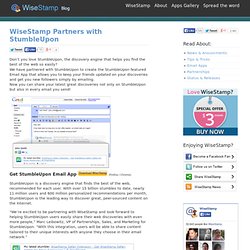
We have partnered with StumbleUpon to create the StumbleUpon featured Email App that allows you to keep your friends updated on your discoveries and get you new followers simply by emailing. Now you can share your latest great discoveries not only on StumbleUpon but also in every email you send! Get StumbleUpon Email App (Firefox / Chrome). StumbleUpon is a discovery engine that finds the best of the web, recommended for each user. “We’re excited to be partnering with WiseStamp and look forward to helping StumbleUpon users easily share their web discoveries with even more people,” Marc Leibowitz, VP of Partnerships, Sales, and Marketing for StumbleUpon. Get your StumbleUpon WiseStamp Email App with these simple steps: 1. . 2. Don’t have a StumbleUpon profile yet? Share it with the world: Evernote Corporation. Zootool. A free app that helps you remember.
Bookmarking done right: historious, your personal search engine - historious. Archify - What You See Is What You Search. Archive-It - Web Archiving Services for Libraries and Archives. Welcome - FavSync - The universal bookmarks manager. Smart bookmark management and collaboration. Plime.com : popular links.
Stay delightfully informed! Clipmarks - What are you finding on the web? Online Bookmarks and Favorites - StartAid. Filtering the world's information - Company profile. Delicious. Bookmark suggestions from inSuggest. Mapping del.icio.us with Anthracite and OmniGraffle. Several people have asked me how I produced the visualizations that I used in my talk on del.icio.us.
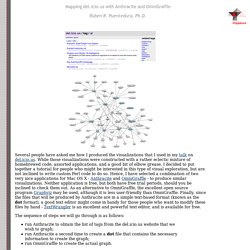
While those visualizations were constructed with a rather eclectic mixture of homebrewed code, assorted applications, and a good bit of elbow grease, I decided to put together a tutorial for people who might be interested in this type of visual exploration, but are not inclined to write custom Perl code to do so. Hence, I have selected a combination of two very nice applications for Mac OS X - Anthracite and OmniGraffle - to produce similar visualizations. Neither application is free, but both have free trial periods, should you be inclined to check them out. As an alternative to OmniGraffle, the excellent open source program Graphviz may be used, although it is less user-friendly than OmniGraffle. The sequence of steps we will go through is as follows: In the preprocessor: retrievetags, taglist In the processor: readtaglist, dotfile Preface: the dot file format. Absolutely Delicious Tools Collection. [Regularly Updated] Looking for the best delicious tools, mashups, hacks and services on the web.
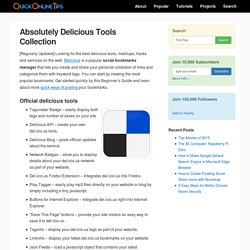
Delicious is a popular social bookmarks manager that lets you create and share your personal collection of links and categorize them with keyword tags. You can start by viewing the most popular bookmarks. Get started quickly by this Beginner’s Guide and learn about more quick ways of posting your bookmarks. Official delicious tools Tagometer Badge – easily display both tags and number of saves on your siteDelicious API – create your own del.icio.us tools.Delicious Blog – posts official updates about the service.Network Badges – allow you to display details about your del.icio.us network as part of your website.Del.icio.us Firefox Extension – Integrates del.icio.us into Firefox.Play Tagger – easily play mp3 files directly on your website or blog by simply including a tiny javascript.Buttons for Internet Explorer – Integrate del.icio.us right into Internet Explorer. Share This Article: Popular web pages from Delicious.com. A growing list of the top links selected by delicious users - Delicious Black Box - Delicious Black Box.
Social Bookmarking Tool. Folkd.com - social search and social bookmarking. PickMe Web - Online Social Bookmarking - Share, Learn and Explore. Skloog.com - Visual bookmarking made easy. Social bookmarking. Public marks. SpeedyMarks - My Visual Bookmarks. MyHq - living in the web. MyHq : Fast, text based, banner free online bookmark manager. Tagza.com - Let's Tag Your Web!
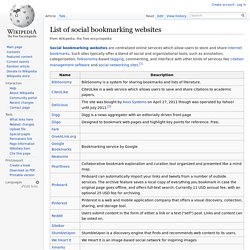
List of social bookmarking websites. Defunct sites[edit] See also[edit] Notes and references[edit]