
E-Learning Heroes. Rogerallabout - My. Open Source E-Learning. Emerging Top 100 Tools for Learning 2011. Wink - [Homepage] Here is a sample Flash tutorial created by Wink.
![Wink - [Homepage]](http://cdn.pearltrees.com/s/pic/th/wink-homepage-208794081)
Click the green arrow button to start viewing it. --------> This is a good example of how you can create tutorials in Wink, by capturing screenshots, mouse movements and specifying your own explanations with them. And all this in a standard Windows-based UI with drag-and-drop editing makes it very easy to create high quality tutorials/documentation. It is estimated that Macromedia Flash Player is installed in more than 90% of the PCs.
Do you develop mobile apps or want to create tutorials about using mobile apps and websites? A new version of Wink is under development, to easily create tutorials about mobile apps and websites.If you would like to try it out when ready, please sign up here. 150 Free Textbooks: A Meta Collection. Free textbooks (aka open textbooks) written by knowledgable scholars are a relatively new phenomenon.
Below, find a meta list of 200 Free Textbooks, and check back often for new additions. Also see our online collection, 1,700 Free Online Courses from Top Universities. Art History A Textbook of the History of Painting by John Charles Van Dyke, Rutgers Biology Anatomy and Physiology – Edited by various profs at OpenStaxBiology – Edited by various profs at OpenStaxBiology Pages, John W. Business and Management. Wiki. eXe. The eXe project developed a freely available Open Source authoring application to assist teachers and academics in the publishing of web content without the need to become proficient in HTML or XML markup.

Resources authored in eXe can be exported in IMS Content Package, SCORM 1.2, or IMS Common Cartridge formats or as simple self-contained web pages. eXe grew out of the New Zealand Government Tertiary Education Commission's eCollaboration Fund and was led by the University of Auckland, The Auckland University of Technology, and Tairawhiti Polytechnic. It was later supported by CORE Education, a New Zealand-based not-for-profit educational research and development organisation. It has also been greatly assisted by a global group of participants and contributors. Moodle.org: open-source community-based tools for learning. Your Dashboard. Multimedia Educational Resource for Learning and Online Teaching. Hot Potatoes Home Page. News - 2020-04-16 A minor update to Hot Potatoes (version 7.0.3.0) has been released.
This removes references to the HTML non-breaking-space entity which is no longer defined in HTML5. Agnès Simonet has released new versions of her excellent Hot Potatoes add-ons, along with those originally written by Michael Rottmeier, for version 7 of Hot Potatoes. You can find them at Potatoes 7 was first released in 2019. You should be able to install and use it alongside version 6.3 if you would like to keep using both versions. What is Hot Potatoes?
The Hot Potatoes suite includes six applications, enabling you to create interactive multiple-choice, short-answer, jumbled-sentence, crossword, matching/ordering and gap-fill exercises for the World Wide Web. Downloads Download Hot Potatoes for Windows from here: Voxopop - a voice based eLearning tool. CamStudio - Free Screen Recording Software. Top de portals de portables. Estoig Digital. RELOAD Project. Blog Tool and Publishing Platform. Quandary Home Page. Quandary is an application for creating Web-based Action Mazes.
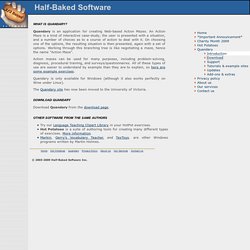
An Action Maze is a kind of interactive case-study; the user is presented with a situation, and a number of choices as to a course of action to deal with it. On choosing one of the options, the resulting situation is then presented, again with a set of options. FCE SPECIAL. Tools. JeLSIM Builder The JeLSIM Builder toolkit is a FREE toolkit for producing educational simulations.
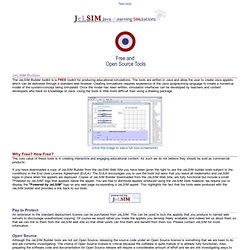
The tools are written in Java and allow the user to create Java applets which can be delivered through a standard web browser. Creating simulations requires experience of the Java programming language to create a numerical model of the system/concept being simulated. Once the model has been written, simulation interfaces can be developed by teachers and content developers who have no knowledge of Java.
Using the tools is little more difficult than using a drawing package. Over 20 Free Digital Classroom Tools… Customize… Plus No Log In. This is a site that you are bound to find useful in your classroom.

The tools are incredible and may even include items you have used on paper in the past… but can now bring digitally into the 21st century! Before this informative journey encompassing some engaging resources please take a moment and sign up by email or RSS. I enjoy sharing and I am also motivated by knowing that I am making a difference for you. Your subscription, retweet, and comments means a lot to me. I thank you in advance. What amazed me most about Classtools.net was not the valuable tools provided, but the ability for teachers to easily customize these tools and use them in any subject area.
Classtools.net is the work of educator, Russel Tarr, Head of History at the International School of Toulouse, France. The Listing Of Over 20 Digital Tools For Your Classroom. LAMS: Learning Activity Management System. 135 recursos para sacar el mayor partido a Twitter. Xerte - Open Source E-Learning Developer Tools. Rededuca - home. CourseLab - free e-Learning authoring tool. Home. Business English Grammar Lessons. Recopilación de enlaces: "Aplicaciones educativas de la. Estoig Digital. Text, Images, Music and Video.
Merlí. Catàleg de recursos educatius. La catalogació de recursos educatius a Merlí (XTEC) ens permet preservar els recursos i patrimoni educatiu català i donar a conèixer les experiències educatives en un marc europeu.
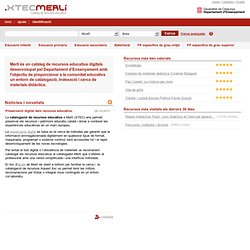
La preservació digital es basa en la cerca de mètodes per garantir que la informació emmagatzemada digitalment en qualsevol tipus de format, maquinaria, programari o sistema continuï sent accessible tot i el ràpid desenvolupament de les noves tecnologies. Per evitar el buit digital o l'obsolència de materials us recomanem catalogar els recursos educatius al catalogador Merlí que s'ofereix al professorat amb una versió simplificada i una interfície millorada. QuestGarden.com. Index - Learning Circuits. Xical.org.
Learning Tools - Multimedia Learning Object Authoring Tool. ClassTools.net: Create interactive flash tools / games for education.