
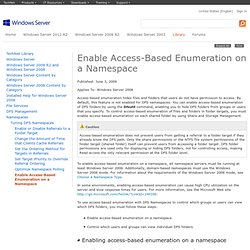
Enable Access-Based Enumeration on a Namespace. Published: June 3, 2009.
DFS Step-by-Step Guide for Windows Server 2008. In this task, you enable DFS Replication on the Tools folder.
If you recall from "Task 4: Add Folders to the Namespace," you created two folder targets for the Tools folder. Because users can be directed to either one of the folder targets, you need to ensure that the contents of the folders are kept synchronized. If you are familiar with File Replication Service (FRS) in Windows Server 2003, you know that FRS is only supported in domain-based namespaces. In Windows Server 2008, you can use DFS Replication in both stand-alone and domain-based namespaces. Therefore, you can complete this task regardless of the type of namespace you created in "Task 1: Create a Namespace. " In the console tree of the DFS Management snap-in, right-click the Tools folder, and then click Replicate Folder. After you finish the previous procedure, navigate to the Replication node in the console tree.
Another way to view the status of replication is to create a diagnostic report. DFS Management. Migrate a Domain-based Namespace to Windows Server 2008 Mode. Published: October 22, 2009 Updated: October 16, 2013 Applies To: Windows Server 2008 R2, Windows Server 2012, Windows Server 2012 R2 The Windows Server 2008 mode for domain-based namespaces includes support for access-based enumeration and increased scalability.
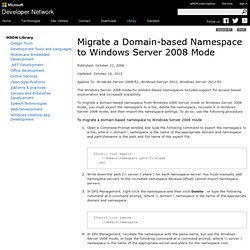
To migrate a domain-based namespace from Windows 2000 Server mode to Windows Server 2008 mode, you must export the namespace to a file, delete the namespace, recreate it in Windows Server 2008 mode, and then import the namespace settings. To do so, use the following procedure. Using ABE with DFS - Ask the Directory Services Team. Hello, Dave here.
Today I discuss the Access Based Enumeration (ABE) feature in Windows Server and how it may be implemented with Distributed File System Namespaces (DFSN). First you may ask, "What is ABE, and why would I want to utilize it? " By default, all folders and files will be listed in a folder, even if the browsing user doesn't have permissions to them.
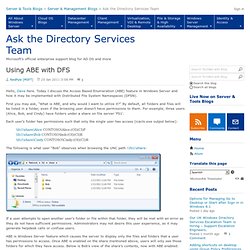
For example, three users (Alice, Bob, and Cindy) have folders under a share on file server ‘FS1’. Each user's folder has permissions such that only the single user has access (icacls.exe output below): \\fs1\share\Alice CONTOSO\Alice:(OI)(CI)F \\fs1\share\Bob CONTOSO\bob:(OI)(CI)R \\fs1\share\Cindy CONTOSO\Cindy:(OI)(CI)R The following is what user “Bob” observes when browsing the UNC path \\fs1\share: If a user attempts to open another user's folder or file within that folder, they will be met with an error as they do not have sufficient permissions. ABE is enabled for non-DFS shares via the "Share and Storage Management" snap-in. How to configure DFS to use fully qualified domain names in referrals. By default, a Microsoft Distributed File System Namespace (DFSN) root referral reply to a DFS root referral query is in NetBIOS name format (\\<>\<>).
This is necessary in certain environments that rely on NetBIOS and makes it possible for clients that support NetBIOS-only name resolution to locate and connect to targets in the DFS namespace. By default, Windows clients work fine with this. However, some clients do not use NetBIOS. Two examples are clients that are not running Windows and clients that operate in an environment without WINS or that use DNS name suffixes. Those clients are incompatible with the default DFSN behavior. In these cases, the client may be unable to resolve the server name that is returned from the root referral query.
Note For namespace servers that are hosting only stand-alone namespaces, some steps that are described in this article are unnecessary. Monitoring and Maintaining DFS Namespaces - Ask the Directory Services Team. Hello all, David here again.
If you are reading this post, you likely have Distributed File System Namespaces (DFSN) deployed or are at least considering it. In large environments, DFS Namespaces may stretch across many sites and target tens or hundreds of file servers. Depending on the size and quantity of namespaces, you may be wondering about the methods available to monitor the health of namespaces and ensure their proper function. I have written the information below to provide such methods. Utilize the DFSDiag.exe utility First, the administrator of any environment with namespaces should routinely run the DFS Diagnostics (DFSDiag.exe) tool. While there have been a few other blog posts about DFSdiag (look here and here), I will mention the key issues it detects within an environment: Offline file servers, domain controllers, and DFSN servers (Helpful in detecting retired servers that are still referenced within the namespace!)
Leverage the File Services Management Pack found in SCOM. Delegate Management Permissions for DFS Namespaces.