
Exercise Finder, health - divine.ca - Page 2. Look at this pic...:) By Sophie Borland Updated: 07:54 GMT, 12 July 2011 Forget early morning jogs or lunchtime trips to the gym.

Relaxing music, sleep-aids, anxiety reduction, relaxation tools. What is Ergonomics - Ergonomic Basics. Ergonomics is a term thrown around by health professionals and marketing mavens with a cavalier attitude.

For some it has a very specific meaning. For others it covers everything under the sun. With all this different verbiage flying at you, you are probably starting to wonder, “What is Ergonomics?” Definition of Ergonomics Ergonomics derives from two Greek words: ergon, meaning work, and nomoi, meaning natural laws, to create a word that means the science of work and a person’s relationship to that work. The International Ergonomics Association has adopted this technical definition: ergonomics (or human factors) is the scientific discipline concerned with the understanding of interactions among humans and other elements of a system, and the profession that applies theory, principles, data and methods to design in order to optimize human well-being and overall system performance.
That is not the most efficient definition of what ergonomics is. Premier Source For Office Ergonomics. Cornell University Ergonomics Web. Seated Exercises. Before you Purchase Checklist. HIP OFFICE. Wrist Rests. What is a "wrist rest"?

A wrist rest is a device used to support your wrists while typing (Figure 1) or when using a computer mouse (Figure 2). Figure 1 Figure 2 Do "wrist rests" work? Debate surrounds the use of wrist rests for typists and other workers who perform repetitive tasks with their hands from a sitting position for extended periods. On one side of the debate, it is known that leaning the wrists on a wrist rest or the edge of the desk for long periods can put a lot of pressure on the undersides of the wrists. Both views can be challenged. Why is there a debate? Contact between the wrists and wrist rest, if too frequent or too heavy, can indeed cause problems due to excessive pressure on the delicate tendons on the underside of the wrist, and has been known to result in CTS and tenosynovitis (inflammation of the sheath surrounding tendons). Now that the adjustable workstation is becoming standard throughout most offices, the problem is not as critical.
Ergonomic Laptop Stand Made From a Coat Hanger. Hello my name is Tully Gehan At the moment I am living in Beijing China and plan to be moving to Taiwan in a few months.

So I am not too interested in buying much more furniture. However I notice that laptop screen being rather low tend to make me hunch over even more then I do with a desktop computer. So I bent up a coat hanger to prop up my laptop and decided to make my first instructable in the process. I made this Instructable to show my friends but I didn't expect that many people would discover it. Engadget The DIY DumbGuy laptop stand: so easy, even a dumb guy can make it Don't let that "finished" rubiks' cube fool you. What is an Ergonomic Chair? What is an ergonomic chair?

Finding the right "ergonomic" chair is a common problem especially for people who want to purchase new equipment to make workstations safer and healthier places. There are many "ergonomic" chairs available but it can be a mistake to purchase one simply because it is labelled "ergonomic". Ergonomic chairs are designed to suit a range of people; however, there is no guarantee that they will suit any one person in particular. For example, a chair could be too high and the arm rests too far apart for a short, slim person. In addition, chairs may not suit every task or arrangement at the workstation. Mobo converts regular office chair into an ergonomic workstation. Wrong body posture while working on an average desk or workstation often causes backache, gradually aggravating into big injuries during extended sittings.

However, the Mobo ($70) from ErgoBiz, LLC, is an innovative computer accessory that transforms regular office chairs into ergonomic workstations and allows a healthy body posture to the users. Ergonomics: Healthy Workstation Positions - on MedicineNet. To understand the best way to set up a computer workstation, it is helpful to understand the concept of neutral body positioning.

This is a comfortable working posture in which your joints are naturally aligned. Working with the body in a neutral position reduces stress and strain on the muscles, tendons, and skeletal system and reduces your risk of developing a musculoskeletal disorder (MSD). The following are important considerations when attempting to maintain neutral body postures while working at the computer workstation: Hands, wrists, and forearms are straight, in-line and roughly parallel to the floor. 14 Stylish and Luxurious Workstations : Safe Computing Tips. Workstations are not a new thing to us, but in the recent times, they have succeeded in turning more than a few heads and the demand for comfy, luxurious workstations has increased by leaps and bounds.
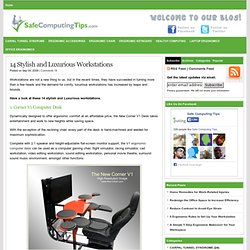
Have a look at these 14 stylish and Luxurious workstations. 1. Treadmill Desk. Fitness - I Put In 5 Miles at the Office. Tips for Relaxed Position. Computer Posture - Laptop Workstations and How to Make Your Laptop Workstation Ergonomic. Most people spend many hours of every day at their computers, whether for work, school, emailing, surfing the internet, or gaming.

There are also increasing numbers of laptop users, due to their easy portability and variety of accessible programs With this explosion in computer usage has also come a great increase in computer-related injuries, including among children and teens. While laptops are designed less ergonomically than standard desk mounted computers, combining proper equipment placement, viewing angle and typing height of your laptop with proper keyboard posture can significantly reduce muscular-skeletal strain in muscles and joints of shoulders, neck, back and arm.
Because the laptop computer screen and keyboard are connected as one unit, establishing a proper viewing and keyboarding position can be difficult. DESKERCISE - Examples. New memo: Working in an office is no longer a valid excuse to remain unfit and sedentary When working isn’t working for your healthWe would all like to have a job that allows us to be active and healthy; but the simple fact is that the majority of us are trapped at our desks for 8 hours a day, and we have to resort to the most curious methods to try to combat workplace hazards.

Deskbound workers suffer from a variety of health problems connected to poorly designed office space and ignorance of simple ergonomics. They range from very common ailments, such as myopia, from prolonged close-screen work, to painful conditions such as carpal tunnel syndrome. Many office workers also spend hours seated in uncomfortable chairs, or cram themselves in the same space for too long. These poor work habits give rise to bad posture and back problems, due to compression of the spinal vertebrae in the same position for extended periods. Be creative. How to Stretch. How to Stretch The Right Way to Stretch Breathe easily Relax Tune into your body Focus on muscles and joints being stretched Feel the stretch Be guided by the feel of the stretch No bouncing!
No pain! Stretches & Excercises. Eye Stretches. Deep Slow Easy Breathing Illustrated. Stretch Now! Stretch Combinations. WATCH-How To Do Basic Deskercise. Sitting at your desk or computer terminal for long periods of time can cause muscle tension and pain. However, by taking a few minutes to do some stretches the VideoJug way - you'll feel better and more alert, every time. Learn how to do basic Deskercise with VideoJug. Step 1: Stretching Before you begin, remember - stretch only so far as seems comfortable.
Don't overdo it. Step 2: Position Move away from your desk. WATCH-Desk Yoga: Stress-Relieving Back Stretches to Do in Your Chair. Desk Exercise Instructions. Hand Stretches. Neck and Shoulders Stretch. What is a Repetitive Stress Injury-An Explanation of the Term Repetitive Stress Injury – Definition of Repetitive Stress Injury. "Causes of Discomfort" Conditions & Treatments. 5 Pressure Points To Relieve Body Discomforts. 5 Pressure Points To Relieve Body Discomforts Acupressure is a traditional Chinese medicine (TCM) technique that involves placing physical pressure by hand, elbow on different acupuncture points on the surface of the body to relieve symptoms. Here are 5 pressure points that you and I can work on at any time and anywhere.
Just use the thumbs, fingers, palms, the side of the hand, or knuckles to apply steady, stationary pressure. Office Ergonomics Quiz. Home > Ergonomic Resources > Office Ergonomics > Office Ergonomics Quiz How much do you know about office ergonomics? Try these 10 questions and find out. Sorry, the quiz only works with Web browsers like Firefox 1.0.7 or Microsoft Internet Explorer 6.0 (or higher). Eye Q’s & Views : Ergonomics Quiz. Office Fitness Timers. Free office fitness timer for your web site Office fitness timer description Office Fitness Timer is a free tool you can add to your web site that will help your visitors stay fit at work.
It is a javascript timer that will start flashing when a pre-set time is completed, so visitors can see it from anywhere in their office. You can easily configure the script for different quick-start buttons, and the script is super easy to install. StretchWare-Software Reminds You To Stretch. The human body was not designed to sit for long periods of time.
Holding still for long periods is a recent phenomenon in human history. If you sit at a desk and/or computer much of the day, the Office Fitness Clinic is for you. It will give you ideas, programs, and advice on staying fit even though you work in an office every day. At The Desk Reminder Software. Office Fitness Timer. Office Fitness Break Reminder. Workrave. The Office Workout. By Stew Smith. Alltop - Top Fitness News. Alltop - Top Running News. New Advice: Don't Sit Up Straight.