
Ipad Apps. 8 Great Free Web Resources Focused on Using the iPad in Education. The popularity of the iPad in our schools continues to grow, and with it, the proliferation of related web articles, tips, how-to's, and so on.
This week we searched out some excellent free Internet based web sites and resources dedicated to the use of the iPad in the instructional setting. 1. Apple's Education Resources for the iPad It should come as no surprise that the iPad's maker has done a good job of putting together pages dedicated to education related applications and uses for it's popular tablet. Here Apple has put together links to apps grouped by Academic Subject. iPads in schools! They just play games! 20th Century pedagogy + iPads = Gaming So, you’re in your classroom and annoyed that the kids are playing games on the iPads.
You have devised a strategy and at random intervals, you ask them to double-click the ‘Home’ button to see the last apps used. Great! Well done on controlling the situation so they can get on with: writing their notes;Reading their e-textbook;completing their essay or‘Researching’ on the Internet. The only step forward you’ve really seen is the ability to use that Shakespeare app or Dissecting Frog app. The parents too, have complained that all they seem to see is game playing and maybe your school is considering limiting the apps allowed on the devices. 21 Steps to iPad Success. 50 Fantastic Free iPad Apps. We all love getting something great for free!
However, hunting down the good free iPad apps from the terrible ones in the jungle of the App Store can be a difficult job. Fortunately for you, I’m here to help. We’ll try and keep a mix of old classics and new favourites, read on and stock up on fantastic free iPad apps! Like the article? Be sure to subscribe to our RSS feed and follow us on Twitter to stay up on recent content. Flipboard Flipboard is one of the most popular news readers for the iPad due to its fantastic, intuitive interface and its sheer ease of use. Planetary. Creation Apps Used On The iPad. My technology integration specialist asked me to provide a list of creative apps that we have used in our classroom.
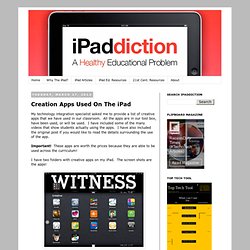
All the apps are in our tool box, have been used, or will be used. I have included some of the many videos that show students actually using the apps. I have also included the original post if you would like to read the details surrounding the use of the app. Apps to Use as Student ePortfolios. I have yet to find the perfect Digital Portfolio app that I think I would use exclusively in a Visual Arts class.
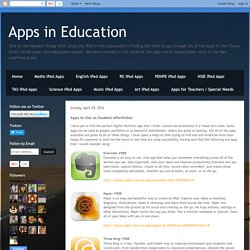
Some apps can be used as graphic portfolios or as beautiful sketchbooks, others are great at sharing. Not all of the apps available are great at all of these things. Essential iPad, iPhone apps for business travel. iPad, iPhone and iPod Touch App Store App Reviews. 39 Sites For Using iPads in the Classroom. Pages Friday, October 7, 2011 39 Sites For Using iPads in the Classroom How Much Did Steve Jobs Change the World?
You might be reading this on your iPhone, iPad or computer, but whether or not you have a Macintosh or a PC, Steve Jobs is responsible for so much of the technology we are using today. Did you know that Windows computers copied the drop-down window interface from Apple computers? 10 Apps For Inquiry Learning. This post will show 10 apps or ways that iPads and iPods become powerful learning tools in an inquiry-based learning environment, tied to sound research by a leading education network, the Galileo Network.
They offer up a rubric to determine how well a lesson aligns with the inquiry learning process. According to the rubric, there are 8 dimensions of inquiry: AuthenticityAcademic RigorAssessmentBeyond the SchoolUse of Digital TechnologiesActive ExplorationConnecting with ExpertsElaborated Communication The iPad can easily support any of these dimensions, and I want to share 1o ways that it might do it best. Authenticity. iPod Touch & iPad Resources.
iPad Resources for Administrators. Recommended Free iPad Apps - Handy Tips from TeacherRicks. Reviews, Lists and Recommendations. 1,000 Education Apps Organized By Subject & Price. How Students Benefit From Using Social Media 13.56K Views 0 Likes A lot of criticism has been leveled at social media and the effect it has on the way students process and retain information, as well as how distracting it can be. However, social media offers plenty of opportunities for learning and interactivity, and if you take a moment to think about it, it's not too hard to see how students benefit from using social media. 10 African-American History Month Teaching Resources 1.27K Views 0 Likes This week’s Featured Ten Learnist boards are dedicated to African-American history month. 3 Tech Tips Your Grandma Could Teach You 2.06K Views 0 Likes Those who have been using technology, in some form, have a few tech tips you should know about.
Presents the best 100 iPad apps. 5 Apps for Creating Interactive Books and ePubs on your iPad. Best iPad Apps of 2011. Seven 'must have' productivity apps for the iPad. 'What apps have you got installed on your iPad? ' That's a question I get asked almost daily from people who are overwhelmed by the 600,000 or so apps on offer at Apple's App Store and who are looking for a little help to sort out the digital wheat from the chaff. Rather than just rattle off a whole list of apps that I use on my iPad (it would be a long list, and that would make a boring post) I thought I'd pick my top seven 'must have' productivity iPad apps and give you some insight into how I use them.
These are all apps that I turn to on a daily basis and that have transformed my iPad from a content consumption device into a piece of kit that's capable of doing real work. Oh, and I promise, this is an Angry Birds free list! They are all hardcore 'getting work done' apps that will make you more productive, not suck away your time! iPad Comparison Chart. How to decide: should you buy a new iPad or a Kindle Fire? With all the buzz these days about tablets, it turns out some folks are still trying to understand which device to buy.
Last weekend, I did a radio interview for the Into Tomorrow program, which is syndicated to a whopping 183 stations across the country. I expected the usual tablet questions, but the one I didn't expect is the one I'm going to answer here: should you buy a new iPad or a Kindle Fire? Not everyone out there is steeped in the latest tech news, and to most civilians, a tablet is a tablet is a tablet. And that's why this article. Before I delve into the details, I want to make an important point. What People Hate About Their iPads and Kindle Fires. People love their tablets.
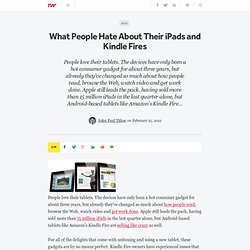
The devices have only been a hot consumer gadget for about three years, but already they've changed so much about how people read, browse the Web, watch video and get work done. Apple still leads the pack, having sold more than 15 million iPads in the last quarter alone, but Android-based tablets like Amazon's Kindle Fire are selling like crazy as well. Khan Academy Enters Next Era With iPad App. Khan Academy, the wildly popular YouTube lecture series, has launched its free, new iPad app in Apple's store.
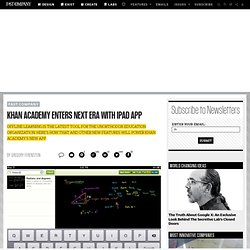
The enhanced version of Khan Academy includes time-syncing between devices--no Internet connection required--an interactive transcript of the lectures for easy searching, and a handy scrubber for moving between parts of the lectures. Perhaps more importantly, now that more schools have begun adopting Khan's lectures for their own classrooms, the iPad app could possibly replace or supplement textbooks, saving cash-strapped schools and students a lot of money. The major benefit of the app is offline learning. "If you're going on a road trip or if you're taking mass transit and you don't have cell service, or whatever, you can get the content," says Khan Academy Lead Designer Jason Rosoff. The iPad frees Khan Academy from the constraints of a laptop and Internet connection. Last, just like a textbook, users flip back and forth between different parts of the content.
iPad Apps for Autistic Students. Apps on portable devices such as the Apple iPad can help non-verbal children to communicate basic needs. Intuitive apps that employ colorful images and sounds can also hold a child's attention long enough to learn and offer effective tools to build vocabulary and reinforce word knowledge. The following iPad apps are designed to augment self-expression among children with autism spectrum disorders and other cognitive impairments. Becoming more comfortable with language may also encourage more safe social interaction among family members and classmates. 1. Autism Xpress. iPad Apps for Autistic Students. 10 Revolutionary iPad Apps to Help Autistic Children. Teachers and doctors are using iPads as a tool to reach out to children with Autism or Asperger Syndrome and the results are remarkably great. Autistic children are showing tremendous improvement after playing fun-filled exercises on iPad which is less stressful and more fun for both the teachers and the students.
Below is the list of 10 best iPad applications to give Autism a voice. Photo Credit: Kelly Nikolaisen Those who don’t know, Autism is a lifelong disability that affects the way a person communicates and relates to other people and the world around them. Those affected typically display major impairments in three areas: social interaction, communication and behavior (restricted interests and repetitive behaviors). 1 in 160 children have autism in some form, making it twice as common as cystic fibrosis, cerebral palsy, childhood deafness or blindness and ten times more common than childhood leukemia.
Art. #edpad. The Ultimate Guide To Using iPads In The Classroom. How Students Benefit From Using Social Media 14.60K Views 0 Likes A lot of criticism has been leveled at social media and the effect it has on the way students process and retain information, as well as how distracting it can be.
M.guardian.co.uk. Children's learning could "hugely improve" if all pupils were given smartphones to use in the classroom, technology experts say but, instead, the UK risks falling behind because "the government doesn't seem that interested in it". 50 Must-Have Educational Apps. It’s time for holiday road trips and you know what that means: driving, flying, cranky kids, and… teaching opportunities!
What’s that, you say? Well, there is so much downtime during the holidays where kids and adults spend hours just passing the time… why not try out some new apps on your phone? Many of these apps were found by The Teaching Palette, be sure to check out their fantastic site for more helpful resources! From learning the ABCs to doodling, there’s plenty of terrific apps out there that will pass the time but also educate.
If you have other apps you want added to this list, just add them in the comments. *Most of the links below are to the iTunes store which will open another window and/or iTunes. 20 Great Classroom iPad Apps to add to your Collection (1-5) The Interactive Whiteboard for iPad. 2012 Apps for Teachers. 5 Fun Free iPad Math Game Apps. 250 best iPad apps: education.
iPad Resources for Administrators. Ipad classroom. Apple TV. Websites. Apps in Education. Articles. App developers. 107 Favorite iPad Apps for K-8. Great iPad apps for K-8 Tablet computing and mobile devices promise to have a dramatic impact on education. A growing number of schools across the world are jumping on the digital bus and embracing iPads (less often, other tablet products) as the latest tool to teach literature in multimedia, history through games and simulations, and math with step-by-step animation of problems. Not surprisingly, student scores improve when they use iPads and their interest in school soars. I say not surprisingly because students love digital toys and in my experience work harder and longer if given the opportunity to do so with any of the digital offerings (ipods, laptops included). In my school, we have been rotating one set of Pads this year through K-8. Drawing.