
Design Inquiry of Learning model. Articulate Storyline vs Adobe Captivate. I finally got the chance (read time) to take the new product Articulate Storyline for a spin.
Now this product has generated a remarkable buzz in the industry and according to many people it’s the third best thing in the world after chocolate and red wine. Articulate Storyline has been called a Game Changer and the question is if it can win a die-hard Adobe Captivate fan like me over. I own Articulate Studio ´09 and that was more of an impulse purchase to be honest. I only really used it once or twice, because I found it to be limiting and not really suited for my purposes.
One of the main drawbacks was the lack of possibilities to modify the design of the Engage Interactions, but I really liked the Articulate Quiz Maker functionality. Storyline. The 2 most powerful flipped classroom tips I have learned so far. Stealth Flipper’s class, Fall 2012 (blur purposeful) Won’t students skip my class if my lectures are available online?
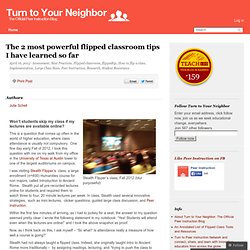
This is a question that comes up often in the world of higher education, where class attendance is usually not compulsory. One fine day early Fall of 2012, I took this question with me on my walk from my office in the University of Texas at Austin tower to one of the largest auditoriums on campus. I was visiting Stealth Flipper’s class, a large enrollment (n=400) Humanities course for non majors, called Introduction to Ancient Rome. Stealth put all pre-recorded lectures online for students and required them to watch three to four, 20 minute lectures per week. Within the first few minutes of arriving, as I had to jockey for a seat, the answer to my question seemed pretty clear. Now, as I think back on this, I ask myself – “So what? Stealth had not always taught a flipped class. 30 Innovative Ways To Use Google In Education. 30 Innovative Ways To Use Google In Education As the search engine that’s become its own verb, Google’s success is difficult to frame.
One of the most telling examples of their gravity in search is how few legitimate competitors they have. (Some would say they have none.) But cataloguing and indexing humanity’s digital wares isn’t easy, especially with an entire cottage industry trying to sabotage the integrity of a search for their own personal gain (among these trends, nefarious Search Engine Optimization). That leaves education in a sticky place.
ICT Competency Framework for Teachers; 2011. Derivation of electronic course templates for use in higher education. Robin K.
Hill, Jill W. Fresen, Fawei Geng Abstract Lecturers in higher education often consider the incorporation of web technologies into their teaching practice. Educational Technology and Mobile Learning: ED Tech Cheat Sheet Every Educator Should Know about. One of the perplexing things that teachers and educators encounter when trying to understand educational technology and leverage it to their classrooms is the abundance of those baffling techy terms.

Blended Learning is different from Differentiated Learning, Educational Technology might not be necessarily Instructional Technology, a Virtual Classroom is different from an Electronic Classroom or Flipped Classroom; There is also asynchronous, synchronous, and personalized learning, these and many more are but some examples of the growing terminology in this field. Boundless has created this wonderful visual explaining some of the major trending EdTech terms. We invite you to have a look and share with your colleagues. Enjoy. OpenUCT’s Guidelines on Academics' Online Presence Released. Blog post by Sarah G12 December 2012 After successfully presenting several seminars (see examples here and here) about online visibility and working with a number of academics at UCT to take control of their online presence, the OpenUCT team has decided to develop a Guidelines document which might be useful to academics both at UCT and beyond.
Connected Learning: The Power Of Social Learning Models. DML (a “Digital Media and Learning” project), believes in the “the power of participation.”
And they’ve created a learning model overview to prove it. We recently published our Inside-Out Learning model, an attempt to return the learning to the families, organizations, and communities authentic to the learner. DML’s model is similar in philosophy, underscoring the role of interdependence. Free resources to support designing learning the digital age. Social Media in Learning and Education (SMILE) - 1 of 6: What is Social Media? Sponsored by Facebook I did some work recently for the EUN where we looked at the role of Social Media in Learning and Education (SMILE).
One of the outputs of my contribution to the project was a professional development eLearning course for European Teachers and Head Teachers on the use of Social Media in Schools. As this part of the course has now finished (and we have gone into the community development phase) I am re-posting a version of the materials here so others can benefit from them. This is part 1 of 6 - What is Social Media? What is Social Media? : The Video. 77thingstothinkabout. Unistats. Break out of the loop and see the helix. I was reminded by the writings of King Solomon of an idea I had a few years ago but neglected to write down.

In Ecclesiastes he draws a picture of the never-ending cycles of life which could be seen as having a beautiful balance and harmony but perhaps more commonly as acting like a monotonous cage. The sun rises and the sun sets, and hurries back to where it rises. The wind blows to the south and turns to the north; round and round it goes, ever returning on its course. All streams flow into the sea, yet the sea is never full. To the place the streams come from, there they return again. CC – tidefan. A Checklist For Using Google's New eLearning Course Builder. Google has entered the increasingly crowded eLearning fray with their new Course Builder software, an open source software that will allow educators to create courses of their own on any topic.
Their first course, Power Searching With Google released in July 2012, saw 155,000 students register for the course–and 20,000 complete it (a little less than 8%). Wasting no time, the software is now Open Source, and has been released into the wild to see what will happen. Background In the introductory video, Scientist (and Director of Research at Google) Peter Norvig explains who the course building software is intended for (those who want to host a course, and have intermediate technical skills “at the level of a webmaster), and what prior experience can be helpful (experience with HTML, javascript, and python helpful but no required). Course-builder - Course Builder. 10 Emerging Education and Instructional Technologies that all Educators Should Know About (2012)
Naturally, as author of EmergingEdTech, I’m always keeping an eye out for education and instructional technologies that are emerging from the seemingly endless array of tools and concepts that are out there – which applications and ideas are rising to the fore and best positioned to enhance engagement and impact learning?

This year I’ve also been working with constituents at The College of Westchester to develop a Strategic Technology Plan for the next 3 years, so it’s never been more important for me to be aware of those impactful education technologies and concepts that are on the horizon or are already in use and pulling ahead of the pack. Since this listing is more pointedly focused on emerging technologies and looking out over the next few years than the list I published at this time last year, it should not come as a surprise that there are a lot of new entries here (edging out six technologies that remain prevalent and potent, but are more ‘established’ than ’emerging’).
New Forms of Assessment: measuring what you contribute rather than what you collect. Once again, as we do at the start of every school year, we are hearing about the rampant cheating that goes on, especially online, but in fact, everywhere, and without remorse or regret. As Nikhil Hoyal writes, "Cheating is an epidemic in schools across the nation.
A 2010 survey of 2,000 Stuyvesant students revealed that more than 72 percent of students copied their homework from others and about 90 percent of seniors cheated on tests. " In the past I've commented on the likelihood that students will emulate their role models, and so if there is a cheating epidemic in schools, it is likely the result of a cheating epidemic in society in general. So I've linked to articles with titles like "'Cheating culture' finds corruption everywhere in U.S. society. " Getting Started: Social Media for Academics. Twitter has a definite image problem. It first penetrated the public consciousness in a way which has left it defined by celebrities and, particularly for academics, this is unattractive. If you want to persuade academics to use it, it’s important to illustrate that the academic twittersphere (I hate the term but have yet to come across a better one) has some quite specific characteristics.
Perhaps by demonstrating some of the varied kinds of high-quality interaction you get on there e.g. #phdchat discussions, the feeds of high profile academics who are engaged users, the possibility for crowd-sourcing. Twitter as a Metacognitive Support Device by Alan Reid. Innovating Pedagogy. New Chapter: Life Reboot. For the last year, I’ve felt this yearning to do something different. I’ve been a full-time faculty member for a decade now, teaching many of the same courses semester after semester after semester after … yeah, well, you get it. A series of conferences and events in the last 6 months has made me realize that my “alignment” between my passions and my job was off.
I attended the UpToAllOfUs un-conference in February, and felt a strong pull to do something different, something more amazing. Web Tools to Enhance Learning. Lastrefuge: Helen Beetham on ePedagogy. This post is a re-publication of an email that Helen Beetham sent to the LDHEN jiscmail, May 2012 On ePedagogy From: Helen Beetham helen.beetham@googlemail.com To: www.jiscmail.ac.uk/ldhen. Home - Learning Design Tool. Welcome to the Learning Design collection. The History Of Learning Tools [Infographic] The 90-Second History Of Education 9.95K Views 0 Likes. Is blogging and tweeting about research papers worth it? The Verdict.
iPad Applications In Bloom’s Taxonomy. This has bubbled up in my feeds not once, but several times now. Examples of use of social media and learning: by technology and types of learning. Hacking the university - Lincoln’s approach to openness. Read the summary1. Ways to Evaluate Educational Apps. Create Rich, Active and Social eLearning with Curatr. DigitalDisruption - building a web savvy generation. Student writing: innovative online strategies for assessment & feedback. The manifesto for teaching online is intended to stimulate ideas about creative online teaching. It was written by teachers and researchers in the field of online education, in connection with the MSc in E-learning programme at the University of Edinburgh. It attempts to rethink some of the orthodoxies and unexamined truisms surrounding the field.
For today's learners, it just clicks. Is Twitter a Tool for Mass-Edcuation? Developing and Reviewing Online Courses: Items for Consideration. Useful Handcrafted Videos. Teachers’ perspectives on digital tools for pedagogic planning and design - Technology, Pedagogy and Education - Volume 20, Issue 2. Digitally mastered? Technology and transition in the experience of taught postgraduate students - Learning, Media and Technology - Introduction to Human-Computer Interaction Design.
Blackboard: A Tale Of 2 Companies. Pedagogy First! An App to Teach With. The Google+ Guide For Educators. Blooms Taxonomy with Apps. Bloomsapps. News: Teaching Them How to Think. How to write a paper for publication in 6 weeks: Week 1. BB62B2. Infographic: How Technology is Facilitating Education. Peter Thiel: We’re in a Bubble and It’s Not the Internet. It’s Higher Education. The Evolution of Classroom Technology. Clickers for Large Class Teaching. _Widgets_Handout. A pedagogical framework for mobile learning: Categorizing educational applications of mobile technologies into four types. ED - TED-ED Front Page. Multitasking:This is your Brain on Media. An open university prep course – MOOC for basic skills. WikiEducator’s Wayne Mackintosh: Open Education and Policy - Cre.
Bodies of knowledge. The top-paying universities. Echo360. Content creation. A Free Tool & Free Graphics to Simplify Your E-Learning Course Design. NYU ATLAS Network Demo. Victoria University of Wellington. Online Educa Berlin 2010 Keynote: Building Networked Learning Environments. Say what you will about edtech, at least it’s an ethos… « bavatuesdays. Those Who Don't Grade . . . Learn! Quick guide: ICT and Education at UNESCO. Madhouse of Ideas: Home. The Differentiator.
PCR UC3M's videos. Beyond Current Horizons : 6 Future scenarios. Wiki » eLearning Learning. An introduction to our digital collections and archives. What do we want from a VLE? by Anthony Kandler on Prezi.