
Annual Convention. Conferences and Meetings NBEA 2014 Annual Convention.
Tumblr. Blogger Dashboard. Etsy - Your place to buy and sell all things handmade, vintage, and supplies. Beautiful photo books and book printing. Make your own book. Unsupported Browser. SUITE Cloud. Organize your resources in an online binder - LiveBinders. Zunal WebQuest Maker. Docs: Step-by-Step, March 2012. Virtual Worlds, Avatars, free 3D chat, online meetings - Second Life Official Site. Wikis in Plain English.
Ning – Create a Social Networking Site with Ning, the Best Social Site Platform. Video: RSS in Plain English. How to Create RSS feeds with Dreamweaver. My Gads in Plain English. Free Audio Editor and Recorder. Blog Tool, Publishing Platform, and CMS. Interactive maps and visualizations. How To Create Outstanding Modern Infographics. In this tutorial you will learn that data doesn't have to be boring, it can be beautiful!

Learn how to use various graph tools, illustration techniques and typography to make an accurate and inspiring infographic in Adobe Illustrator. Start by using the Rectangle Tool (M) to draw a shape. Give it a subtle radial gradient too. The entire design is based on a grid of four columns. To make the columns first select the rectangle and drag a guide onto the centre of the shape. Condense the shape so it fits within the left-most guide and centre guide. Move the shape over to the right and add another guide to the centre here. Using the Rectangle Tool (M) draw a thin white box on the centre line that will be the width of the gap between the columns.
Repeat the process for the other columns with your final result being below. Designing Search Boxes with HTML5 and CSS3. Search is one of the most important part of any website.
Here, I will show a few practical techniques for designing search forms and a few tricks to build usable and good-looking search functionality. Smashing Magazine did an excellent piece on Search Boxes which inspired me to write this post. Instead of listing various types of designs, I will show you how to build them! Getting Started With HTML5: Part 1. It’s time to get to work on our HTML5 chops.
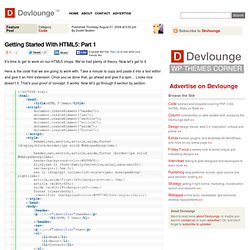
We’ve had plenty of theory. Now let’s get to it. Here is the code that we are going to work with. Take a minute to copy and paste it into a text editor and give it an html extension. Once you’ve done that, go ahead and give it a spin… Looks nice doesn’t it. The doctype is easy now. Script We don’t need a full script tag anymore either. Style Did you notice anything different about the style tag? Web Design: Web safe colors palette. World Wide Web Consortium (W3C)
CSS. HTML. Dreamweaver. Cloud Office. More Than 5 Million Users Work Online With Zoho. Multimedia Educational Resource for Learning and Online Teaching. Click here to title your page! Yippy – Welcome to the Cloud.
Business. iGeography by Jenny Ashby (Workflows for Learning with iPads) <div class="greet_block wpgb_cornered"><div class="greet_text"><div class="greet_image"><a href=" rel="nofollow"><img src=" alt="WP Greet Box icon"/></a></div>Hello there!
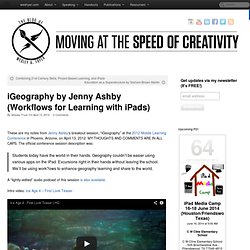
If you are new here, you might want to <a href=" rel="nofollow"><strong>subscribe to the RSS feed</strong></a> for updates on this topic. <div style="clear:both"></div></div></div> These are my notes from Jenny Ashby‘s breakout session, “iGeography” at the 2012 Mobile Learning Conference in Phoenix, Arizona, on April 13, 2012. MY THOUGHTS AND COMMENTS ARE IN ALL CAPS. The official conference session description was: Students today have the world in their hands. A Collaborative Guide to Best Digital Learning Practices for K-12. Below you will find a collaboratively written document produced in Bangkok, Thailand, at the March 28-31 teacher’s meeting of EARCOS, the East Asia Regional Council of Schools.
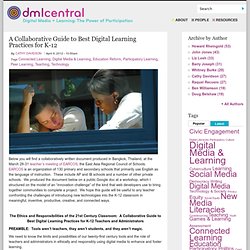
EARCOS is an organization of 130 primary and secondary schools that primarily use English as the language of instruction. These include AP and IB schools and a number of other private schools. We produced the document below on a public Google doc at a workshop, which I structured on the model of an “innovation challenge” of the kind that web developers use to bring together communities to complete a project.
We hope this guide will be useful to any teacher confronting the challenges of introducing new technologies into the K-12 classroom in meaningful, inventive, productive, creative, and connected ways. The Ethics and Responsibilities of the 21st Century Classroom: A Collaborative Guide to Best Digital Learning Practices for K-12 Teachers and Administrators. How Tech Will Transform the Traditional Classroom. Ben Jackson is a writer and app developer living in Brooklyn, NY.
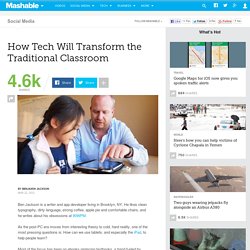
He likes clean typography, dirty language, strong coffee, apple pie and comfortable chairs, and he writes about his obsessions at 90WPM. As the post-PC era moves from interesting theory to cold, hard reality, one of the most pressing questions is: How can we use tablets, and especially the iPad, to help people learn? Most of the focus has been on ebooks replacing textbooks, a trend fueled by Apple’s recent updates to iBooks. Specifically, the company released iBooks Author, a tool for creating immersive ebooks on the desktop. Plus, the new iPad is now the first tablet with a retina screen, making reading and watching multimedia on the device even more enjoyable. 5 Ways Technology Can Enhance—But Not Override—You. Lessons Worth Sharing. iGoogle. Delicious.com - Discover Yourself! How Students Can Use Social Media To Actually Learn Real World Skills.
Touch The Future: Create An Elegant Website With HTML 5 And CSS3. I’m sure that who chooses to work as web designer makes a choice of heart, a choice of love.
He/she decides to bet any given day on his creativity and his ability of producing an idea and of making it tangible, visible and perceptible for all. These crazy men have my respect. But, also when the creative side is very important for a work, there exists a logical (and technical) part in all creative process. There are some moments and situations in which the creative mind needs an analytical method to achieve the objective, that is, for us, the creation of a well-done website.