
Most Practical CSS Cheat Sheet Yet. There’s an abundance of CSS cheat sheets on the web, but most of them gloss over the properties designers use in day-to-day work, preferring instead the kitchen-sink approach of showing all properties.
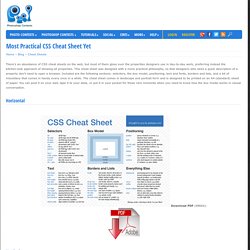
This cheat sheet was designed with a more practical philosophy, so that designers who need a quick description of a property don’t need to open a browser. Included are the following sections: selectors, the box model, positioning, text and fonts, borders and lists, and a bit of miscellany that comes in handy every once in a while. The cheat sheet comes in landscape and portrait form and is designed to be printed on an A4 (standard) sheet of paper.
HTML5. HTML5 & CSS3 Support, Web Design Tools & Support - FindMeByIP - CSS3 & HTML5 Browser Support. Feature Column from the AMS. In this article, I'll just describe how to unpack the simplest outermost level of security...
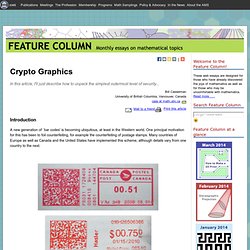
Introduction A new generation of `bar codes' is becoming ubiquitous, at least in the Western world. One principal motivation for this has been to foil counterfeiting, for example the counterfeiting of postage stamps. Many countries of Europe as well as Canada and the United States have implemented this scheme, although details vary from one country to the next. In the near future, all pharmaceutical products sold in Europe will require similar authentication. In addition, correspondence from the IRS frequently includes data matrices but here, too, the purpose is not known to me. Data matrices are not actually bar codes, which are one-dimensional. HTML5 Boilerplate Documentation - GitHub. HTML 5 Cheat Sheet (PDF) - Smashing Magazine.
10 Must Have HTML5 Tools to Simplify Web Design. This is an article for those designers & developers who really need to do something about HTML5 applications.
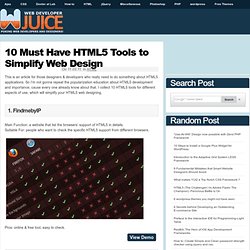
So I’m not gonna repeat the popularization education about HTML5 development and importance, cause every one already know about that. I collect 10 HTML5 tools for different aspects of use, which will simplify your HTML5 web designing. 1. FindmebyIP Main Function: a website that list the browsers’ support of HTML5 in details. Pros: online & free tool, easy to check. 2. Main Function: a HTML5 video player base on javascript. Download Introducing HTML5 book free - Free HTML Learning Book.
6 Things I Learned About Print Stylesheets From HTML5 Boilerplate. Print stylesheets can be a pain if you don’t know what you’re doing.
Before you even approach one you need to make sure to do some solid research into how to go about it. Today we’re going to help you along by first discussing the conceptual considerations that you need to keep in mind when creating a print stylesheet. When can I use... Support tables for HTML5, CSS3, etc. Initializr - Start your HTML5 project in 15 seconds! HTML 5 pocket book.
The MediaLoot HTML5 Compendium. Let's face it, it's difficult to keep up with all of the new coding languages.
Despite that difficulty, and the fact that some of these standards aren't even finalized, there's still a lot of pressure for designers to start using HTML5. The purpose of this compendium is to make it easier for everyone by providing an up-to-date reference on the new features and uses of HTML5. The W3C specs for HTML5 and CSS3 are also incredibly long and practically unreadable, not to mention unfinished - so it’s easy to see why a lot of designers choose to hold off on taking the effort to learn the new languages, however it’s really not that hard to start using both languages today, there doesn’t need to be a lot of pressure either because the beauty of adopting early is that you can work your way into it slowly and the only thing you actually need to know if you’re already using XHTML/HTML4 and CSS2 is what’s new and how can it benefit you.
Tag Reference. The Official Guide to HTML5 Boilerplate. HTML Instant : Real-Time HTML Editor. HTML5 Please - Use the new and shiny responsibly. Getting Started Using HTML5 Boilerplate - Dan Wahlin's WebLog. Whether we like it or not, HTML5 is all the rage now days.
With the recent news on “code name” Windows 8’s upcoming support for HTML5 and JavaScript that hype has intensified even more. I’m personally in favor of what HTML5 brings to the table although I do worry about browser compatibility issues that will naturally crop up. Compatibility issues are something that Web developers have been dealing with since the days of Netscape 4 (layers) and IE4 (divs) though so it’s really nothing new; it’s just intensified with all of the new functionality that the various HTML5 specs define. Fortunately, there are several options available that can help reduce cross-browser issues.
Getting started building HTML5 compatible sites can be challenging especially for people who haven’t been involved in Web development projects for awhile. “HTML5 Boilerplate is the professional badass's base HTML/CSS/JS template for a fast, robust and future-proof site. Automated Optimization with HTML5 Boilerplate Build. HTML5 Boilerplate is widely recognized as a rock-solid foundation for building new web-based sites and applications.
That said, few are aware that the tool offers more than simply setting up your development environment. It also helps you "wrap up" your work by providing an awesome cross-platform build process. The Build Script, with Paul Irish. HTML5 Quick Learning Guide. HTML5 Boilerplate - A rock-solid default template for HTML5 awesome. Html5boilerplate. Developers Magic Kit – HTML5 Cheat Sheets & eBooks. Free HTML5 eBooks and Cheat Sheets HTML5 hit the web so powerfully that even though it’s not complete and properly supported by web browsers yet.
Its just announced that it will be completed by 2014, although earlier news was 2022. Despite all this, many designers have started working in it. And not just that, now rest of the designers also want to follow. HTML 5 Cheat Sheet by Woork. HTML5 fundamentals, Part 1: Getting your feet wet. HTML5 is a language designed to organize web content.
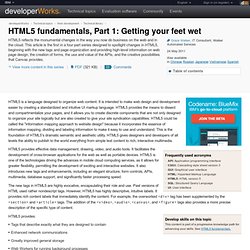
It is intended to make web design and development easier by creating a standardized and intuitive UI markup language. HTML5 provides the means to dissect and compartmentalize your pages, and it allows you to create discrete components that are not only designed to organize your site logically but are also created to give your site syndication capabilities. HTML5 could be called the "information mapping approach to website design" because it incorporates the essence of information mapping, dividing and labeling information to make it easy to use and understand. This is the foundation of HTML5's dramatic semantic and aesthetic utility. HTML5 gives designers and developers of all levels the ability to publish to the world everything from simple text content to rich, interactive multimedia.
HTML5 provides effective data management, drawing, video, and audio tools. HTML5/CSS3 Cheatsheet. Here are some simple cut-and-paste examples of HTML5/CSS3 features that are currently (early 2011) usable across a number of web browsers, chief among them Firefox, Safari, Chrome, Opera and the upcoming IE9.
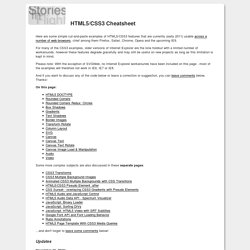
For many of the CSS3 examples, older versions of Internet Explorer are the lone holdout with a limited number of workarounds, however these features degrade gracefully and may still be useful on new projects as long as this limitation is kept in mind. Please note: With the exception of SVGWeb, no Internet Explorer workarounds have been included on this page - most of the examples will therefore not work in IE6, IE7 or IE8.
And if you want to discuss any of the code below or leave a correction or suggestion, you can leave comments below. Thanks! Initializr - Start your HTML5 project in 15 seconds! Ultimate HTML5 Cheatsheat [Infographic] What is HTML5? (Infographic) HTML5 Canvas and Audio Experiment. Music Notation with HTML5 Canvas. I spent a few weekends trying to scratch an itch. While looking for online tools to create and render music notation, I was mildly disappointed. The only real options were crummy flash based sites or clumsy server-side image renderers. Neither of these were particularly appealing.
So I pulled up my sleeves, and cooked up a full-fledged JavaScript API to engrave musical notation directly in the browser with the HTML5 Canvas element. Here's a demo: HTML5 Music Notation Demo The library has no external dependencies, and all the glyphs, scores, beams, ties, etc. are positioned and rendered entirely in JavaScript. One of the cool things about this is that I can now build interactive music sheets that respond to user events like score editors.
So here are all the features I have so far. 1. 2. 3. 4. 5. 6. 7. Developers Magic Kit – HTML5 Cheat Sheets & eBooks. Free HTML5 eBooks and Cheat Sheets HTML5 hit the web so powerfully that even though it’s not complete and properly supported by web browsers yet. Its just announced that it will be completed by 2014, although earlier news was 2022. Despite all this, many designers have started working in it. And not just that, now rest of the designers also want to follow. RGraph: HTML5 Javascript charts library. The HTML5 test - How well does your browser support HTML5? Application Development Channel. Critticall home page. JavaServer Pages(TM) v2.0 Syntax Reference. Quine. Quine You are encouraged to solve this task according to the task description, using any language you may know.
"Source" has one of two meanings. It can refer to the text-based program source. For languages in which program source is represented as a data structure, "source" may refer to the data structure: quines in these languages fall into two categories: programs which print a textual representation of themselves, or expressions which evaluate to a data structure which is equivalent to that expression.
The usual way to code a Quine works similarly to this paradox: The program consists of two identical parts, once as plain code and once quoted in some way (for example, as a character string, or a literal data structure). The plain code then accesses the quoted code and prints it out twice, once unquoted and once with the proper quotation marks added. Write a program that outputs its own source code in this way. See the nostalgia note under Fortran. [edit] ABAP [edit] ACL2 A shorter one: OpenDisc. OpenDisc. Build a HTML5/CSS3 Website Layout Without Images – Part 1.
Ever since all the articles showcasing the new features in HTML5 and CSS3 started appearing around the web, I have had the idea of building a website layout without any images. With all the advancements in HTML5 & CSS3 (compared to previous respectable specs) it wouldn’t be too hard to create a decent-looking website that wouldn’t have to rely on images for the layout elements. Here is the layout that we will be building: The Contents of our Demo Folder In the image above, you can see the contents of the folder containing our finished demo page – as promised: no images.
We have an HTML page with our “advanced” markup, a CSS file containing the CSS3-powered styles and a folder containing some fonts that we are going to embed using @font-face. As always, I recommend laying down the entire website’s content in the index.html file before you even think of touching CSS, so let’s jump right into it.
18 Incredible CSS3 Effects You Have Never Seen Before. CSS3 is hot these days and will soon be available in most modern browser. Just recently, I started to become aware to the present of CSS3 around the web. I can see some of the websites such as twitter and designer portfolios websites are using it. Also, I have started to implement it to my own project as well and I really love it! However, it will take a while to ditch CSS2 though. I did some search around the web and there are heaps of CSS3 examples that are really make my eyes wide opened! Just make sure you view the following example with the latest version of Safari.
A simple set of templates for any project. HTML5 Canvas Cheat Sheet. HTML5 & CSS3 Support, Web Design Tools & Support - FindMeByIP - CSS3 & HTML5 Browser Support. An Unofficial Guide to the HTML5 Boilerplate. HTML5 Security Cheatsheet.