
Literacy Journal: Only 1 iPad in the Classroom? [for additional ELA/Reading specific apps and ideas see Reading on the iPad] Is only one iPad in a classroom worth it?
This question keeps reappearing on the EC Ning and in other blog spaces. The answer is easy: YES, especially if the teacher has access to a Mac desktop or (preferably) laptop and a wifi network in the classroom. It is an even larger YES if the Mac device has the most current operating system. iPad screencasting Apps comparison chart.
iPad Apps. How do I get Apps to this device?
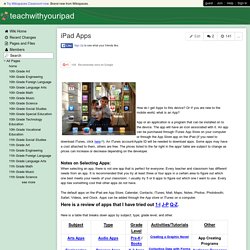
Or If you are new to the mobile world, what is an App? App or an application is a program that can be installed on to the device. The app will have an icon associated with it. An app can be purchased through iTunes App Store on your computer or through the App Store app on the iPad (If you need to download iTunes, click here). An iTunes account/Apple ID will be needed to download apps. Notes on Selecting Apps: When selecting an app, there is not one app that is perfect for everyone.
Turning Students Into Teachers. "The best way to learn anything is to teach it to someone else".
Isn't that what you've always been told? It's true ... and also a great philosophy to apply in the classroom. Most educators spend a lot of time honing their skills as teachers, expecting students to absorb and learn what they are taught. Sometimes however, students learn more effectively when empowered to learn and then teach complex concepts. 10 Mind Mapping Tools 4 the iPad. Brainstorming is a way for an individual or group to collect ideas about a specific problem or situation.
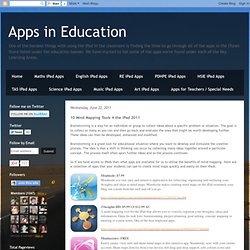
The goal is to collect as many as you can and then go back and evaluate the ones that might be worth developing further. These ideas can then be developed, enhanced and modified. Brainstorming is a great tool for educational situation where you want to develop and stimulate the creative process. The idea is that a shift in thinking can occur by collecting many ideas together around a particular concept. The process itself often spurs further ideas and so the process continues. 30 Cool Educational iPad Apps for Science Lovers - Creative Can Creative Can. If you are a student, a teacher, a parent or just a science enthusiast, you can now expand your knowledge about science in a somewhat enjoyable and convenient method using your iPad.
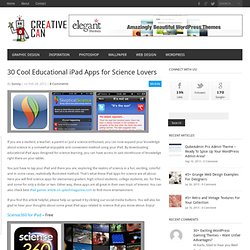
By downloading educational iPad apps designed for science learning, you can have access to vast storehouse of knowledge right there on your tablet. 12 Museum Apps from around the World. The Vatican Museums: $6.99 AU The Vatican Museums begin just beyond a massive bronze door that, like magic, takes you out of Italy and into the smallest country in the world: the Vatican.
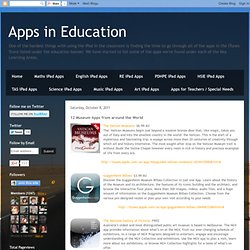
This is the start of a mysterious and fascinating trip: a voyage across more than 20 centuries of creativity through which art and history intertwine. The most sought-after stop on the Vatican Museum trail is without doubt the Sistine Chapel however every room is rich in history and precious examples of life from every era. Guggenheim Bilbao: $3.99 AU Discover the Guggenheim Museum Bilbao Collection in just one App.
Learn about the history of the Museum and its architecture, the features of its iconic building and the architect, and browse the interactive floor plans. More than 300 images, videos, audio files, and a huge amount of information on the Guggenheim Museum Bilbao Collection. Australia’s oldest and most distinguished public art museum is based in Melbourne. 20 Best Websites To Download Free EBooks. We understand that reading is the simplest way for human to derive and constructing meaning in order to gain a particular knowledge from a source.
This tendency has been digitized when books evolve into digital media equivalent – E-Books. It would be nice if we’re able to download free e-book and take it with us. That’s why we’ve again crawled deep into the Internet to compile this list of 20 places to download free e-books for your use. Great Websites to Download Ebooks FreeBookSpot FreeBookSpot is an online source of free ebooks download with 4485 FREE E-BOOKS in 96 categories which up to 71,97 GB. You can search and download free books in categories like scientific, engineering, programming, fiction and many other books. 4eBooks 4eBooks has a huge collection of computer programming ebooks. Free-eBooks Free-eBooks is an online source for free ebook downloads, ebook resources and ebook authors. 58 Interesting Ways* to use an iPad in the Classroom.ppt. iPads in the Content Areas. iPads in Schools.
The iPad Classroom. iPad2 Creation Toolkit - iMovie. Media creation is an important element of the Middle School classroom.
Students and faculty at my school have traditionally used a variety of Windows-based tools to create audio and video presentations. As our school transitions to iPads, there is a whole new set of tools available to explore. With the support of a Hathaway Brown School Summer Technology Mini-Grant, I am creating a "toolkit" of media creation tools available on the iPad. My goal is to provide an overview of some of the apps and provide detailed instructions on how to use each. The focus will be on tools for audio, video, and photo creation. My first set of instructions detail the ins and outs of using iMovie. View the document at... Preparing Your School for an iPad Implementation. Planning is imperative for any technology initiative - iPad or otherwise.

You need to ensure that you clearly understand and communicate how the technology integrates with your overall pedagogical objectives. Too many institutions purchase technology and then search for ways to utilize it ... or leave it collecting dust on the shelf. Planning needs to consider both infrastructure needs and the educational applications of the new technology. Without the proper preparation, technology initiatives are liable to become expensive failures. Campus Infrastructure Considerations. Why the iPad Should be Used in Classrooms.
As I’ve written in previous posts, the iPad is having tremendous success being used in school classrooms – from kindergarten classes to university classrooms.
The iPad has spawned what I’ve called the ‘tablet wars’ with a wave of tablets introduced at CES in January is just the tip of the iceberg. Lower price points will make tablets even more appealing to schools over time. 12 Apps to Assist Students to Study. Quick List Of iPad Resources For The Classroom. One question that comes into my inbox or on Twitter a lot lately is one dealing with iPads. Many schools and classrooms all over are investing in these devices and educators want to know how to use them effectively, apps to consider and more. In keeping with the "My Favorite Resources" theme (last week I listed my favorite resources for talking about Twitter) here are my go-to resources when people ask me about iPads in the Classroom. ISTE iPad In Education Webinar Resources-A while back ISTE ran a great webinar with some fabulous educators on using iPads in the classroom.
This site has loads of information, a collection of articles, lists of apps and information on Apple's Volume Purchasing Program. iPads For Education- While this site comes courtesy of the Department Of Education in Victoria Australia, there is lots of information that can cross the Pacific that you can use in your classroom. Sample Lessons-iPads In Education-5 Quick Lessons using various iPad apps. How to use your iPad as a secondary screen for your Mac. Did you know that your iOS device can become the perfect complement for your Mac desktop or notebook? Here we'll show you how. For starters, your iPhone, iPod touch or iPad, can be used as an additional screen.
You won't get the same performance as you would with a physically connected monitor, but why not park your iTunes window on the iPad screen so that you've always got it accessible? The Best Augmented Reality App for Education: Aurasma. 250 best iPad apps: education. 5 Innovative iPad Apps That Will Evolve Your Classroom. As a teacher, I enjoy looking for new ways to engage students. Some methods employed may be novel; I know their effectiveness will wear off over time. Other methods are structured around solid principles of learning and have lasting value.
Striking a balance amongst both novel and lasting methods helps establish an evolving, engaging and enriched classroom experience. Below are 5 iPad apps that capture this experience and enhance the teaching and learning experience across all content areas. 1. {*style:<b>iTunes Description: </b>*} With the use of Garage Band, mundane topics instantly become much more engaging. 2. 10 Apps to Get Students Really Writing: How do you go beyond the superficial response and get your students to embrace writing that actually deals with the underlying issues of a concept or question. I would suggest that mind maps are one way of getting a student to explore the many and often complex issues that one concept can encompass. Right Tools Can Unleash iPad’s Creativity. Are We Screwing Up the iPad? Over the next few weeks, school is back in session.
Fresh paint. Waxed floors. And for some, a new cadre of iPads.