
Everything You Need To Know In Google Classroom (Part 3) This is part three of a three part guide.
View part one. View part two. Google Classroom has gained a lot of depth in the time since it was first released last year. Over the past month I have been releasing a long form guide on how to utilize all of its functionality. If you haven’t had a chance, you should go through part one and part two of this three part guide. Everything You Need To Know In Google Classroom (Part 2) This is part 2 of a three part guide.
View part one and part three. Google Classroom is one of Google’s newest, most useful, and least understood products. My inbox is constantly filled with questions on how to best use all of the features Classroom offers and often times I don’t know the answers. That was until a very knowledgeable reader graced me with this massive guide on everything one needs to know to get started on Google Classroom.
Last week I posted part one of this guide, covering logging in to inviting your students. 6. Everything You Need To Know In Google Classroom (Part 1) I get lots of emails asking about Google Classroom.
Oftentimes I can’t provide adequate answers to these inquiries given my limited experience with the platform. Although I educate my newsletter subscribers and the readers of this site on all things Google Apps, I have never had the task of actually managing a classroom full of students. Luckily, a reader of the site and real-life teacher was kind enough to help me put a lot of these Classroom dilemmas to rest by putting together a massive guide on everything you need to know in Google Classroom. The guide is too long to fit into a single post so I will be releasing sections on a weekly basis. I am excited to present the first part of this guide, which will take you through everything from first log in to creating classes and inviting students to those classes. 1. Free Technology for Teachers: Convert PDFs to Google Docs to Differentiate Instructional Materials. Google develops computer program capable of learning tasks independently.
Google scientists have developed the first computer program capable of learning a wide variety of tasks independently, in what has been hailed as a significant step towards true artificial intelligence.

The same program, or “agent” as its creators call it, learnt to play 49 different retro computer games, and came up with its own strategies for winning. In the future, the same approach could be used to power self-driving cars, personal assistants in smartphones or conduct scientific research in fields from climate change to cosmology. The research was carried out by DeepMind, the British company bought by Google last year for £400m, whose stated aim is to build “smart machines”.
Demis Hassabis, the company’s founder said: “This is the first significant rung of the ladder towards proving a general learning system can work. It can work on a challenging task that even humans find difficult. However, the Google team played down the concerns. Google Tips and Tricks - "I didn't know I could do that in Google!".
The Gooru's Top 10 of 2014. We’ve spent the past few weeks analyzing every part of The Gooru website, learning more and more about what content you love so we can continue to bring it to you in 2015!

We have a lot of very exciting things in store for you in the next year, but now is the time where we take a moment to look back on 2014. As we created this list, we realized the topics were extremely diverse with helpful information for nearly every type of Google Apps user. So, take a look at the list and let us know your favorite post of 2014 and don’t forget to take a look at 2014’s Cloud Adoption Trends! 1. 15 Amazingly Useful Google Services You Should Know About. As one of the most innovative tech companies in the world, Google have a very special place in my heart.
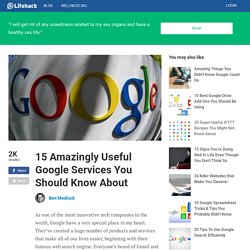
They’ve created a huge number of products and services that make all of our lives easier, beginning with their famous web search engine. Everyone’s heard of Gmail and Google Maps, but it may surprise you to find out just how many Google services exist that you probably don’t know about. As the co-founder of a busy tech company with offices across the globe, I think anything that increases productivity – and reduces frustration – is worth talking about. Next Big Future: Google Deep Mind is taking Artificial Intelligence to a new level and hope to accelerate scientific progress and truly useful robotics. Demis Hassabis leads what is now called Google DeepMind.

It is still headquartered in London and still has “solve intelligence” as its mission statement. Roughly 75 people strong at the time it joined Google, Hassabis has said he aimed to hire around 50 more. Around 75 percent of the group works on fundamental research. The rest form an “applied research team” that looks for opportunities to apply DeepMind’s techniques to existing Google products. Over the next five years, DeepMind’s technology could be used to refine YouTube’s recommendations or improve the company’s mobile voice search. They dream of creating “AI scientists” that could do things like generate and test new hypotheses about disease in the lab. DeepMind has combined deep learning with a technique called reinforcement learning, which is inspired by the work of animal psychologists such as B.F. How To Find and Delete the Personal Data Google Has on You. AddThis What's Next.
Google Classroom: Viewing Rights. One issue with using Google Docs with students is remembering to set the viewing rights on a document.

How many times have you linked students to a file in Google Docs only to hear a sea of voices exclaiming “We do not have permission!” When you create a Google document the default viewing permissions are private. You have to click on the blue share button to change the sharing permissions. 7 of the Best New Add Ons for Google Docs and Sheets. Yesterday the Google Drive team announced one of the biggest updates to Docs and Sheets that we’ve seen in a long time.
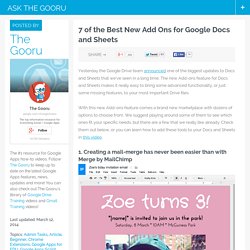
The new Add-ons feature for Docs and Sheets makes it really easy to bring some advanced functionality, or just some missing features, to your most important Drive files. With this new Add-ons feature comes a brand new marketplace with dozens of options to choose from. We suggest playing around some of them to see which ones fit your specific needs, but there are a few that we really like already. Check them out below, or you can learn how to add these tools to your Docs and Sheets in this video. 1. Before Add-ons were introduced, creating a mail-merge required some knowledge of apps script as well as a lot of patience when putting together all the materials. 2. New Poster Featuring 10 Google Classroom Best Practices.
Technology in the Classroom: A Look at Google Classroom. Google has already made a large impact on education with its Google Apps for Education (GAFE), which includes Google Docs, Google Spreadsheets, Google Calendars, and a diverse array of other apps easily utilized by schools. Now Google is introducing Google Classroom, a technology in the classroom app designed to provide a single dashboard to unify instructors’ use of other Google apps. Google has announced that as of this week, all GAFE teachers will have immediate access to the Google Classroom. Those who are not GAFE educators can still apply for a preview. Google Classroom’s purpose is to facilitate paperless communication between teachers and students and streamline educational workflow. Classroom allows teachers to create classes, post assignments, organize folders, and view work in real-time. 10 reasons why your classroom isn’t running like a well-oiled machine, and...
Using Google Classroom to Differentiate Assignments. Creative Commons License by Eric Rice via Flickr What is nice about a digital environment is the ability to differentiate. Google Classroom allows you to build a set of resources for a single assignment. This makes it possible to offer students choices as to how they access the information or how the student would like to address the assignment. Rather than focusing on the directions for an assignment, instead focus on what the learning outcomes are suppose to be. Google Gooru's Ultimate Google Apps Training Guide. Google Apps Training Resources.
Glogster EDU - 21st century multimedia tool for educators, teachers and students. Google Tips, Tricks & Hacks. 101 Google Tips, Tricks & Hacks. Looking for the ultimate tips for Google searching? You've just found the only guide to Google you need. Let's get started: 1. The best way to begin searching harder with Google is by clicking the Advanced Search link. 2. 3. 4. 5. 6. 7. 8. 9. 10. 11. 12.
Google Drive - a Complete User Guide. How Folders REALLY work in Google Drive. Teacher's Guide on The Use of Google Sites in The Classroom. Google Sites is a great tool for creating webpages .
"It is in fact a wiki, blog,portfolio, all rolled into one easy to use package". Google Sites brings together all of the other great Google services in that it allows users to embed Google Docs, Calendar, YouTube, Picasa albums, and much more. All Categories. Coming to you from the wonderful Nova Scotian city, Halifax (Canada), Educational Technology and Mobile Learning is an educational blog dedicated to curating, reviewing and sharing EdTech tools and mobile apps.
The purpose is to help teachers and educators effectively integrate digital technologies into their day-to-day teaching, learning and professional development. For any questions regarding the blog website or the published content , please contact EdTech admin, editor and blog owner, Med Kharbach at: info@educatorstechnology.com. Med Kharbach is a doctoral researcher and a former teacher with 10 years of classroom teaching experience. Tutorials. Paperless Classroom? ePortfolios? Easily Accomplish Both with Google Docs! » Clint's Tech Integration Resources. Permalink: UEN Faculty Lounge PPT or PDF versions Google facilitated the Education On Air Conference, a virtual conference for educators focused on and around Google Apps for Education, featuring their master teachers.
I sat in on a few sessions – Managing Digital Portfolios w/ Google Tools from Kern Kelley, and The Paperless Classroom with Google Docs from Eric Curts. Both sessions were great, and both spelled out and reinforced a vital process or workflow for teachers and students to easily and successfully use Google Docs for every day work, for group projects, and for digital portfolios. One Stop Resource for Google Docs. 50 Google Docs Tips Every Teacher should Know about. 10 Great Tools to Integrate with your Google Docs.
8 Extensions That Make Google Drive More Powerful Than Dropbox. Google Drive for Teachers with ‘How-to’ video links. Google Tools. Educational Technology and Mobile Learning: google docs. Apps on the iPad - David Freeburg. A Must-Have Guide To Google In Education.