
8500+ Free Photoshop Brushes. Weekly Roundup from DesignFloat. Hey guys, the time for Friday roundup has come and we want to share some useful resources featuring free Photoshop brushes with you.
We all know that brushes turn out to be the essential tools for web designers and help to add the desired atmosphere and create stunning websites. Using this Photoshop tool, it is possible to give the design the impressive touch and make it catchy. Of course, you have seen a vast amount of brush sets all around the web, but here you can find the top-notch collection of the most popular among them. We have decided to compile 8500+ various brush sets for our readers and we hope that this post will come in handy and add inspiration for your future designs. 200++ Photoshop Photo Effects. EmailEmail Have you ever wonder where is that photo effect tutorial you saw the other day and start searching all over the internet but couldn’t find what you saw initially?
Honestly, i have. That is why i throw them all into this article instead. But i also use these article to gain inspiration on what to do with my photo image. Adobe Photoshop CS4 Basics Video Lecture Course. How To Give Your Photos a Dark Processed Lomo Effect. This post was originally published in 2010 The tips and techniques explained may be outdated.

Follow this step by step post processing guide to give your photos a dark lomo style effect with high contrast, blue tones and vignette burns. The effect is based on the popular lomographic technique and is similar to the processing effect used in many fashion shots and advertisement designs. 50 Photoshop Tricks for a Fast-Paced Work Environment. Are you a designer on a deadline?
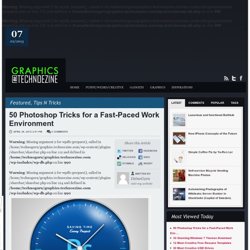
If you are, then I’m sure you can recall the last time you thought to yourself, “if I had a little more time, I could…” what? Polish that button? Find a better hero image? Reevaluate that color palette? Take some time to do a little more QA? The truth is, however, that we designers will always be looking for more time to polish the one pixel that got away. Creating masterpieces using Photoshop Light and Glow Technique. Making Complex Selections in Photoshop - DesignFestival » For Web Design Trends. Making precise selections in Photoshop is an essential skill that every designer needs.

As a print designer, you will find yourself using selections to remove objects from their background to place within ads. As a web designer, you might extract an image and place it on a website with no background. If you are a photographer, you might make a selection to remove blemishes or other unwanted features from an image. You can’t get around it; everyone uses selections, and if you make excellent selections, you’ll end up with excellent work. So, what do you do when you have something that is extremely difficult to select with normal selection tools? Even with the masking and channels, you can’t make a precise selection consistently. You can try the quick selection tool, which does a great job of making a selection of the bulk of the image, but making a more refined selection is difficult with this method. In comes Refine Mask to the rescue.
We can fix this by using the Smart Radius Slider. 100 Free Photoshop Actions (And How to Make Your Own) 100 wonderful photo effects Photoshop tutorials. Cuba Gallery — Lightroom Preset: 3 Pack. How to Create Vintage Photo Effect Photoshop Tutorial. In this tutorial we are going to create Vintage Photo Effect.

This is very simple and quite effective tutorial, so all you need is Adobe Photoshop to create this effect. I hope you will enjoy this tutorial. Let us know how that this tutorial can be more better? If you found any other photoshop tutorial that you want to share with us,feel free to let us know by dropping in a comment. Step #1 Open the image in Photoshop. Step # 2 First we will apply color balance. go to Image > Adjustments > Color Balance (CTRL+B) and apply these values Your Image Should Look Like This Step # 3 Now Create a new layer (CTRL + SHIFT + N) and fill the colour #DCE354 Next change the Blending mode at Multiply and set the Opacity at 75% Step #4 Now Create a new layer (CTRL + SHIFT + N) and fill the colour #111842 Next change the Blending mode at Lighten, set the Opacity at 40% and fill at 55% Step #5 Next we will add some texture.Open the Textures in Photoshop. Here is the way i do it. Final Result. Yet Another Colorization Tutorial. Borders (Page 1) — I want to know how to... — Neath Photographic Society Forum.
15 Tutorials for Recreating Authentic Photo Effects. Photoshop effects usually bring up thoughts of vibrant swirling lines and abstract pieces of stunning artwork, not to mention the not so cool Photoshop filters that have been the cause of eye-wrenching design choices for years.
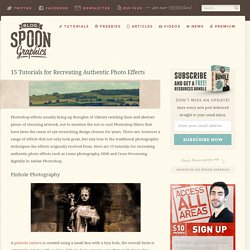
There are, however a range of effects that not only look great, but stay true to the traditional photographic techniques the effects originally evolved from. Here are 15 tutorials for recreating authentic photo effects such as Lomo photography, HDR and Cross Processing digitally in Adobe Photoshop. Pinhole Photography A pinhole camera is created using a small box with a tiny hole, the overall form is extremely simple with no lens. DIY pin hole cameras are often made from shoe boxes and photographic paper. Cross Processing Cross processed photographs are recognisable from the unusual colours and tones in the final shot. Street Photography One of the most recognisable street photography shots is ‘Homeless Mike’ by Leroy Skalstad. Split Toning. Der Photoshop Vintage Look für Fotos - Tutorial. Der Retro und Vintage Look sind im Trend.

Retro und Vintage-Elemente finden große Beliebtheit im Designkontext und in der Fotografie. Online-Shops, Portfolios und Blogs integrieren beide Stile. Smartphones besitzen tolle Apps, bei dem fast jedes Foto im Vintage-Look einfach gut aussieht. Retro und Vintage wurden stark von ihrer Zeit geprägt. Während sich der Retro-Look auf den Stil der 1910er bis 1930er Jahre konzentriert, erinnert der Vintage-Look an die 1950er bis 1980er Jahre. Acidcow.com/pics/20120113/classic_black_and_white_photos_get_the_color_treatment_09. 80 All-You-Need Photoshop Brushes - Noupe Design Blog - StumbleUpon.