
Choosing the Best Python IDE Blog. Comparison of Python IDEs for Development. Edit: Mike has pointed out in the comments that PyCharm now comes with a free version (community edition).
We've updated the article to reflect this. Until recently, I hadn't looked into Python IDEs for several years; I'm not generally an IDE person — I usually use Emacs. When I last checked them out, Python IDEs were a dismal lot; it's not easy to write tools for a dynamic language, because they have to analyze the code, and a lot of its behavior is hard to predict before runtime. Now, however, one point has become especially evident to me: Python IDEs have improved greatly. Python REPLs & Compilers. Fortharris/Pcode. Blocks for Python programming. I do regularly, but I am in the minority.
The reason I do is because i also use c/c++ quite a bit, for which there is no peer for C::B (biased of course). C::B has a lot of nice features that make it a good general purpose editor. With just a little work you can set up python projects. (There are no scripted language project templates in C::B by default yet)
Spyderlib. Python. Python support in NetBeans This project is a community driven effort.
Oracle does not actively participate in or directly support this effort. To get the latest development builds of the Python IDE, see the How to install page. You can browse the sources of the Python support at Before being moved to Mercurial, the project was hosted at Getting Started. Pydev. Kdev-python 1.4 stable released! I'm happy to announce the release of the first stable version of kdev-python, version 1.4!
As this is the first stable release, this post is supposed to be an overview about what kdev-python actually does. First of all, kdev-python is a plugin for KDevelop. Its purpose is to make development of python applications more convenient. The main focus of the program is static analysis of source code, and providing features which use the information gathered, such asSemantic syntax highlighting (not the regex-stuff kate does, but real highlighting, showing your defined functions colorized etc.)Intelligent code completion, depending on where the cursor is and what variables exist etc.Navigation features, such as Jump to Declaration, searching for functions/classes, class browser, ...and many more There's also a few features other than static code analysis, such as debugger integration, but the former is clearly the main focus of the project. kdev-python itself is written in C++.
Installation. Python IDEs - unlike kinds. Basic Concepts — Sublime Text Unofficial Documentation. Overview¶ To fully understand the rest of this guide, you need to be familiar with the concepts presented in this section.
Conventions¶ Written from the perspective of a Windows user, most instructions will only require trivial changes to work on other platforms. Relative paths, like Packages/User, start at the data directory unless otherwise noted. The data directory is explained further below. We assume default key bindings when indicating keyboard shortcuts. Python Central - Python Programming Examples, Tutorials. An IDE (Integrated Development Environment) is one of the best tools a programmer can wield.
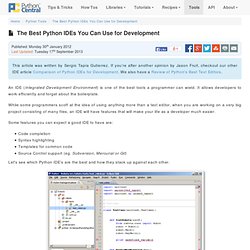
It allows developers to work efficiently and forget about the boilerplate. While some programmers scoff at the idea of using anything more than a text editor, when you are working on a very big project consisting of many files, an IDE will have features that will make your life as a developer much easier. Some features you can expect a good IDE to have are: Code completionSyntax highlightingTemplates for common codeSource Control support (eg. Subversion, Mercurial or Git) Geany : Home Page. Pfaide Python IDE. WxDesigner - dialog editor, RAD tool, IDE for wxWidgets, wxPython, wxPerl and wx.NET. The way IDEs should be. The Eric Python IDE - Tutorials. Free Home & Education software downloads. Pyscripter - An open-source Python Integrated Development Environment (IDE)
SPE IDE - Stani's Python Editor. IPython: Productive Interactive Computing — IPython. Quick IPython tutorial — IPython v0.9 documentation. IPython can be used as an improved replacement for the Python prompt, and for that you don’t really need to read any more of this manual.
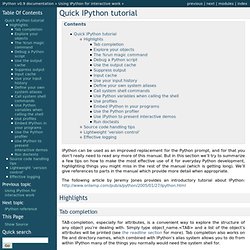
But in this section we’ll try to summarize a few tips on how to make the most effective use of it for everyday Python development, highlighting things you might miss in the rest of the manual (which is getting long). We’ll give references to parts in the manual which provide more detail when appropriate. Highlights Tab completion TAB-completion, especially for attributes, is a convenient way to explore the structure of any object you’re dealing with. Explore your objects Typing object_name? The %run magic command The %run magic command allows you to run any python script and load all of its data directly into the interactive namespace. Debug a Python script Use the Python debugger, pdb. Use the output cache All output results are automatically stored in a global dictionary named Out and variables named _1, _2, etc. alias them. Suppress output Input cache.
Eclipse. Python IDE & Django IDE for Web developers : JetBrains PyCharm. PyCharm: What's New. PyCharm includes all the functionality of WebStorm (HTML/CSS Editor, JavaScript Editor), either out-of-the-box or with free plugins available in the repository.
Follow product development and give us your feedback TwitterCommunity ForumIssue Tracker Versions History PyCharm 2.7 New native dark UI theme Smarter code completion Change Method Signature/Extract Parameter refactorings Better PEP 8 support Vagrant integration Django 1.5 support PyCharm 2.6. Comparison of integrated development environments. The following tables list notable software packages that are nominal IDEs; standalone tools such as source code editors and GUI builders are not included.
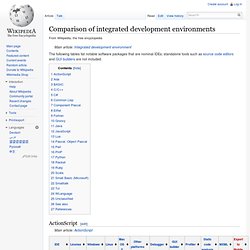
ActionScript[edit] Ada[edit] BASIC[edit] Musings of an Anonymous Geek. I didn’t think I was looking for a lot in an IDE.
Turns out what I want is impossibly hard to find. In the past 6 months I’ve tried (or tried to try): Komodo EditEclipse w/ PyDevPyCharm (from the first EAP build to… yesterday)WingwareTextmate Wingware First, let’s get Wingware out of the way. A review of 6 Python IDEs. Impressions PyDev If you like Eclipse, PyDev is a decent choice (provided, of course, that you have a suitably beefy machine).
If you are unfamiliar with Eclipse, good luck with the learning curve; you'll need it. PyDev is the only IDE reviewed where features such as code completion will not work unless you add the .py files to the PyDev project. "Extract method" is cool, but limited. Code completion is the best of the free IDEs we reviewed. Eric3. 21st Century Digital Boy. The Good:Here’s the tl;dr and the bottom line to my ramblings: There’s probably not a better IDE for working with dynamic languages, specifically Perl, Python, PHP, Ruby, or JavaScript, and the web stack in general.
Open Komodo.