
Org - Products - Iceweasel. Explore the high-performance, low-power world with the tiny, affordable, open-source Beagles.
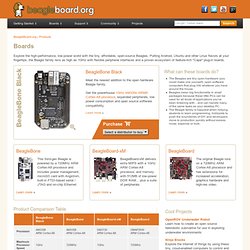
Putting Android, Ubuntu and other Linux flavors at your fingertips, the Beagle family revs as high as 1GHz with flexible peripheral interfaces and a proven ecosystem of feature-rich "Cape" plug-in boards. BeagleBone Black Meet the newest addition to the open hardware Beagle family. Get the powerhouse 1GHz AM335x ARM® Cortex-A8 processor, expanded peripherals, low power consumption and open source software compatibility. Learn more » What can these boards do? BairesRobotics. Posted by en September 19th , 2012 , agente y distribuidor de , anuncia el .
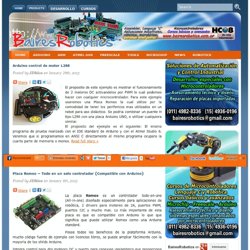
El AS1130 se puede programar vía I2C , ofrece la posibilidad de controlar con un solo driver una matriz de 12 ×11 LEDs , multiplexado a 12. Gracias a la prestación “Cross-plexing” que incluye este driver , se puede controlar una matriz 12 ×11 usando sólo 12 pines, lo cual simplifica la placa y Read full story » Posted by en September 17th , 2012 Posted by en August 27th , 2012 En el mundo de la electrónica los microcontroladores son cada vez más usados . Posted by en August 24th , 2012. NXP LPC1343 Starter Kit by Embest Info&Tech Inc. 深圳市英蓓特信息技术有限公司 - ARM Connected Community. Chinese Version 中文版 Welcome to ARM Next Generation Online Connected Community!
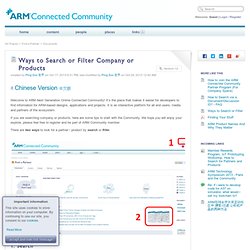
It’s the place that makes it easier for developers to find information for ARM-based designs, applications and projects. It is an interactive platform for all end users, media and partners of the ecosystem. If you are searching company or products, here are some tips to start with the Community. We hope you will enjoy your explore, please feel free to register and be part of ARM Community member. There are two ways to look for a partner / product by search or filter. 1. If you are looking for a particular company / processor, please use the search box on top right. Products-SAMICC-AT91SAM MCUs & eMPUs Platform Solution and Service. Embedded ARM Evaluation Boards and Tools. EmbeddedDeveloper.com. EasyCortex M3-1300(NXP LPC1343) - Detailed info for EasyCortex M3-1300(NXP LPC1343),cortex-M3,EasyCortex M3-1300(NXP LPC1343),EasyCortex M3-1300 on Alibaba.com.
NXP Semiconductors. Semiconductors - Microcontrollers [Products - ARM Cortex-M3 Core Microcontrollers (MCUs) and Microcontroller (MCU) Functions] The LPC microcontrollers ecosystem We get you up and developing in minutes, not hours, and on world-class development platforms.
![Semiconductors - Microcontrollers [Products - ARM Cortex-M3 Core Microcontrollers (MCUs) and Microcontroller (MCU) Functions]](http://cdn.pearltrees.com/s/pic/th/cortex-m3-nxp-semiconductors-28480440)
The LPC software ecosystem offers advanced yet low-cost ways to evaluate and develop with LPC MCUs and, because the entire Cortex-M portfolio works with a single MCU toolchain, you can use a familiar set of tools no matter which LPC family you choose. Our software libraries, in combination with world class solutions from our software and hardware platform partners, save you time and free you to focus your attention on what sets your product apart. Toolchains are the cornerstone of MCU software development, and we recognize that one size does not fit all needs. NXP’s tool offerings are complemented by our third-party partnerships to help us tailor our offerings for specific applications, so you always get the best options for developing and debugging software on your chosen LPC MCU.
LPCOpen software platform For further information click here. Third party partners. Semiconductors - Microcontrollers [Support - LPC1000 EDA Files (IBIS, OrCAD, EAGLE)] Semiconductors - Microcontrollers [Support - LPCXpresso] Semiconductors - Microcontrollers [Support - Documents for LPC1343] Semiconductors - ICs [Literature] Global / English Region / Country Language Save Region and language.
![Semiconductors - ICs [Literature]](http://cdn.pearltrees.com/s/pic/th/documentation-semiconductors-74888094)
Semiconductors - ICs [Support - Tools] Global / English Region / Country Language Save Region and language HomeSupportTechnical support Documentation portal.
![Semiconductors - ICs [Support - Tools]](http://cdn.pearltrees.com/s/pic/th/documentation-semiconductors-73786320)
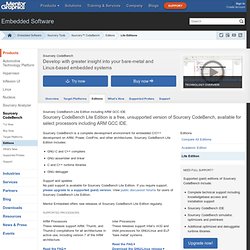
Semiconductors - ICs [Support - EDA Files (SPICE Circuit Simulation Models)] Semiconductors - Logic [Support] Semiconductors - ICs [Literature] WikiHome - ** Code Red Support Site ** LPCXpresso, powered by Code Red Technologies. Eval kit for NXP Cortex-M3 - Embedded ARM Evaluation Boards and Tools. Tutorial: Using the TFT LCD API > Free and open ARM Cortex M3 and Cortex M0 embedded development tools. Documentation:introduction [libnfc.org - Public platform independent Near Field Communication (NFC) library] Sourcery CodeBench Lite Edition. Sourcery CodeBench Develop with greater insight into your bare-metal and Linux-based embedded systems Try now Buy now.
News - EmbDev.net. Forum: ARM programming with GCC/GNU tools - EmbDev.net. Open On-Chip Debugger. CrossWorks for ARM - C/C++ Compiler for ARM and Cortex Microcontrollers. CrossWorks for ARM is a complete C/C++ and assembly language development system for Cortex-M, Cortex-A, Cortex-R, ARM7, ARM9, ARM11, and XScale microcontrollers.
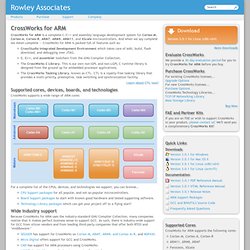
And when we say complete we mean complete — CrossWorks for ARM is packed full of features such as: CrossStudio Integrated Development Environment which takes care of edit, build, flash download, and debugging over JTAG. C, C++, and assembler toolchain from the GNU Compiler Collection. The CrossWorks C Library. This is our own non-GPL and non-LGPL C runtime library is designed from the ground up for embedded processor applications. Supported cores, devices, boards, and technologies. YAGARTO - Yet another GNU ARM toolchain. Electrical Engineering and Computer Science. Free Online Course Materials. Basic Linear Design: Analog Dialogue: Analog Devices. Individual chapters--or a zip file containing all chapters--of the original Basic Linear Design seminar notes can be downloaded by selecting the appropriate links below.
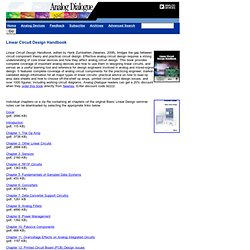
Cover (pdf, 2690 KB) Introduction (pdf, 115 KB) Chapter 1: The Op Amp (pdf, 3738 KB) Chapter 2: Other Linear Circuits (pdf, 2888 KB) Chapter 3: Sensors (pdf, 2160 KB) Chapter 4: RF/IF Circuits (pdf, 1363 KB) Chapter 5: Fundamentals of Sampled Data Systems (pdf, 453 KB) OSHW Design Checlist. PCB Design Checklist An ever expanding list of tips, tricks and things to keep in mind when designing PCBs This page is a repository, of sorts, of various tips and tricks I've picked up myself through books, app notes, or just experience doing everything the wrong way.
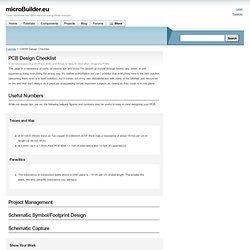
It's neither authoritative nor can I promise that everything here is the best solution (assuming there even is a 'best' solution), but it comes out of my own dissatisfaction with many of the tutorials and resources on the web that don't always do a great job of explaining certain important subjects as clearly as they could or in one place. Useful Numbers While not design tips, per se, the following ballpark figures and numbers may be useful to keep in mind designing your PCB. Show Your Work. Tutorial: Setting up a GCC Development Environment for ARM Cortex (Windows) > Setting up a GCC Development Environment for the Cortex M0/M3 Tutorial on installing all everything needed to create a basic GCC build environment in Windows One of the biggest challenges for many people who wish to develop embedded software with GCC for ARM is simply installing and properly configuring the toolchain, particularly in a non-Linux environment.
This tutorial will guide you through the process of setting up an entire open source GCC-based development environment, including the main cross-compiler and toolchain (Yagarto 4.5.0), a graphical development environment (CodeLite), as well as Subversion to be able to download the latest version of the LPC1343 Code Base. Building an ARM GCC Toolchain from Source > Building an ARM GCC Toolchain from Source Step by step guide on building a GCC cross-compilation toolchain from source on Windows and Linux While we'd strongly recommend starting with one of the precompiled GNU GCC toolchains available for ARM such as CodeSourcery G++ Lite or Yagarto (see Setting up a GCC Development Environment for the Cortex M0/M3 for more information), using a precompiled toolchain leaves you at the mercy of someone else's whims and fancies about what features to include, what libraries to use, etc.
Depending on precompiled toolchains also means that you're depending on their authors to regularly update them when new releases of GCC become available. This tutorial came to life precisely because of a situation like that: GCC 4.5.0 is the first version to have official support for the ARM Cortex-M0 core, but unfortunately all the precompiled toolchains at the time this article was written were still based on GCC 4.4.x. Linux. Measuring Battery Voltage with an ADC > Measuring Battery Voltage with an ADC How to measure the voltage on a power source that is greater than the maximum rating of your ADC If you are using a battery powered device, it's often useful to be able to measure the current voltage level on the battery to estimate how much stored energy is left.
You may wish to alert the user if the charge level drops below a certain level, for example, or automatically shut the device off beyond a certain lower threshold. On the other end of the scale, if you are charging the battery, you may wish to cut off the charging process once a certain upper limit is reached. These measurements would all be relatively easy if your battery supply never exceeded 3.3V, for example, but many batteries do indeed exceed 3.3V, such as Lithium Polymer cells that typically go up to 4.2V when fully charged -- much too high to safely connect to an ADC line on your MCU. Basic Voltage Divider Calculating the Relationship Between the Input and Output Voltage.
Open Hardware and Micro-Manufacturing Made Easy(er) ISEE, Online Store. IMX53QSB Product Summary Page. Igloo community. Www.OrigenBoard.org.
Bodycard 0450.