
Pano 360° Liveplasma. Create a new Fiddle. Frame Box - Lightweight online tool for creating mockups. Infinite Storage on Your Desktop @ Bitcasa. Untitled - Stypi. Font. Subpixel layout - Lagom LCD test. For this test your monitor must be in its native resolution.
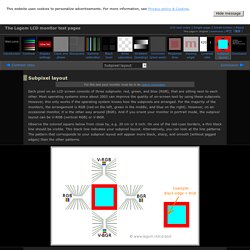
Each pixel on an LCD screen consists of three subpixels: red, green, and blue (RGB), that are sitting next to each other. Most operating systems since about 2003 can improve the quality of on-screen text by using these subpixels. However, this only works if the operating system knows how the subpixels are arranged. For the majority of the monitors, the arrangement is RGB (red on the left, green in the middle, and blue on the right).
However, on an occasional monitor, it is the other way around (BGR). Observe the colored square below from close by, e.g. 20 cm or 8 inch. If you find that your screen is not RGB, you may want to verify that your operating system handles subpixel rendering correctly for your display. If you wear glasses, you need to pay attention that your glasses do not separate the colors. Below you can see text rendered with various smoothing techniques. Rendering of your browser below: Windows XP and Vista. Typetester – Compare fonts for the screen. The Julia Language. Text Ascii Art Generator.
DIY USB password generator » Code and Life. Having done half a dozen V-USB tutorials I decided it’s time to whip up something cool.
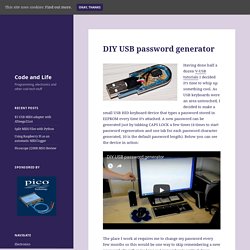
As USB keyboards were an area untouched, I decided to make a small USB HID keyboard device that types a password stored in EEPROM every time it’s attached. A new password can be generated just by tabbing CAPS LOCK a few times (4 times to start password regeneration and one tab for each password character generated, 10 is the default password length). Below you can see the device in action: The place I work at requires me to change my password every few months so this would be one way to skip remembering a new password altogether (as long as I remember to write it down before regenerating a new one so password can be changed :). What is inside? The device is powered with a simplified version of the hardware I used in my ATtiny85 USB tutorial – I stripped away the LCD, reset pullup and both capacitors. The enclosure was graciously donated by an old 512 MB flash drive. Software Update 2: Indiegogo project.
Online Python Tutor. Write your Python code here: x = [1, 2, 3] y = [4, 5, 6] z = y y = x x = z x = [1, 2, 3] # a different [1, 2, 3] list!

X.append(4) y.append(5) z = [1, 2, 3, 4, 5] # a different list! Mihail Szabolcs. Chroot-ing in Windows – As Easy as A:, B:, C:… « Just Let It Flow. Contents: Introduction Linux people who have to work in Windows are often talking about the basic tools it has which are absent from Microsoft’s product.
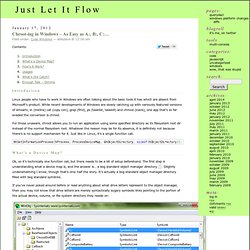
While recent developments of Windows are slowly catching up with variously featured versions of whoami, ln (mklink) cat (copy con), grep (find), ps (tasklist, taskkill) and chmod (icacls), one app that’s so far evaded the conversion is chroot. For those unaware, chroot allows you to run an application using some specified directory as its filesystem root dir instead of the normal filesystem root. Whatever the reason may be for its absence, it is definitely not because there’s is no support mechanism for it. NtSetInformationProcess(hProcess, ProcessDeviceMap, &hObjectDirectory, sizeof(hObjectDirectory)); What’s a Device Map? Ok, so it’s technically one function call, but there needs to be a bit of setup beforehand. The global device map with drive letters highlighted. Kern Type, the kerning game. All text symbols for Facebook ϡ (list)
Beautify your statuses, comments, messages and your general texting life with symbols. Make your concepts stand out from the crowd by just one more way - looking charming. Symbols will empower your meaningful, mindful and tasteful ideas by further inspiring your audience with adorable forms of the world's most known and refined signs. Read my corresponding article if you'll want to put some symbols into Facebook name and you'll have trouble with that. If you have some other difficulties with symbols, or have some other questions, do read my FAQ explanations. Copied. Click a symbol on white background to auto-copy it.
Pragmatic Unicode. Hi, I’m Ned Batchelder.
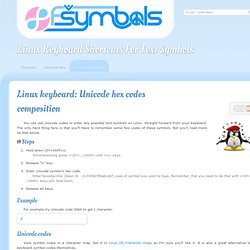
I’ve been writing in Python for over ten years, which means at least a half-dozen times, I’ve made the same Unicode mistakes that everyone else has. Wrote a nice program. Linux keyboard: Unicode hex codes composition (text symbols) You can use Unicode codes to enter any possible text symbols on Linux.
Unicode Character Finder. The best way to get familiar with the Unicode Character Finder is to play with it - type in the boxes, push the buttons and see where they lead you.
The paragraphs below describe the available features. The character preview area is intially blank. You can (1) click in the left-hand box; (2) type a character or copy & paste from another window; and (3) view the character properties on the right. The Code point number (eg: U+00E7) uniquely identifies the character in the Unicode code charts. The character Description comes from the Unicode character database. The HTML entity is one form you can use to represent the character in the source of an HTML page. Orange - Data Mining Fruitful & Fun.