First Grade Wow: math. A peek into our day...What fun we had in math today.
We have been studying growing patterns and when I found these cute little snowflake counters I knew how we were going to practice! Each table group was responsible for creating a growing pattern using their snowflake counters. Then they had to record their pattern using addition sentences. The kids worked so well together and tackled some tough problems! Way to go, guys!! This afternoon we worked very hard on adjectives and decided to showcase some spectacular 2012 describing words! We had a very busy day and learned so much! CLASSROOM ORGANIZATION. Printing Personalized Post-It Note Messages. Several months ago I discovered the surprising (to me!)
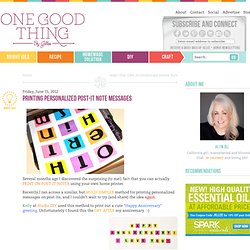
Fact that you can actually PRINT ON POST-IT NOTES using your own home printer. Recently I ran across a similar, but MUCH SIMPLER method for printing personalized messages on post-its, and I couldn’t wait to try (and share) the idea again. Kelly at Studio DIY used this method to print out a cute “Happy Anniversary” greeting. Unfortunately I found this the DAY AFTER my anniversary. :-) But the idea could be used in SO many other ways! How about an “inspirational message of the week” for the refrigerator? Kind of fun huh? Here’s the simple “How-to”: Open any program on your computer that you can manipulate text with.
English. Differentiation. Daydreaming with Marc Chagall Lesson Plan: Art History for Kids. [CLICK HERE FOR PHOTOS OF THIS PROJECT FROM: Mrs.
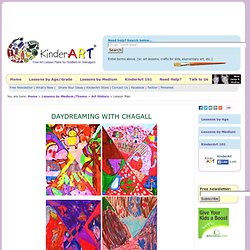
White's 2nd Grade Class Level: Primary, JuniorGrades: K-5 | Age: 5-11 | Written by: Julie Moses [Julie is a homeschooling art teacher who runs Miss Julie's Art School in La Quinta, CA.] Summary: Students will create works of art inspired by artist Marc Chagall's painting I and the Village. Objectives: To explore the concepts of surrealism and early cubism that Chagall portrayed in his work. What You Need:9x12 inch piece of drawing paper pencil markers a print or photo Marc Chagall's 'I and the Village.' ART with Mrs. Smith: Pop Art.
Image by Fábio Biff via Flickr *Note, small glitch, if you tried to purchase my Andy Warhol PDF lesson this morning of 2/26/10, the transaction was stopped by PayLoadz b/c the number of downloads exceeded my account level for this month.

My PayLoadz acct. is now upgraded and all future transactions will go through, no problem. Sorry for the inconvenience. Do your kids love Pop Art as much as mine do? Something about Pop Art seems to resonate with "every" child each time I do a Pop Art lesson. For this lesson, the students created 3 different drawings on small 4" x 4" pieces of white computer paper. Here are instructions for the lesson below, but if you'd like more precise instructions, with blackline masters and another version to use with younger kids...Check out my "Andy Warhol/ Crayon Pop Art Lesson" available as a PDF download. Step 1 - Using a 4x4" paper, first they each drew a CRAYON, following my directed drawing lesson on the board. Pop Art Ice Cream Painting - Art History.
Level: JuniorGrades: 3-5 | Age: 8-11 | Written by: Madeline Buonagurio [Madeline is an art educator at Jefferson, Roosevelt and Washington Elementary Schools in North Arlington, NJ.]
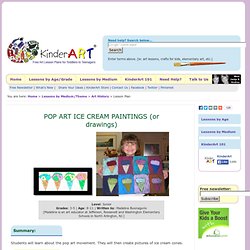
Summary: Students will learn about the pop art movement. Kid c.r.a.f.t. #6: Crazy Circles. Differentiation. Technology to Promote Thinking.
Excursion ideas. Maths. iPad for Teaching & Learning. Apps Resources. Sites4primary.com. iPad - Why? How? Bloomsapps. Using Blooms Taxonomy in education is a highly effective way to scaffold learning for the students.
With the recent popularity and pervasive nature of iOS devices in school districts it is essential for educators to understand how to implement Blooms in the classroom using the apps that are available. While this list is by no means fully comprehensive, it will assist educators in getting started when implementing iOS devices in the classroom. This site will change almost daily as it will be updated with new and exciting apps! If you find any that you have worked with in your classroom please email dmileham@e1b.org or tweet @bloomsapps or @dmileham75 with your suggestions. Thanks for checking the site! Two Links to some iTunesU courses relating to iOS Integration: 1 iPad by Erie 1 Boards of Cooperative Educational Services ( Movie Making\Digital Storytelling Camera to PDF Free - cool little app that turns your device into a scanner.
iPads and Tablets in Education. Dexteria. iPad Resources For School Administrators. Blooms Taxonomy with Apps. iPads in the Classroom. iPads in Schools. iPads for Education.
Useful Tips For iPad. Discovery learning.