
40 Maps That Will Help You Make Sense of the World. Text to speech. Social Media Training From Rookie to Expert. QR Code Quest: a Library Scavenger Hunt. (UPDATE: This is the original post about this mobile media digital discovery lesson but I've also updated it recently in Part Deux!
Pls. check it out! :-) I remixed this awesome scavenger hunt originally created by Joyce Valenza and added a QR Code Twist! I re-worked some of the questions for a lesson with my adorable ESOL kids (we have 35 right now in our ESOL program & one cute be-freckled girl just came yesterday & speaks no English at all but she LOVED scanning the codes when I handed her my Droid Fascinate!) The rest of the kids have varying degrees of English proficiency but still will benefit from a few visual clues. So the scavenger hunt questions are intentionally simply & clearly worded combined with pics I created as QR Code Hints.You can also use this lesson for special needs classes, Library Media orientation, or even re-mix the questions, QR Codes, & hints for just about ANY subject area!
First I created the Hint. In Question 6. Tools of the Historian. Making Audio QR Codes {A Step-by-step Tutorial} - The Brown-Bag Teacher. Synthetic & Systems Biology. 20+ Tools to Create Your Own Infographics. A picture is worth a thousand words – based on this, infographics would carry hundreds of thousands of words, yet if you let a reader choose between a full-length 1000-word article and an infographic that needs a few scroll-downs, they’d probably prefer absorbing information straight from the infographic. What’s not to like? Colored charts and illustrations deliver connections better than tables and figures and as users spend time looking back and forth the full infographic, they stay on the site longer. Plus, readers who like what they see are more likely to share visual guides more than articles.
While not everyone can make infographics from scratch, there are tools available on the Web that will help you create your very own infographics. In this article, we’re listing more than 20 such options to help you get your messages across to your readers, visually. The Differentiator.
Try Respondo!

→ ← Back to Byrdseed.com The Differentiator The Differentiator is based on Bloom's Taxonomy, Kaplan and Gould's Depth and Complexity, and David Chung's product menu. Web Design Principles. Country related data.
YA_Retellings_ALL_Web-3.jpg (JPEG Image, 1500 × 1050 pixels) - Scaled (68%) 29 Teacher Tools for Leveraging Technology. Ambitious combinations of technology and curriculum can be difficult for teachers to implement.

An epic challenge to overcome in bringing proven technology-based innovations to larger numbers of schools, classrooms, and students is before us. It is a labor of love for most of us teachers, as we are overworked and under-appreciated and many of us spend our own money, time and energy to improve our student’s educations. The idea of mobile learning touches on just about every subject that any technology addresses: digital citizenship, content-knowledge, internet safety laws, bring-your-own-device policies, school budgets and professional development. I wanted to share some of the mobile tools, both old and new, on the market that can help teachers share educational resources and access school-related data directly from their smart phones or tablets. Here are 29 Teacher Tools for Leveraging Technology: 1. 2. 3. 4. How to Use Google Search More Effectively [INFOGRAPHIC]
Among certain circles (my family, some of my coworkers, etc.)
![How to Use Google Search More Effectively [INFOGRAPHIC]](http://cdn.pearltrees.com/s/pic/th/google-effectively-infographic-127984952)
I'm known for my Googling skills. I can find anything, anywhere, in no time flat. My Google-fu is a helpful skill, but not one that's shrouded in too much mystery — I've just mastered some very helpful search tricks and shortcuts and learned to quickly identify the best info in a list of results. Sadly, though web searches have become and integral part of the academic research landscape, the art of the Google search is an increasingly lost one. A recent study at Illinois Wesleyan University found that fewer than 25% of students could perform a "reasonably well-executed search. " That search process also included determining when to rely on Google and when to utilize scholarly databases, but on a fundamental level, it appears that many people just don't understand how to best find the information they seek using Google.
Thanks to the folks at HackCollege, a number of my "secrets" are out. Infographic via HackCollege. Smart Searching. Designed for learning video. DNA Puzzles. OpenCurriculum: A K-12 Learning Content Hub. 7 Excellent Resources for Public Domain Pictures Every Teacher should Know about. As the start of a new school year draws closer Educational Technology and Mobile Learning is diligently engaged in posting a series of posts featuring interesting digital resources to help teachers get better equipped for school re-entry.
In today's post, I am sharing with you a set of useful platforms where teachers and students can go to in order to find public domain pictures. Have a look at the titles below and let us know what you think of them. If you know of other resources to feature in this list please share with us in the comment form below.
Making. Apps for Creative Writing. Teacher Librarians. ‘What is a teacher librarian ? A qualified teacher librarian is defined as a person who holds recognised teaching qualifications and qualifications in librarianship, defined as eligibility for professional membership for the Australian Library and Information Association.Within the broad fields of education and librarianship, teacher librarians are uniquely qualified. Teacher Librarian. Project Information Literacy: A large-scale study about early adults and their research habits. Classroom Architect. All 339 Books Referenced In "Gilmore Girls" 7 Excellent Interactive Tools to Create Activites Around Primary Source Documents. February 11, 2014 Primary sources are resources that were first-hand created in a given period of time and never undergone any kind of editing or distortion.

These sources are multimodal and they come in different forms. They can be artifacts, documents, pictures, recordings, essays, photographs, maps...etc. Now with the globalization of knowledge and the pervasive use of digital media, primary sources become accessible to everybody with an internet connection. However, the search for these materials is akin to a scavenger hunt and hence the importance of having a such a handy list to keep for rainy days. Today I am sharing with you an excellent tool called Docs Teach from The National Archive that allows you to create primary source activities for your class. The seven activity-creation tools provided by Docs Teach help students develop historical thinking skills and gets them thinking like historians. 4 Innovative Libraries Transforming Lives Around the World. Only about a third of the world's population has access to the internet. Here in the United States, libraries have become a major source of Internet access for people who otherwise can't afford computers or net access -- and the same goes for libraries around the world.
Giving people access to the Internet in a public setting doesn't mean handing them a free pass to infinite animated GIFs; it means jobs, health information, and education. If you love libraries in the U.S., you'll be blown away at how they transform lives in all countries. Project Based Learning in History and Social Studies.
A MiddleWeb Blog by Jody Passanisi & Shara Peters The idea behind Project Based Learning is that students will understand more if they make meaning through inquiry based creation.
A Fabulous Flow Chart on How Students Should Use Images from The Web. Who is Harris Burdick? Www.chrisvanallsburg.com | hmhbooks.com | site by Gilbert Design | Privacy Policy | Trademark Information | Terms and Conditions of Use Copyright © 2011 Houghton Mifflin Harcourt Publishing Company.
All rights reserved. The Glossary of Education Reform - Definitions of school-reform terms. 15 Lesson Plans For Making Students Better Online Researchers. Your students are probably Internet authorities.
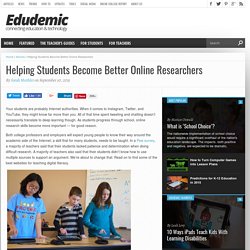
When it comes to Instagram, Twitter, and YouTube, they might know far more than you. All of that time spent tweeting and chatting doesn’t necessarily translate to deep learning though. As students progress through school, online research skills become more important — for good reason. Both college professors and employers will expect young people to know their way around the academic side of the Internet; a skill that for many students, needs to be taught.
In a Pew survey, a majority of teachers said that their students lacked patience and determination when doing difficult research. Image via Flickr by Brad Flickinger. AC History Units. AC History Units presents 8 units developed by the History Teachers' Association of Australia to support teachers in the implementation of the Australian Curriculum: History The development of these units has been guided by a number of ideas: Unit 1, Teaching History, is a foundation unit, providing a brief introduction to the discipline of history.

It 'unpacks' the skills and concepts, surveys approaches to teaching and provides an essential framework for the other units. Units 2-8 focus on topics relevant to particular year levels and are designed to provide very practical support in the form of teaching programs, sample 'learning sequences', a wide range of resources and assessment ideas. Web 2.0 for the Under 13s crowd. Jul 05 As I lamented in my last post, many of the fabulous Web tools out there are restricted to users 13 and over.
This limits what Elementary/Primary schools students can access online to create content to collaborate. Show Me Information Literacy Modules. Splice: Capture, Edit and Share movies from your iPhone 4 or 3GS. Plug Us In [licensed for non-commercial use only] / Exploring Information Management. (Teaching the iGeneration pages 17-47) Digital Storytelling. Teach With Movies - Lesson Plans from movies for all subjects. Information fluency home. 20 Wonderful Online Museums and Sites for Virtual Field Trips to Use in Class. January 27, 2014 Yesterday when I was working on the list of iPad apps that teachers can use with their students to make virtual field trips, it dawned on me to compile another list of web based platforms for both online museums and virtual field sites that can be used with students in class.
After scouring the web for hours I finally landed on the selection below. About the Library. The Empathy Library is the world’s first online empathy collection and a treasure house for catapulting your imagination into other people’s lives. Reading.
Researching Online for College Students: Five Easy Steps. 27 Simple Ways To Check For Understanding. 27 Simple Ways To Check For Understanding Checking for understanding is the foundation of teaching. Free Workshops For Teachers. Www.hyperhistory.org/images/assets/pdf/complete.pdf. 21st Century Learners. Five-Minute Film Festival: Teaching Digital Citizenship. "Digital citizenship" is an umbrella term that covers a whole host of important issues. Broadly, it's the guidelines for responsible, appropriate behavior when one is using technology. But specifically, it can cover anything from "netiquette" to cyberbullying; technology access and the digital divide; online safety and privacy; copyright, plagiarism, and digital law, and more.
2008/9 Wikipedia Selection for schools. The Literacy Shed - The Literacy Shed Home. Instant screencasts: Just click record. Awesome Digital Citizenship Graphic for your Classroom. Digital citizenship is " the norms of appropriate, responsible behavior with regard to technology use. "It is the combination of technical and social skills that enable a person to be successful and safe in the information age. Just like literacy and numeracy initiatives which provide people with the skills to ' participate in the work force, digital literacy has become an essential skill to be a confident, connected, and actively involved life long learner.' I personally recommend that teachers and educators should, throughout the entire school year, devote special sessions to just teaching students about Digital Citizenship.
Auras. The National Literacy and Numeracy Evidence Base - teach learn share - Welcome to Teach Learn Share. Free maps, free blank maps, free outline maps, free base maps. 95 Young Adult Books To Read This Summer Instead Of Reading 'Harry Potter' AGAIN. 62 of the World's Most Beautiful Libraries. For the last couple years, Jill Harness has been rounding up the world's most beautiful libraries by continent.
Here they are all in one place, in no particular order. Aside from being absolutely gorgeous, with two story dark wooden arches, this is also the largest library in all of Ireland. Reproducibles. <div class="noscript"><div class="noscript-inner"><p><strong>JavaScript seem to be disabled in your browser. </strong></p><p>You must have JavaScript enabled in your browser to utilize the functionality of this website.
Diana Laufenberg: How to learn? From mistakes. Flow Chart Maker & Online Diagram Software. Map. STEM Behind Hollywood by Texas Instruments. Learning Frontiers. Strategic Directions for School Libraries. Teachers Home - For Teachers - LRC at Lowther Hall Anglican Grammar School. Book Drum. 100 Free Library 2.0 Webinars and Tutorials. Learning in a Changing World: Racing against Time. Libraries with Social Media XFactor. Web Research Guide : Doing Research on the Web. Project-Based Learning. Project Based Learning. Literacyhead. 15 facts about Creativity - Think Jar Collective Post. Glean Comparison Search: An Information Literacy research tool to compare search results for different opinions. 23 Things summary. 23things - home. History Skills. Creating Classrooms We Need: 8 Ways Into Inquiry Learning.
Creating a Heroic Character. Ancient Roman Empire. How to Make a Timeline: Discover how to quickly and easily create any kind of timeline. Lessons, Units and Outlines. Why Inquiry Learning is Worth the Trouble. LEARN NC: Search Results. - Teachable Moments for Digital Citizenship.