
Hackasaurus. Look ahead Learn all about Firefox OS » Welcome to Webmaker!

That username is taken You must choose a username Invalid username. All usernames must be between 1-20 characters, and only include "-", "_" and alphanumeric characters You must agree to our terms and conditions. Maqetta. HTML5 Semantics - Smashing Coding. HTML5-Powered Web Applications: 19 Early Adopters. HTML5, rumored as Flash killer, is a brand new web technology that raises a revolution lead by Apple in web application development.
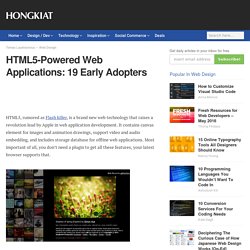
It contains canvas element for images and animation drawings, support video and audio embedding, and includes storage database for offline web applications. Most important of all, you don’t need a plugin to get all these features, your latest browser supports that. Sounds pretty cool, but what HTML5 can do actually? Well, this post is going to satisfy your curiosity about the power of HTML5 by showing you a series of practical HTML5-powered web applications such as drawing application, chart creating application and time management application. So there’s no technical document anymore, let your eyes witness the true potential of HTML5!
19 HTML5-Powered Web App DeviantART muro Muro is HTML5-based sketching app that works in all modern browsers, and you can dive in and start drawing on a blank canvas, all without Flash or any other plugin. HootSuite. 7 Lovely Things About HTML5 Markup. Article by Matt Doyle | Published on 12 July 2011 Categories: Discover 7 really nice ways that HTML5 can make your markup easier to write and more powerful.
Covers doctypes, new elements and attributes, flexible linking, markup shortcuts, and more. HTML5 — the latest generation of the Web's markup language — has been creating quite a stir over the last couple of years, as more and more browsers implement the latest and greatest HTML5 features. HTML5 really hit the mainstream in 2010, in part driven by Steve Jobs' open letter, Thoughts on Flash. HTML5 is quite a broad term, encompassing everything from the revised markup specification through to new API features such as audio, video, canvas and geolocation.
In this article I'm going to focus on the markup language itself, and look at seven reasons why I love HTML5's markup more than HTML4's. Doctypes data- attributes Some new and improved elements and attributes More flexible linking Simpler markup, and Enhancements to web forms. À propos de l'attribut rel="canonical" - Centre d'aide pour les webmasters.
If you have a single page that's accessible by multiple URLs, or different pages with similar content (for example, a page with both a mobile and a desktop version), Google sees these as duplicate versions of the same page.
Google will choose one URL as the canonical version and crawl that, and all other URLs will be considered duplicate URLs and crawled less often. If you don't explicitly tell Google which URL is canonical, Google will make the choice for you, or might consider them both of equal weight, which might lead to unwanted behavior, as explained in Reasons to choose a canonical URL. How Googlebot indexes and chooses the canonical URL When Googlebot indexes a site, it tries to determine the primary content of each page.
Canonical URL links. HTML5 Snippets. Les ombres en CSS3 avec box-shadow. Ce tutoriel a pour but de détailler l’utilisation de la nouvelle propriété du CSS3 “box-shadow”.
Cette puissante propriété permet des réaliser de très beaux effets de volume ou de creux tout en conservant un code d’un poids minimal pour la page, et sans utiliser la moindre image. Avant de commencer Afin d’exploiter les possibilités de la propriété CSS3 box-shadow, nous allons tout d’abord créer un simple div : avec pour propriété de style : Nous allons appliquer la propriété box-shadow à cet élément. Sur ce point, il est important de préciser qu’il y a un ordre à respecter lorsque vous utilisez ces préfixes. Lorsque les propriétés CSS3 en questions seront parfaitement supportées, vous pourrez n’écrire que : C’est donc sous cette forme que les exemples suivants seront écrits.
Les différents paramètres Commençons tout d’abord par analyser les différents paramètres que l’on doit fournir à box-shadow afin qu’elle fonctionne correctement. A css rounded gray button. Web sémantique et HTML5 : les microdonnées et les éléments sémantiques. Une des caractéristiques principales de HTML5 est qu'il ne cassera rien au support existant pour les versions précédentes.
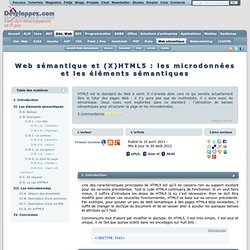
Tout le code HTML4 continuera de fonctionner. Si on veut faire mieux, il suffira d'introduire les doses de HTML5 là où c'est nécessaire. Rien ne doit être modifié pour utiliser ces nouvelles fonctionnalités, HTML5 se base sur sa version précédente. Free HTML Newsletter Templates - Noupe Design Blog. Mar 18 2011 Choosing a well designed newsletter can provide any marketing campaign a great deal of success.
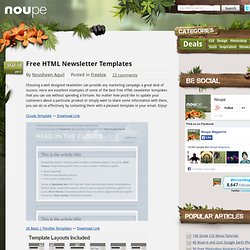
Here are excellent examples of some of the best free HTML newsletter templates that you can use without spending a fortune. Spritebaker - Ridiculous easy Base64 encoding for Designers. Lorem Ipsum - All the facts - Lipsum generator. FAQ (X)HTML. FAQ (X)HTMLConsultez toutes les FAQ Nombre d'auteurs : 23, nombre de questions : 53, dernière mise à jour : 9 juillet 2013 Cette faq a été réalisée pour répondre aux questions d'ordre général que vous vous posez sur le html et le xhtml.
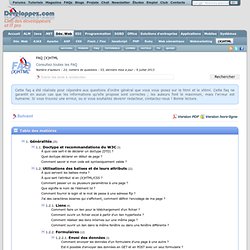
Cette faq ne garantit en aucun cas que les informations qu'elle propose sont correctes ; les auteurs font le maximum, mais l'erreur est humaine. Si vous trouvez une erreur, ou si vous souhaitez devenir redacteur, contactez-nous ! Bonne lecture. FAQ lues -1 fois.