
Connected Learning Infographic. There is More to iPads in the Classroom Than Apps In a previous post, Evaluating Apps with Transformative Use of the iPad in Mind, I describe my ambivalence about teacher asking my for the “perfect” app to teach this or that.
I have teachers ask me frequently about app recommendations for different subject areas. “What app could I use to teach subtraction?” “What app would you recommend for my students to practice writing?” Embrace Change in the New Year with Genius Hour - Getting Smart by Susan Oxnevad - #geniushour, badges, edchat, edreform, elearning, eportfolios, Innovation. Genius Hour is a powerful movement popping up in classrooms everywhere.
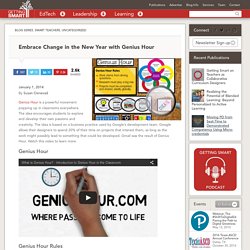
The idea encourages students to explore and develop their own passions and creativity. The idea is based on a business practice used by Google’s development team. Google allows their designers to spend 20% of their time on projects that interest them, as long as the work might possibly lead to something that could be developed. Cool Tools for 21st Century Learners. "Putting a bit of tech into teach!" About « The Digital Frontline. iLearn Technology. Moving at the Speed of Creativity. Infinite Thinking Machine - The Infinite Thinking Machine. MindShift.
MindShift explores the future of learning in all its dimensions.
We examine how learning is being impacted by technology, discoveries about how the brain works, poverty and inequities, social and emotional practices, assessments, digital games, design thinking and music, among many other topics. We look at how learning is evolving in the classroom and beyond.We also revisit old ideas that have come full circle in the era of the over scheduled child, such as unschooling, tinkering, playing in the woods, mindfulness, inquiry-based learning and student motivation.
We report on shifts in how educators practice their craft as they apply innovative ideas to help students learn, while meeting the rigorous demands of their standards and curriculum. MindShift has a unique audience of educators, tinkerers, policy makers and life-long learners who engage in meaningful dialogue with one another on our sites. Contact the us by email. The Clever Sheep. Inject some technology into your classes! Why K-12 schools are failing by not teaching SEARCH.
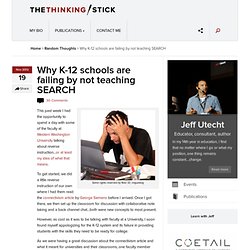
Some rights reserved by flickr ID: miguelavg This past week I had the opportunity to spend a day with some of the faculty at Western Washington University talking about reverse instruction…or at least my idea of what that means.
B's Life with English. Teaching Tools « tech4teacher. Google Summit South Korea Round One I recently attended the Google Summit in South Korea.
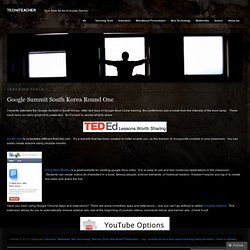
After two days of Google Boot Camp training, the conference was a break from the intensity of the boot camp. There have been so many great tools presented. So it’s hard to decide what to share. Ed.ted.com is completely different from ted.com. Docs Story Builder is a great website for creating google docs video. Have you been using Google Chrome Apps and extensions? The 21st Century Conference in Hong Kong: just a red dot I spent three hours today with Dan Meyer – renown High School Math Teacher and TED talk contributor. Throughout the conference keynotes and speakers have been talking about various technologies that can aid instruction in the classroom. Here I run a blog called tech4teacher – where I describe the many free resources available to teachers and tell about how I use them in my room.
The Nerdy Teacher. Learn It In 5 - Home. The 10 Most Useful Learnist Boards Of The Week. We think Learnist is so helpful both in and out of the classroom that each week we will be spotlighting ten boards. This week’s Top Ten features a variety of boards, from boards featuring high-tech apps and their use in the classroom, to good old-fashion children’s lit boards. In addition, Learnist is celebrating World Teachers Day with a celebratory board that will help you remember the teachers that got you where you are today–and smile. 1. World Teacher’s Day This board is a collaboration to celebrate World Teacher Day. 2. This board is a powerhouse collaboration among twenty teachers and tech lovers guaranteed to give every educator ideas to tech-up the classroom. Cooltoolsforschools - home.
Kathy’s Katch. 6 Great Note-Taking Tools for Students and Teachers. One of the best things about education technology is that it has allowed students and teachers alike to turn to online annotation and records, making hastily scrawled, illegible scribbles and coffee-stained pages a thing of the past.
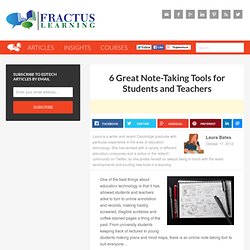
From university students keeping track of lectures to young students making plans and mind maps, there is an online note-taking tool to suit everyone… 1. Study Blue. Provenzano's GPS Tech Guide. We’re ‘imagineering’ our K-4 Computer Lab into a STEM experience. Join our journey. Have you ever wondered what it would be like to re-invent your classroom?
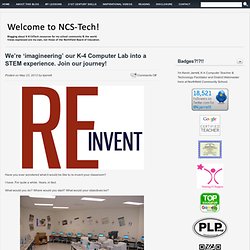
I have. For quite a while. Years, in fact. What would you do? Where would you start? The photo above is my lab as it appeared in September 2003, my first year teaching. Fast forward to this school year, nine years later (above). Will. Weblogg-ed. Steve Hargadon.
Free Technology for Teachers. © 2010-2011 edtech digest.