
The Beauty and the Beast: JavaScript meets JMX. Airbnb/javascript. Paper.js - Paper.js. Standing on the shoulders of Scriptographer and making use of HTML5 standards, Paper.js is a comprehensive open source vector graphics scripting framework.

Document Object Model Paper.js provides a Document Object Model (also called a Scene Graph) that is very easy to work with. Create a project and populate it with layers, groups, paths, rasters etc. Groups and layers can contain other items and even other groups. If you've never heard of a Document Object Model before, you can think of it as the layers palette of applications such as Adobe Illustrator & Adobe Photoshop. The image on the left is an illustration of the structure of the project after executing the code below, if you would be looking at it in an application like Adobe Illustrator. Learn more about the Document Object Model in the Document Hierarchy tutorial. Learning JavaScript Design Patterns. Design patterns are reusable solutions to commonly occurring problems in software design.
They are both exciting and a fascinating topic to explore in any programming language. One reason for this is that they help us build upon the combined experience of many developers that came before us and ensure we structure our code in an optimized way, meeting the needs of problems we're attempting to solve. jQuery Joyride Plugin. Create jQuery Feature Tours in a Breeze Setting up Joyride is simple, just attach the needed files, drop in your markup and choose your settings.

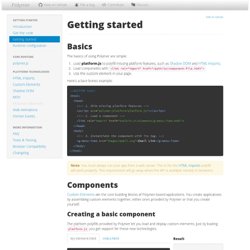
Joyride is extremely flexible and lets you take control of how people interact with your tour. We programmed it to be cross-browser compatible with modern browsers and even used some fancy CSS to avoid images. Now let’s see just how easy it is to take your first ride without getting the fuzz involved. New in Version 2. JSHint, a JavaScript Code Quality Tool. Getting started - Polymer. Basics The basics of using Polymer are simple: Load platform.js to polyfill missing platform features, such as Shadow DOM and HTML Imports .
jQuery : l’événement ! Surprise! Mozilla can produce near-native performance on the Web. In a bid to make JavaScript run ever faster, Mozilla has developed asm.js.
It's a limited, stripped down subset of JavaScript that the company claims will offer performance that's within a factor of two of native—good enough to use the browser for almost any application. Can JavaScript really start to rival native code performance?
Comment débuter avec RequireJS. L’AMD (Asynchronous Module Definition) permet d’organiser votre code en modules afin de pouvoir les charger à la demande.
Cela évite d’avoir un seul gros fichier ou plusieurs fichiers à inclure dans le HTML dans un ordre précis. RequireJS permet également, grâce à NodeJS, de faire de l’optimisation (minification), j’en parlerai à la fin. Vous pouvez retrouver les fragments de code contenus dans ce guide sur GitHub. Angular. Tutoriel Backbone.js : environnement de développement. Dans les prochains tutoriels, je vais couvrir les sujets suivants : créer un nouveau projet Node pour la construction de l'application monopage ; utilisation de RequireJS avec Backbone.js ; l'API de Google ; écrire et exécuter des tests ; créer l'application Backbone.js elle-même ; techniques pour personnaliser les données Bootstrap ; déploiement vers Dropbox, Amazon S3 et éventuellement d'autres services.
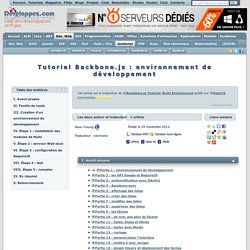
Si vous mettez l'accent sur l'écriture de scripts côté client, je pense que ce sera utile pour vous. Notre objectif est de créer un environnement de développement qui peut effectuer les opérations suivantes : Coding Smackdown TV - Putting a headlock on the coding lifestyle! First off I want to thank Joel Hooks of the DFW Area AngularJS Meetup Group for suggesting this topic and providing the title.
“Modules provide an excellent mechanism for cleanly dividing up our code into functional areas. Angular allows us to use modules in many ways. Let’s take a look at modules and some of the approaches we can leverage to produce cleaner more manageable code.” – Joel Hooks. Single page apps in depth (a.k.a. Mixu' single page app book) This free book is what I wanted when I started working with single page apps.
It's not an API reference on a particular framework, rather, the focus is on discussing patterns, implementation choices and decent practices. I'm taking a "code and concepts" approach to the topic - the best way to learn how to use something is to understand how it is implemented. My ambition here is to decompose the problem of writing a web app, take a fresh look at it and hopefully make better decisions the next time you make one.
Update: the book is now also on Github. Introduction. Superhero.js. jGestures: a jQuery plugin for gesture events - Home. Detecting the ‘Tap’ event on a Mobile touch device using javascript. Currently we can use different types of events to control a touch gesture on a mobile device using javascript, but unfortunately they are not enough to detect all the huge amount of behaviours that an User could do with a touch gesture.
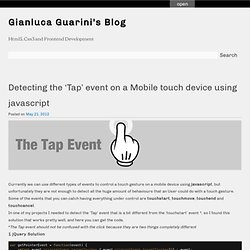
Some of the events that you can catch having everything under control are touchstart, touchmove, touchend and touchcancel. In one of my projects I needed to detect the ‘Tap’ event that is a bit different from the ‘touchstart’ event *, so I found this solution that works pretty well, and here you can get the code. *The Tap event should not be confused with the click because they are two things completely different1 jQuery Solution Demo link [jQuery] Dart: Structured web apps.
WebRTC status. Current as of December 22nd, 2013 Spot an inaccuracy?
Please email team@peerjs.com WebRTC and PeerJS are still works in (rapid) progress. Video, audio, and DataChannel are all available in stable mobile and web versions of Chrome and Firefox. Safari and Internet Explorer have not announced support for WebRTC yet. PeerJS will not attempt to support very old versions of browsers (Chrome < 26 or Firefox < 23) because the WebRTC spec has changed dramatically since. PeerJS compatibility Because no browser has fully implemented the current draft WebRTC spec, these issues currently exist beyond our control, but they are likely to be fixed in future releases: Browser support Chrome 26+, Firefox 23+ Yeoman - Modern workflows for modern webapps.
11 Multi-touch and Touch events Javascript libraries. Touch screen devices are ruling the mobile platform nowadays. Most of the smart phones have it, tablet and based on the trend, it's slowly come to our desktop as well. To develop a touch screen compatible web applications or website, you can use the existing touch events of the browsers or the platforms. There are two ways to create a touch support app - native or using the web development technologies (HTML, CSS, Javascript).
It's possible to develop an app for mobile devices using web technologies, for example, we can use third party development tools such as PhoneGap to compile a web app and make it available in different web apps. Introduction to RequireJS. Google JavaScript Style Guide. Superheroic JavaScript MVW Framework. Javascript Territory - Jster Javascript Catalog.
A JavaScript toolkit for visualising networks. The Top 10 Javascript MVC Frameworks Reviewed - CodeBrief. UPDATE 1/14/2012: Added Batman.js and Angular.js due to popular demand and because they looked impressive. Over the last several months I have been in a constant search for the perfect javascript MVC framework. Driven by a dire need for the right level of abstraction and features, I have tried out - some more cursorily than others - every framework I could get my hands on. Here lies a brief synopsis of each framework. Lastly, I share the framework which I ultimately decided on.
Specifically, the following four features are very important to me: UI Bindings - I'm not just talking about templates, I'm talking about a declarative approach to automatically updating the view layer when the underlying model changes. The Contenders. D3.js - Data-Driven Documents. Club des développeurs JavaScript : actualités, cours, tutoriels, programmation, codes sources, livres, outils et forums. Create a new Fiddle - jsFiddle.
Json Parser Online.