
Interact Cafe. Tools_For_Teachers_Media. 15 Best Sites for Open Source Images. Recently, a teacher we know put together a concise and effective PowerPoint presentation which was well received.
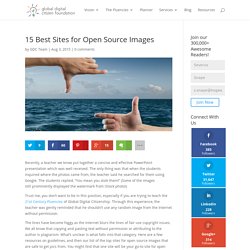
The only thing was that when the students inquired where the photos came from, the teacher said he searched for them using Google. The students replied, “You mean you stole them!” (Some of the images still prominently displayed the watermark from iStock photo!) Trust me, you don’t want to be in this position, especially if you are trying to teach the 21st Century Fluencies of Global Digital Citizenship. Through this experience, the teacher was gently reminded that he shouldn’t use any random image from the Internet without permission. The lines have become foggy as the Internet blurs the lines of fair use copyright issues. Digital Life 101 (6-8) Digital Literacy & Citizenship Classroom Curriculum. NEW!
Learn the fundamentals of digital citizenship through choose-your-own-adventure interactive experiences DIGITAL COMPASS - Where are you headed? The only educational game that gives kids the freedom to explore how decisions made in their digital lives can impact their relationships and future. Galerie de clasesdeperiodismo. Edutopia. While many teachers are excited about the maker movement and may even be creating projects for their classrooms, assessment can be puzzling even to veteran classroom teachers.
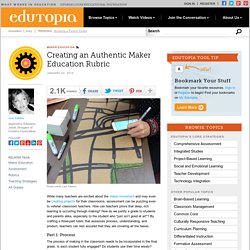
How can teachers prove that deep, rich learning is occurring through making? How do we justify a grade to students and parents alike, especially to the student who "just isn’t good at art"? By crafting a three-part rubric that assesses process, understanding, and product, teachers can rest assured that they are covering all the bases. Part 1: Process The process of making in the classroom needs to be incorporated in the final grade.
Educational Hash Tags. #edude#eduFollowChallenge#edugreen #eduhashtag #eduit#edumindset#eduON (Ontario)#euduoz #edupd#edupreneur#edupunk #edutech #EduThingsILike#eduvc#eduvoxers #elemchat #elementary#elemsci #ell #ellchat#elrnchat #elt#eltchat#eltpics#emchat #emotionalliteracy#edpolitics #engagechat#engchat #engedu #EngineeringEducation#english #english-teacher#engsschat #enrichingkids#enviroed#e-safety#ESCchat#esdgc#esea#esl #esol#esp#ETAS#etcchat#ETcoaches#etmchat#ettipad #e20#expandedlearning #family#fb4ed#FCE#FETC #FF#fft#filmclass#finnedchat#fitnessedu#flatclass #flatclassroom#FLE#flipblogs#flipchat #flipclass#flipped#flippedclassroomflippedlearning#flteach#FOAMed #followalibrarian #followfriday#fooded#foodtechteachers #formativeassessment#forteachers #frenchchat#frimm#fstenet#FutureReady#FYCchat.

k12learning20 - 2-web2. Connected-educator-month-starter-kit-2014.pdf. New Padagogy Wheel Helps You Integrate Technology Using SAMR Model. Sometimes a visual guide comes along and it just makes total sense.

That’s how I felt about Allan Carrington’s clever ‘Padagogy Wheel‘ which we featured on Edudemic last week. Check out the previous version then view the one below to see the differences. From what I can tell, putting the wheel on this site has generated a bit of buzz and I’m glad we could help spread the knowledge. But I was quite amazed this morning when I saw that the Padagogy Wheel had been updated. Now at version 2.0, it features another band around the edge focusing on the SAMR Model and on helping teachers (and admins) effectively integrate education technology. This new Padagogy Wheel (which honestly is less about iPads and more about technology integration now) should encourage you to focus on redefining your current standards, the current role tech plays in your classroom, and just about everything else. Digital Survival. When online speech causes in-school problems...
Online speech that causes in-school problems leaves school officials feeling as if their hands are tied.
While schools have to take action to prevent bullying, they must also tread carefully to avoid violating students’ speech rights. Finding themselves in the midst of a Catch-22, many school officials now incorporate Internet safety programs, such as cyberbullying, sexting and sextortion lessons, into the curriculum. Snapshot of a Deeper Learning Classroom: Aligning TED Talks to the Four Cs. 21st Century Fluency Institute.
Collaboration Fluency. Media Fluency. Solution Fluency. Creativity Fluency. A Must Have Poster about 21st Century Learning Skills. I have just finished working on a graphic that I have made specifically for readers of Educational Technology and Mobile Learning ( of course anyone else is allowed to use it ).
I am not the kind of guy to ask for favors in return for freebies I publish here. I honestly hate it and I have seen this practice in different blogs and websites. They tell you you can for instance download a certain PDF or eBook for free provided you register with them using your email or to like them on Facebook..etc. I would understand it from bloggers outside the educational arena but I can not swallow it when I see someone claiming to be an educator committed to the cause of education and yet providing such kind of services. I have recently been working on certain eBooks and other things ( let it be surprise ) that I will give you as a gift for the new year. Here is the poster If you want to publish it on your classroom blog or website use the code below .
All About Computer Cookies - Session Cookies, Persistent Cookies,How to Enable/Disable/Manage Cookies. Guide to Twitter in the K-8 Classroom Twitter, without a doubt, has become the social network for educators to take their professional development into their own hands.
Twitter allows teachers to connect with other educators from around the world, join discussions related to their interests and have a steady stream of resources (to help them teach and learn) available to them whenever, whereever and however. Creating a network on Twitter has catapulted educators to be part of a connected world where learning happens anytime, help is only a tweet away, collaboration partners meet and communicate, conversations that directly or indirectly impact their physical lives take place 24/7. Twitter is helping educators gain many 21st century skills and literacies which could easily transfer to their classrooms. So the next question is…
Education Tech News » Blog Archive Teacher claims 'expectation of privacy' with cell phone. Should teachers expect privacy regarding their cell phones?
Not in this case, a New Jersey appeals court ruled in a claim involving a sex crime. An ex-student went to police to report middle-school teacher Patrick DeFranco had committed sex acts with him when DeFranco was his teacher. To back up his claim, the former student agreed to phone DeFranco and let police listen in on the call. But the phone number DeFranco had given the student was not in service. DeFranco still taught at the school, so police got his new number — a cell phone number — from the SRO. The phone number was listed in the staff handbook/directory and school emergency plan – and wasn’t marked “private,” though others were. During the call, the former student and DeFranco discussed details regarding their sexual relationship. Rhondda's Reflections – wandering around the Web. Why Twitter and Facebook Are Not Good Instructional Tools. - From the Classroom: Best Tech Practice Video of the Week - Using Twitter as a Lifeline.
45 in 45 by Mike McGowan on Prezi. Media: Social Networking Guidelines. iMOM » Tweens » Parenting » Safety » Media: Social Networking Guidelines Here are 10 tips for monitoring and protecting your kids on social networking websites: 1.
Parents will know the password and have access to child's page. 2. Parents can customize their child's settings to make profile safer (privacy, visibility, etc). 3. 4. 8 TED Talks You Need to Share with Your Students. Using multimedia in the classroom has become imperative in the 21st century classroom. Students tend to show more engagement and motivation when you play a video in the class.Given this importance of audio visual materials in education, more and more websites are created to provide video resources for educators.
I have already compiled a list of 80 educational video resources to make it handy for teachers and even students to access the different video platforms and browse the materials they want. TED ( Technology, Entertainment, Design ) is one of my favorite video resource I use quite often. Teaching Young Students to use Technology Responsibly. We need to prepare our students to act responsibly when the moment of stupidity arrives.We should not just hand students technology and expect them to use it responsibly. They are kids after all. Here is a fictitious story to show my point: imagine three fifth grade students check out a Flip video camera to work on a class project during lunch recess. They want to show the principle of an arc by showing a student swinging on a swing.
So here the three of them are out on the playground using their “21st Century Skills” to make an awesome little video that will help their classmates learn a new concept. The teacher back inside eating her lunch could not be prouder -- she incorporates tech into her lessons. The shots get made and the three budding filmmakers go back to their regular recess play, with the Flip video camera tucked safely into one of their pockets. Grasping at the moment of opportunity, the one student with the Flip video camera starts to film the misfortune of his classmate. EdRoundtable: The Future of Google+ in Education. Infographic: The Lowdown on Social Media and College Admissions.
Edtechdigest.com. Technology in Education Group News. Connect a Million Minds - Home. Technology-Using Professors Group News. By Jeffrey R. Young The spread of a seemingly playful alternative to traditional diplomas, inspired by Boy Scout achievement patches and video-game power-ups, suggests that the standard certification system no longer works in today's fast-changing job market. Educational upstarts across the Web are adopting systems of "badges" to certify skills and abilities. If scouting focuses on outdoorsy skills like tying knots, these badges denote areas employers might look for, like mentorship or digital video editing.
Many of the new digital badges are easy to attain—intentionally so—to keep students motivated, while others signal mastery of fine-grained skills that are not formally recognized in a traditional classroom. At the free online-education provider Khan Academy, for instance, students get a "Great Listener" badge for watching 30 minutes of videos from its collection of thousands of short educational clips. Employers might prefer a world of badges to the current system. 21st Century. Some JCPS students take part in social media education program. Translated matching for multilingual plagiarism detection introduced. 10 ways to change the minds of tech-reluctant staff. We often hear about tech-savvy educators and administrators who have an array of best practices and whose love for technology is evident. But as anyone who’s ever been part of a school or district knows, not all teachers and administrators are as comfortable or familiar with technology.
In a recent “Question of the Week,” we asked our tech-savvy readers: “How do you get tech-reluctant teachers and administrators to use technology effectively?” Here are our readers’ top answers (edited for brevity). 1. NO SOPA: 'American Censorship Day' International Society for Technology in Education Group News. Digital Tools for Students. Twelve Ideas for Teaching with QR Codes. Updated 01/2014 As mobile learning becomes more and more prevalent, we must find effective ways to leverage mobile tools in the classroom.
As always, the tool must fit the need. Mobile learning can create both the tool and the need. With safe and specific structures, mobile learning tools can harness the excitement of technology with the purpose of effective instruction. Using QR codes for instruction is one example of this. A Quick Tutorial QR stands for Quick Response. 1. - Top 100 Sites of 2011. 0 Comments. Jacqui Murray. Sugata Mitra shows how kids teach themselves. Dr Matthew J. Koehler. Summary of Project - Digital Citizen Project at Illinois State. Illinois State University has launched a research project to significantly impact illegal piracy of electronically received materials. Using a comprehensive approach to confront pervasive attitudes and behaviors in peer-to-peer downloading of movies, music, and media we address ethical and legal issues through the following:
- 20 Things Students Want the Nation to Know About Education. 21 Century Info. 21st Century Info This is a page that will be growing with twenty first century information. Blogs - DAILY INSIGHT: 15 digital citizenship resources for schools. S Copyright and Fair Use Resources. This is a tool that explains everything you need to know about copyright, and then some! Learn what copyright is and is not, what it protects, what Public Domain is, what the difference is between Copyright and Plagiarism, and a LOT more. Do you remember what the acronym DMCA stands for? The Machine is Us/ing Us (Final Version) The NCTE Definition of 21st Century Literacies. Updated February 2013Adopted by the NCTE Executive Committee, February 15, 2008 Literacy has always been a collection of cultural and communicative practices shared among members of particular groups.
21st Century Literacy. Copyright Stuff. National Education Technology Plan 2010. Fact Sheet: Digital Promise Initiative. “Digital Promise” Factsheet Digital Promise is a new national center created by Congress with bipartisan support to advance technologies that can transform teaching and learning. It is being launched today with startup funds and support from the Department of Education as well as the Carnegie Corporation of New York and the William and Flora Hewlett Foundation. Answering the President’s call to action, a number of prominent leaders in education and technology will help lead Digital Promise. To realize the potential of learning technology, Digital Promise will work with leading educators, researchers, technology firms, and entrepreneurs on three key challenges: Identifying breakthrough technologies. Other Initiatives Being Announced with the Launch of Digital Promise. Welcome to Route 21. Science. Larry Ferlazzo’s Websites of the Day… - “The Benjamin Franklin Effect” In The Classroom.
This post was formerly called “”The Benjamin Franklin Effect” In The Classroom.” However, since it originally included additional resources on other psychological “effects” and “laws,” I’ve renamed it and added new resources at the end. Many teachers know that an effective classroom management move to turn a disruptive student into an ally is by giving him/her responsibilities in the classroom — tutoring another student, offering them a key classroom job, etc. I knew it, and have used it, but didn’t know until recently that an actual psychological finding explains why this strategy works.
It’s called “The Benjamin Franklin Effect”: Online Tools. Home. Defining a 21st Century Education: At a glance. The Partnership for 21st Century Skills - Home. The Partnership for 21st Century Skills - Above & Beyond. In an increasingly complex, demanding and competitive 21st century, students need to learn more than the 3R’s they are tested on in school. It’s time to help them go “above & beyond”, by embracing the 4Cs – communication, collaboration, critical thinking and creativity.
To get the word out to about the “3Rs + 4Cs” approach, P21 and FableVision partnered to produce a short, animated film called Above & Beyond. Enjoy & share, so we can help ALL our students flourish in the 21st century. 21st Century Fluency Project.