
Create a mobile website with jQuery Mobile. Knowledge needed: Beginning HTML5, intermediate CSS, jQuery, and jQuery Mobile Requires: jQuery and jQuery Mobile libraries and a text editor Project time: 4-6 hours Support file This is an edited excerpt from Chapter 15 of Murach's HTML5 and CSS3 by Zak Ruvalcaba and Anne Boehm.

jQuery Mobile Framework - A Forms Tutorial. jQuery Mobile is a relatively new mobile web framework, with its first release made in October 2010.
The framework has many interesting features to support development of web based mobile applications. In this tutorial, we will focus on some basic elements of jQuery Mobile: page structure, forms and Ajax form submission. The tutorial is based on version 1.0 alpha release 2 of the jQuery Mobile framework. As part of the tutorial we will write a small B2C application. A package shipment company has a form in their web site for customers to enter information on packages that are lost or damaged during shipment. Mobile App Design/Dev: Building Navigation with jQuery. Smartphones are now equipped with some very efficient web browsers.

JavaScript is more powerful than ever before, and can be extended with the help of code libraries such as jQuery. When you add in the latest HTML5/CSS3 specs, it’s possible to build very snappy mobile web apps with some basic frontend code. In this tutorial I’ll show how you can build a mobile-based website/webapp. We’ll use CSS3 media queries for targeting specific devices and screen resolutions. Plus a bit of jQuery helps to animate the menu and load external page content using Ajax calls. Defining the Page Structure Let’s start by going over the HTML page first and style it using some CSS rules. X-UA-Compatible is used to describe how your document should render in certain browsers. It’s also possible to disable user zoom with the content value user-scalable=no. Inner Body Content Inside the body tag I’ve setup a wrapper div with the ID #w.
CSS Positioning This top segment defines styles for both sections of the page. Adding driving directions to a jQuery Mobile web site. My first morning at Scotch on the Rocks was a bit rough.
Despite getting to bed at a decent time (10:30 or so) so I could catch up on my sleep, I ended up waking up around 3:30 or so in the morning and tossing and turning till 6. During that time an idea popped in my head for one more demo I could do for my jQuery Mobile presentation. I was thinking about building a simple mobile web site for the hotel. I thought it would be a simple example but also pretty practical. Of course, once I figured out a simple, static plan for the site an idea occurred to me. First, I'll begin by showing a few screen shots of the application I built. My hotel mobile home page has three links: Contact Us, Find Us, and About. On a mobile device, clicking that phone number will automatically call the hotel. Yeah, nothing important here. Now that you've seen those pages - let's look at the code behind it. ColdFISH is developed by Jason Delmore. <div data-role="header"> <h1>Apex Hotels</h1> </div> Sweet, right?
jQuery Mobile 101. View all articles.
jQuery Mobile Development Guide. jQuery Mobile has rocked the web with an easy way of quickly developing mobile applications.

Not just mobile web apps but using PhoneGap you can build native applications that can be downloaded in the available app stores. jQuery Mobile can be as flexible as you want it to be, but out of the box it’s built to quickly launch your applications with pre-built design templates or using the jQuery Mobile theme roller.
Below is a detailed plan that will help you learn jQuery Mobile and all the possibilities. Use it as a reference guide when your looking to figure something out or trying to determine if there is something you can do in jQuery Mobile. If your looking for a tut that is not here, please request it in the comments and we’ll look into making it. Simple jQuery Mobile Menu. A mobile friendly jQuery and CSS3 menu that’s simple, image-free, and pretty.
View jQuery Mobile Menu System Demo There are a number of great scrips and plugins out there for adding fancy mobile menus, but they normally take awhile to configure and perfect. For the do-it-yourself type, this is a light and simple jQuery mobile menu system that will get you up and running in no time and within budget. #1 Load jQuery If you are using WordPress, copy this into your theme’s functions.php file.
If you want to load jQuery in the footer (wp_footer), add an extra TRUE parameter to the end of the function. #2 Add your mobile menu HTML I’ve included two menu toggle (open/close) styles. You could also turn the entire black bar into a menu toggle bar by adding class=”mtoggle” to the nav tag. The jQuery Mobile tutorial - Managing windows. Chapter 10 The windows can be manipulated in different ways in jQuery Mobile: through <a> links attributes, allowing the windows to chain to each other, using the changePage () method defined on the $.mobile object..
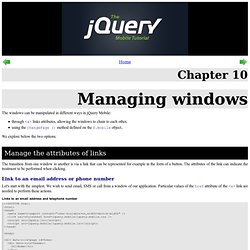
We explore below the two options. Manage the attributes of links The transition from one window to another is via a link that can be represented for example in the form of a button. Link to an email address or phone number Let's start with the simplest. Links to an email address and telephone number <h1>Home</h1> <p> Talk to Eric Sarrion : </p>