Arts. 70 photoshop actions. The compilation consist of 70 of the best Photoshop actions collected from all around the web from photo effects to actions for even creating photo borders, An essential design resource for all designers weather your an expert or an beginner.
Photoshop actions consist of a series of menu commands such as i.e. filters, image adjustments etc which can be recorded and played back this process is called a Photoshop action. Photoshop actions are perfect for novices to Photoshop simply because it allows you to apply multiple different photo effects to an image within a few seconds without having knowledge about the ins and outs of Photoshop. Photo Effect Actions 1) Double sketch effect action for Photoshop This action offers a “double” sketch effect, just like if you painted the sketch twice, once from left to right, and once from right to left. 2) Photoshop Action – Bright Eyes A Photoshop action to enhance the appearance of the eye but only works with blue eyes. 3) Pencil Draw Photoshop Action.
12 Photoshop Light Effect. Below are a few Photoshop light effect tutorials that have caught my eye while looking over the tutorial sites, for me these produce the best results while using brushes, blurs and other media such as textures to create a top quality effect.
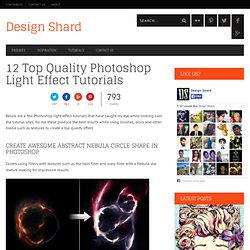
Create Awesome Abstract Nebula Circle Shape in Photoshop Covers using filters with textures such as the twirl filter and warp filter with a Nebula star texture making for impressive results. Create a Colorful Aged Poster With Special Lighting Effects You’ll learn how to use texture and adjustment layers to create an aging effect on a colorful abstract poster design. Create a Surreal Girl with a Raven Composition in Photoshop Tutorial Loads of great tricks in this tutorial. The Making of “Constant Slip” This is more a process description of making this illustration, than a detailed step by step how to, but is very detailed and can lead to some very creative ways of achieving light effects. Achieve Brilliant Lighting Effects in Photoshop. 8 photoshop tricks.
Graphics Photoshop is one of the (if not THE) most well known software used in the design industry when it comes to manipulating images and pixels.

As a web designer I had some Photoshop lessons at school but that was 2 years ago. Today the software has evolved, more options are available, and I also learn a few tricks while practicing. You will find in this article eight tricks I wish I knew when I was a student (or wish existed in previous Photoshop versions). These are the kind of tricks that could make your workflow faster and your life easier. Easier Illustrator-like Layer Auto-Select As I do a lot of logo / UI design, I won’t hide it, I’m a huge fan of Illustrator. In Photoshop by default you have to go and select what you want to work on in the layer panel, and use a CTRL + click on the element to select it, or right-click somewhere in the working space and you’ll get a list of your layers (good luck if you did not rename them).
Get Better & Quicker Control on Your Current Tool Size. Welcome to your account! Add anything from anywhere. Organize all your interests naturally. Explore your community of interests. Share all of this!