
PIG eusk - convocatoria_pig_2013_2014_eusk. PEARLTREES en ESPAÑOL: Construye los recursos con tus alumnos. Social Lab. Requisitos Un servidor web compatible con PHP 5 (por ejemplo, Apache, Lighttpd, IIS, etc.).
El framework Symfony 1.4. Un servidor de bases de datos compatible con Symfony 1.4 (por ejemplo, MySQL, PostgreSQL, etc.). Opcional (pero muy recomendable): una conexión de red para el juego multijugador. Configuración Descarga un ZIP y descomprímelo o clona el repositorio git de Social Lab para obtener el código fuente. Define nuevos social bots Cada vez que se envía una petición de amistad, Social Lab comprueba si involucra a un perfil automatizado (también conocidos como bots).
Cada tarea programada se define por los siguientes parámetros: From: el perfil de usuario del bot involucrado. Social Lab: simulando ingeniería social. El también lo define como un wargame, un reto relacionado con la seguridad informática.
Como se dice en la propia web: Cyberbullying. If you would like to support NCPC's work on cyberbullying or any other campaign, please click here.
If you’re like most teenagers, you spend a lot of time on a cell phone or instant messenger chatting with friends and uploading photos, videos, and music to websites. You may have online friends whom you’ve never met in person, with whom you play games and exchange messages. Teens’ lives exist in a variety of places such as school hallways, part-time jobs, and friends’ houses. Now many teens also have lives on the Internet. And bullying has followed teens online. Digital Citizenship 7-12. Family Safety Center – Google. As a parent or guardian, you know what feels right for your family and how your kids learn best.
To help your family navigate through new technologies, gadgets, and services in an ever-changing online world, it helps to get practical advice. That’s why we continuously talk to safety experts, parents, educators and communities around the world – to keep a pulse on what works. Together, we can help nurture a community of responsible digital citizens. {*style:<ul>*} {*style:<li>*} {*style:<h3>*} Family Link {*style:</h3>*} {*style:<br>*} With the Family Link app from Google, you can stay in the loop as your kid explores on their Android device. Protect yourself digital citizenship. MPP Stephen Carrick Davies. Munch, Poke, Ping (MPP) * is a project which explores how social media and mobile phone technology affects young people’s peer relationships, behaviour and identity and how they cope when there is conflict online.
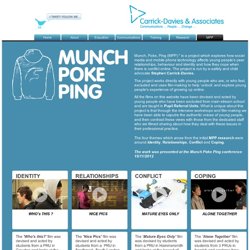
The project is run by e-safety and child advocate Stephen Carrick-Davies. The project works directly with young people who are, or who feel, excluded and uses film-making to help ‘unlock’ and explore young people’s experience of growing up online. All the films on this website have been devised and acted by young people who have been excluded from main-stream school and are taught in Pupil Referral Units. What is unique about this project is that through the intensive workshops and film-making we have been able to caputre the authentic voices of young people, and then contrast these views with those from the dedicated staff who we filmed sharing about how they deal with these issues in their professional practice. Thinkuknow - home. 10 Interactive Lessons By Google On Digital Citizenship. 10 Interactive Lessons By Google On Digital Citizenship Added by Jeff Dunn on 2012-07-22 YouTube has a firm place in the current classroom.
From Khan Academy’s videos to YouTube EDU and beyond, there’s a reason all these videos are finding a home in schools. In an effort to help keep the ball rolling, Google just launched a set of 10 interactive lessons designed to support teachers in educating students on digital citizenship. A topic obviously quite close to Google’s heart. Untitled. Web Wise Kids - Teacher/Parent Resources. BeSeen Resources Download the BeSeen Classroom Lesson Materials MISSING Game Resources Internet Safety Plan MISSING Answer Key (requires registration/login) MISSING Certificate MISSING Detective Notebook MISSING Student Certificate of Completion MISSING Map MISSING Pre Game Survey MISSING Post Game Survey MISSING School Kit Welcome MISSING Sample Parent Letter Mirror Image / AirDogs Resources Download Issue Resolution Teacher Guide - AirDogs Teacher Guide - Mirror Image.
Digital Citizenship: Resource Roundup. Making Safer Online Choices. Discovery Education Web2012 : Internet Safety. DigitalMe. This site uses some unobtrusive cookies to store information on your computer.
Some cookies on this site are essential, and the site won't work as expected without them. These cookies are set when you submit a form, login or interact with the site by doing something that goes beyond clicking on simple links. We also use some non-essential cookies to anonymously track visitors or enhance your experience of the site. If you're not happy with this, we won't set these cookies but some nice features of the site may be unavailable.Some cookies on this site are essential, and the site won't work as expected without them. These cookies are set when you submit a form, login or interact with the site by doing something that goes beyond clicking on simple links. We also use some non-essential cookies to anonymously track visitors or enhance your experience of the site. To control third party cookies, you can also adjust your browser settings.
(One cookie will be set to store your preference) Digital Citizenship, Privacy & Safety - New Tools. Introduction - Google+ Help. Thinkuknow - home. Welcome. Good to Know – Google. If you’re the tablet owner, touch Settings → Users → Add user or profile.
Touch Restricted profile → New profile, then name the profile. Use the ON/OFF switches and settings to manage access to features, settings, and apps. Press the Power button to return to the lock screen, then touch the new profile icon. Once it's all set up, the Home screen is empty. Touch the All Apps icon to get started with the new profile. Now Playing In Select Theaters. NetSafe: Cybersafety and Security advice for New Zealand. National Cyber Security Alliance. Online Safety 3.0 - on and off the fixed and mobile Internet. Welcome. Teens. Reviews and Ratings for Family Movies, TV Shows, Websites, Video Games, Books and Music. Untitled. Digital Citizenship. Digital Citizenship is a concept which helps teachers, technology leaders and parents to understand what students/children/technology users should know to use technology appropriately.
Digital Citizenship is more than just a teaching tool; it is a way to prepare students/technology users for a society full of technology. Digital citizenship is the norms of appropriate, responsible technology use. Too often we are seeing students as well as adults misusing and abusing technology but not sure what to do. The issue is more than what the users do not know but what is considered appropriate technology usage.
The topic of digital citizenship is certainly gaining momentum not only in the United States but around the world. In response to many discussions with users from around the world some new ideas have surfaced on how to discuss the nine elements of digital citizenship. Home. Pan-EU Youth. Don’t neglect your friends, social activities and homework, and keep your gaming time under control.

Protect your privacy, and take care with your personal information. Keep an eye out for game ratings: they tell you more about the content of the game and the appropriate age to play it. Bad or inappropriate behaviour or content is never OK. Imagine if your younger brother or sister came into contact with the content? Block the harasser’s access and report to the game provider and your parents. Cyberbullying Research Center - cyber bullying examples, cases, laws, articles, stories, presentations, videos, facts, statistics.