
How to use Pearltrees (beta 0.8.2) Pearltrees Goes 1.0, Launches Premium Accounts With Private Collections And Sharing. Curation and discovery service Pearltrees just announced the launch of its premium accounts.
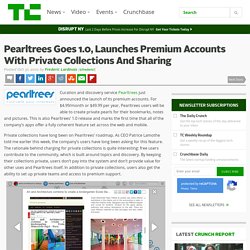
For $4.99/month or $49.99 per year, Pearltrees users will be able to create private pearls for their bookmarks, notes and pictures. This is also Pearltrees’ 1.0 release and marks the first time that all of the company’s apps offer a fully coherent feature set across the web and mobile. Private collections have long been on Pearltrees’ roadmap. As CEO Patrice Lamothe told me earlier this week, the company’s users have long been asking for this feature.
The rationale behind charging for private collections is quite interesting: free users contribute to the community, which is built around topics and discovery. For free users, Pearltrees is also now bringing the distraction-free reading mode from the mobile apps to the web, and users can now upload images and create text notes on the web as well. Pearltrees, Lamothe told me, currently features about 30 million pearls. Pearltrees: a Free, Collaborative Social Library (K-12+) - Best of Digital Learning. Interested in #EdTech?
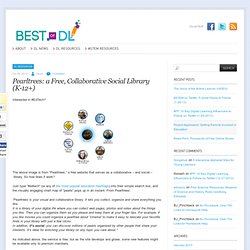
The above image is from “Pearltrees,” a free website that serves as a collaborative – and social – library. So how does it work? Just type “#edtech” (or any of the more popular education hashtags) into their simple search box, and the visually engaging chart map of “pearls” pops up in an instant. From Pearltrees: “Pearltrees is your visual and collaborative library. As indicated above, the service is free, but as the site develops and grows, some new features might be available only to premium members. Pearltrees Comes To The iPhone, Goes Beyond Bookmarking And Adds Photos, Notes, Offline Mode. Few startups make it through a year without a pivot or two these days.

That really can’t be said about social bookmarking service Pearltrees, however. The company has stuck pretty closely to its roadmap ever since its launch in 2009. After launching on the web, Peartrees is now available on the iPad and, starting today, on the iPhone. Ever since its launch, the company wanted to provide its users with a library of what they discover online and create a community of people based on their common interests. Until now, that mostly meant sharing bookmarks, but the new iPhone app significantly broadens this concept to also include photos and short notes. While the company obviously adjusted the app’s design to accommodate the iPhone’s smaller screen, the overall look and feel hasn’t changed much.
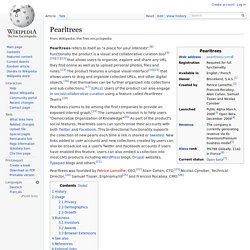
Since the launch of the iPad app, Pearltrees has also started to put a stronger emphasis on helping users discover other relevant content on the site based on their own interest graphs. Why Pearltrees? (beta 0.8.3) Pearltrees. Pearltrees refers to itself as "a place for your interests".[8] Functionally the product is a visual and collaborative curation tool[9][10][11][12] that allows users to organize, explore and share any URL they find online as well as to upload personal photos, files and notes.[13] The product features a unique visual interface[14][15] that allows users to drag and organize collected URLs, and other digital objects.[16] that themselves can be further organized into collections and sub-collections,[17] (URLs).
Users of the product can also engage in social/collaborative curation using a feature called Pearltrees Teams.[18] Pearltrees was founded by Patrice Lamothe, CEO,[22] Alain Cohen, CTO,[23] Nicolas Cynober, Technical Director,[24] Samuel Tissier, Ergonomy/UI[25] and Francois Rocaboy, CMO.[26] History[edit] Development of Pearltrees began in 2007. In July 2012 Pearltrees launched their iPhone app. Pearltrees. Pearltrees Visualizes How You Organize the Web. This post is part of Mashable's Spark of Genius series, which highlights a unique feature of startups.

If you would like to have your startup considered for inclusion, please see the details here. The series is made possible by Microsoft BizSpark. Name: Pearltrees Quick Pitch: Pearltrees is a new visual way to organize content on the Web and connecting people's interests. Genius Idea: How do you organize the web on the browser? Signing up for Pearltrees is simple, but getting used to the interface and all of its features is not as easy. Now for the organization part: you can create complex systems of pearls, known as pearltrees. Clicking on a pearl gives you a range of options that go beyond visiting your favorite website. Pearltrees takes a time investment to make it useful. Spark of Genius Series Sponsored by Microsoft BizSpark Entrepreneurs can take advantage of the Azure Services platform for their website hosting and storage needs.