
Html Color Codes. Zen-coding - Set of plugins for HTML and CSS hi-speed coding. Sublime Package Control – a Sublime Text 2 Package Manager by wbond. The W3C Markup Validation Service. The W3C CSS Validation Service.
Learn HTML - Lesson 2. Learning HTML Episode 1: Using HTML to Build a Simple Web Page. Learning HTML Episode 2: Embed a YouTube video, Add Images, and Change Fonts on your Web Page!!
Gimp tutorials. Night School News, Videos, Reviews and Gossip - Lifehacker. Learn to code. Web Fonts. Night School News, Videos, Reviews and Gossip - Lifehacker. Learn to Code: The Full Beginner's Guide. w3c.com. IrfanView - Official Homepage - one of the most popular viewers worldwide. Free Online Image Editor.
HTML Colors. ColorPicker.com : Quick Online Color Picker Tool. Web Color KiloChart. Decimal Alternatives The Color KiloChart shows decimal color codes.

Legacy HTML color codes are in hexadecimal, but today there are alternatives for all of them in decimal. (99.9% of browsers in use support style sheets, according to thecounter.com.) Here are alternatives for most HTML hexadecimal codes. The features in the right-hand column are supported by IE and Netscape since version 4. All the features on the left are now deprecated by W3C. To clarify, you can use hexadecimal in style sheet color codes. By the way, I got all these cross-references from the HTML Card, scanning for the #rrggbb symbols in the Tags section. Color chart, codes, hexadecimal rgb values. If you're looking for a 216 web safe color chart, you've come to the right place.
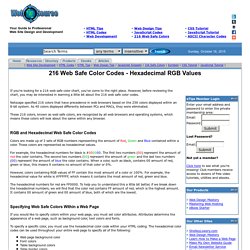
However, before reviewing the chart, you may be interested in learning a little bit about the 216 web safe color codes. Netscape specified 216 colors that have precedence in web browsers based on the 256 colors displayed within an 8-bit system. As 40 colors displayed differently between PCs and MACs, they were eliminated. These 216 colors, known as web safe colors, are recognized by all web browsers and operating systems, which means these colors will look about the same within any browser.
RGB and Hexadecimal Web Safe Color Codes Colors are made up of 3 sets of RGB numbers representing the amount of Red, Green and Blue contained within a color. For example, the hexadecimal numbers for black is #000000. However, colors containing RGB values of FF contain the most amount of a color or 100%. The hexadecimal numbers for red are FF0000. Online Web Tutorials.
1001 Free Fonts - Download Free Fonts for Windows and Macintosh. Google Analytics Tutorial - Install. Free Photos - Free Images - Royalty Free Photos - Free Stock Photos. Basic HTML: Adding Images. (with updates by editorial staff) How To Add Images To Your Web Pages!

By now you know enough to write a very nice, text-based home page, but it is the ability of the Web to provide pictures, technically called images, graphics, or sometimes icons, that has made it so popular. In this Primer, you'll learn how place an image on your page and also how to turn an image into a link to another page. Placing An Image On Your Page The command to place an image is constant. At this point in your HTML career, it's a good idea for you to place whatever images you are going to use in a subdirectory called "images". Here's the format for placing an image: By replacing "image.gif" with "homepage.gif", one of my own graphics, you get this...
Here's What's Happening: the Image Element Parameters IMG stands for "image. " Image Formats for the Web There are four basic formats you will find on the Web. .gif This is pronounced "jif" or "gif" (hard "G") depending on whom you speak to. Look at it again.