
7 Awesome Features You've Forgotten About in Windows 7. Free Software for College Students. If you’re in college, check out these eight lesser known, but still indispensable software applications for your computer.
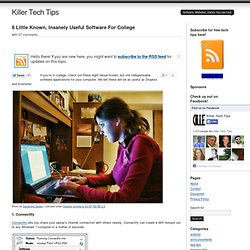
We bet these will be as useful as Dropbox and Evernote! Photo by Samantha Decker. Licensed under Creative Commons CC BY-NC-ND 2.0. 1. Connectify Connectify lets you share your laptop’s internet connection with others nearby. The app shows up in the system tray once you install it. 2. Panda USB Vaccine completely disables autorun on your computer. In addition to disabling autorun, the tool can also create a dummy autorun.inf file on removable drives, thereby “vaccinating†them from getting infected. 3.
WordWeb is free and does one thing really, really well. Make Your Music Stream Just About Anywhere This Weekend. Top 10 Tools for Managing and Automating Your Media Downloads. Top 10 Tools That Are Better in the Command Line. Tutorial for Newbies - Tutorials. Tutorial for Newbies As a person who started using AHK having absolutely zero programming experience (never taken a class or read a book on computers in my life), I will give you my 2 cents on learning it.
I think exploring the forum works great if you have even a little bit of background in this area. If, like me, you have none, I would learn it in the following order (this is how I would do it if I had to do it over again). My reasoning here is that for a person starting from scratch, you need to learn concepts before learning commands, and the forum is geared more towards commands. First read the Tutorial, the Scripts page, and then the FAQ. When you're wondering how to accomplish a specific task in AHK, remember that most of the commands have a common naming scheme to identify what they do. My Favorite Smallware.
Large collection of Free Microsoft eBooks for you, including: SharePoint, Visual Studio, Windows Phone, Windows 8, Office 365, Office 2010, SQL Server 2012, Azure, and more. - Microsoft SMS&P Partner Community Blog - By Eric Ligman. Throughout the year I try to share resources and information with you that I think will be helpful for you.
Often times these resources will include links to free eBooks that we make available on a variety of topics. Today, I thought I would post a large collection of eBooks for you here so that you can find them in one place and consume them as you see fit. Also, if you find this list helpful, please share it with your peers and colleagues so that they too can benefit from these resources. Due to the incredible popularity of this post, I’ve added a second post on even MORE free Microsoft eBooks and Resource Kits available for you, in case you are interested. I hope you find these resources to be helpful in learning about and using the various solutions and technologies referenced. Geek to Live: Keep your calendar in plain text with Remind.
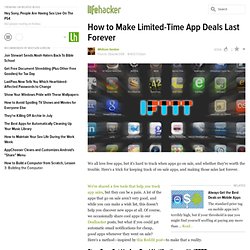
Five Best Windows 7 Tweaking Applications. Pack for Windows: Our List of the Best Windows Apps. Run Android on Windows with BlueStacks. How to Make Limited-Time App Deals Last Forever. At least in the case of the Starbucks free apps, the developers get paid.
(At least that's how I understand it. I know, it gets in the way of consumer-bashing, but you can have your fill of that on the Consumerist.) You know the developers still get paid in these sales, right? Whether or not they get 'stimulated' is up to them. I'm confused by your argument. Also, why do you think the developers do not get paid? Except, of course, the Amazon AppStore which does not pay their free app of the day developer and is generally extremely shitty to developers.
Either that or I am, but you definitely aren't padding Apple's pockets any more either way. Pack 2010: Our List of Essential Windows Downloads. The Best Video Player for Windows. Cool Tools. Cool Tools Show 189: Jordan Bunker Our guest this week is Jordan Bunker.
Jordan is a freelance engineer, designer, artist, and prop-maker based out of Oakland, California. He’s also a former Make: magazine technical editor and BattleBots robot builder. Integrate Your Interests – from Mindhacker « The Blog of Charles. 20 Sep I have been reading the book Mindhacker by Ron and Marty Hale-Evans.
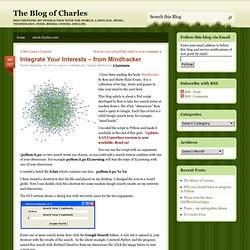
It is a collection of 60 tips, tricks and games to take your mind to the next level. This blog article is about a Perl script developed by Ron to take two search terms at random from a file of his “obsessions” then send a query to Google. Each line of text is a valid Google search term, for example, “mind hacks”. I recoded the script in Python and made it available at the end of this post. You can run the script with no arguments (python ii.py) so two search terms are chosen, or you could add a search term to combine with one of your obsessions. I created a batch file ii.bat which contains one line: python ii.py %1 %2.
Linux. Gaming Tech. Alternatives. Software/Freeware Lists. Excel/Calc. Notes/Publishing. Media Center. Eliminate distractions to work and study more productively. Create timelines, share them on the web. Tech Current - Ultimate Windows Tweaker - TweakUI For Windows 7 and Vista. We are pleased to release our Ultimate Windows Tweaker for Windows 7 and Windows Vista.
Ultimate Windows Tweaker 2.2 is a freeware TweakUI Utility for tweaking and optimizing Windows 7 & Windows Vista, 32-bit & 64-bit. This Tweaker was first released at the Microsoft South Asia MVP Meet 2008. Open Source Windows.