
Rosetta Code. Home - KYoss. Code Louisville - Home. Arduino. Net.
Graphical vi-vim Cheat Sheet and Tutorial. Learning vi or vim is not easy.

But it doesn't have to be that difficult, either. It is, in any case, faster, more powerful, and more productive than editing with any other editor, so you would do very well in investing the time and effort to learn it. Being a vi lover myself, I came up with the idea of providing a graphical cheat sheet for those learning vi or vim, and I also found out it was a very good way to structure a tutorial. Here are the results for your learning enjoyment (or your colleagues'). By the way, I recently published the definitive article explaining why vi/vim editing is so much better than regular editing. Graphical cheat sheet This is a single page describing the full vi/vim input model, the function of all keys, and all major features.
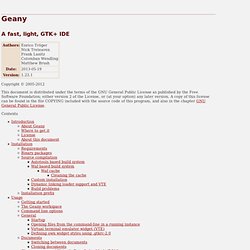
Graphical cheat sheet based tutorial The tutorial above is structured in 7 lessons that cover the major commands in vi/vim. Notes With the single exception of the external filter feature ("! ") Relevant links Why, oh why, do those #? Geany. General Startup At startup, Geany loads all files from the last time Geany was launched.
You can disable this feature in the preferences dialog (see General Startup preferences). You can start several instances of Geany, but only the first will load files from the last session. In the subsequent instances, you can find these files in the file menu under the "Recent files" item. To run a second instance of Geany, do not specify any filenames on the command-line, or disable opening files in a running instance using the appropriate command line option. Opening files from the command-line in a running instance Geany detects if there is an an instance of itself already running and opens files from the command-line in that instance.
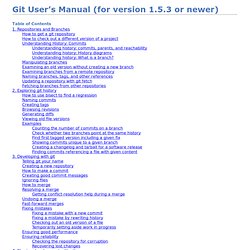
You can also pass line number and column number information, e.g geany some_file.foo:55:4 This would open the file some_file.foo with the cursor on line 55, column 4. Character sets and Unicode Byte-Order-Mark (BOM) Using character sets In-file encoding specification or: iPhone Development on Windows. CGSEVEN Linux Tutorials. Git User’s Manual (for version 1.5.3 or newer)
This chapter covers internal details of the git implementation which probably only git developers need to understand.
It is not always easy for new developers to find their way through Git’s source code. This section gives you a little guidance to show where to start. A good place to start is with the contents of the initial commit, with: The initial revision lays the foundation for almost everything git has today, but is small enough to read in one sitting. Note that terminology has changed since that revision. Also, we do not call it "cache" any more, but rather "index"; however, the file is still called cache.h. If you grasp the ideas in that initial commit, you should check out a more recent version and skim cache.h, object.h and commit.h. In the early days, Git (in the tradition of UNIX) was a bunch of programs which were extremely simple, and which you used in scripts, piping the output of one into another.
Now is a good point to take a break to let this information sink in. Git intermediate (branching/merging) Hacks. Developers. Linux Distros. Ubuntu. Essential Wireless Hacking Tools. By Daniel V.

Hoffman, CISSP, CWNA, CEH Anyone interested in gaining a deeper knowledge of wireless security and exploiting vulnerabilities will need a good set of base tools with which to work. Fortunately, there are an abundance of free tools available on the Internet. This list is not meant to be comprehensive in nature but rather to provide some general guidance on recommended tools to build your toolkit. Please put these essential wireless hacking tools to safe, legal and ethical use.
Finding Wireless Networks Locating a wireless network is the first step in trying to exploit it. Network Stumbler a.k.a NetStumbler – This Windows based tool easily finds wireless signals being broadcast within range – A must have. (NetStumbler Screenshot) Kismet – One of the key functional elements missing from NetStumbler is the ability to display Wireless Networks that are not broadcasting their SSID.
(Kismet Screenshot) Attaching to the Found Wireless Network (Screenshot of Airsnort in Action) Big Data Tools.
Programming Language Resouces. Programming/User Communities.