
A Practical Guide to the Top 100 Tools for Learning. 50 Education Technology Tools Every Teacher Should Know About. Steve is in the back, uploading your file We're sorry, but we could not find what you are looking for.

Global Digital Citizen Foundation © 2015|terms & conditions|privacy policy. Six Multimedia Timeline Creation Tools for Students. This week I ran a workshop on mind mapping, brainstorming, and timeline creation.
These are the timeline creation tools that I included in the workshop.Meograph offers a nice way to create narrated map-based and timeline-based stories. Much of what Meograph offers can be accomplished in Google Earth. However, Meograph is browser-based so that students can create stories even if they cannot install Google Earth on their computers. August 2019: This tool is no longer available. Dipity is a great timeline creation tool that allows users to incorporate text, images, and videos into each entry on their timeline. MyHistro is a timeline builder and map creation tool rolled into one nice package.
MyHistro Offers New Ways to Share Mapped Timelines. MyHistro is a timeline builder and map creation tool rolled into one nice package.
Education Video Slideshows. Storybird - Artful storytelling. Voki Home. Glogster EDU - 21st century multimedia tool for educators, teachers and students. Imagine, program, share. Trimble SketchUp. Download Jelly Cam 2.0.3. GIMP - The GNU Image Manipulation Program. Alice.org. 17 Cartoon Videos Explaining the Internet and Internet Safety to Kids.
More than Words Alone Can Say: Writing with Images in the Digital Age - Getting Smart by Susan Lucille Davis - DigLN, edchat, edlearning, EdTech, literacy, photo projects, visual learning. Last week, on the day before Thanksgiving vacation, several of my fifth-graders voluntarily stayed after school with me to work on a project for which they would receive no grade: producing calendars based on poems and illustrations they had created for a class project.

We were at step two, taking digital images of their illustrations. As I put real cameras in their hands to shoot pictures of their work we will upload to online publisher Lulu, they were giddy with excitement. All eyes were on me as I told them what to do. “Put the camera strap around your neck or your wrist; keep your elbows at your sides; hold your breath as you shoot,” I instructed.
Resources and Downloads to Improve Student Performance. Educators from Cochrane Collegiate Academy in Charlotte, North Carolina, have provided these samples and resources for you to use in your school.
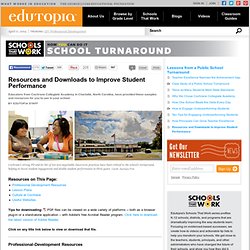
Cochrane’s strong PD and its list of ten non-negotiable classroom practices have been critical to the school's turnaround, helping to boost student engagement and double student performance in three years. Credit: Zachary Fink Tips for downloading: PDF files can be viewed on a wide variety of platforms -- both as a browser plug-in or a stand-alone application -- with Adobe's free Acrobat Reader program. Click here to download the latest version of Adobe Reader. Click on any title link below to view or download that file. Free Educational Videos for K-12 Students. Remind101. The Innovative Educator: 8 Ways to Assess without Standardized Tests.
A Guided Tour Inside the International Space Station. Top 10 “Nat Geo Talks” Videos for 2012. Live presentations have been a part of National Geographic since the Society’s inception in the 19th century, allowing people to embark for an evening on expeditions to the far reaches of the world through the eyes of our explorers. In the past two years, we have expanded the reach of these explorers, photographers, and scientists to include a global online audience, amassing a collection of more than 140 videos live now. Here are 2012′s top 10 most viewed videos from across a wide array of categories. Enjoy this year’s best and come back for much more. Dangerously Irrelevant.
How to Create PDFs in Google Drive in Three Steps. Five-Minute Film Festival: Twitter in Education. I think it's fair to say that Twitter can no longer be dismissed as a trivial passing fad.
Though I had dabbled with a personal account, my entire opinion changed when I started my @VideoAmy account and dove in to the conversations educators were engaged in. While some people certainly do tweet about what they're having for breakfast, teachers, administrators, and educational organizations use Twitter in a whole different way -- making smart use of those 140 characters to share resources, wisdom, and inspiration. With the wealth of information out there, you have to cut through the noise a little to figure out how it will work best for you.
Webinars - Free Professional Development. 40 Sites for Educational Games. With the start of school right around the corner, I decided to revisit a post I've done on sites for educational games.
5 Tools Every Student Needs to Know. What are some of the best uses for mobile devices in the classroom. PhoneDog Media ExclusiveDownload iM5, now available in the App Store and Google Play. iM5 is a PhoneDog Media backed Social Platform to inspire real-life action through the crowdsourcing of ideas.
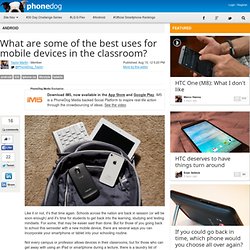
See the video Like it or not, it's that time again. Schools across the nation are back in session (or will be soon enough) and it's time for students to get back into the learning, studying and testing mindsets. 45 Simple Twitter Tips Everyone Should Know About. Are you a tweetin’ teacher? Do you rely on tweets for your extended PLN ? Whether you use the service or not, there’s a whole world of information being shared and you should start taking part. But if you’ve been too nervous or unsure about HOW to actually use Twitter as efficiently as possible… the wait is over. Using Wall Wisher in the Classroom. On Friday I ran a short workshop about using online tools to brainstorm with students.
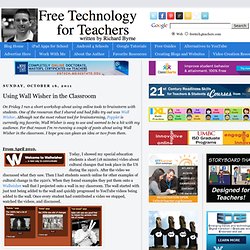
One of the resources that I shared and had folks try out was Wall Wisher. Although not the most robust tool for brainstorming, Popplet is currently my favorite, Wall Wisher is easy to use and seemed to be a hit with my audience. Education Technology, Apps, Product Reviews, and Social Media. 25 Ways Teachers Can Integrate Social Media Into Education.
Websites Like - Find Related Sites and Tools. 12 Dozen Places To Educate Yourself Online For Free. Ten Ideas for Teaching Teachers Technology. I had never been to an "unconference" before, but when I heard the organizer of SocialEdCon Unconference introduce the event, I knew I was in for something new: "Write your ideas that you want to discuss on the top of the poster board.
Each of you can look at all of the ideas and put check marks beside the ones that interest you, and then that will drive the topics that we discuss today. " A List of Free Must Have PDF Tools for Educators. 1- PDF Aid PDF Aid is a cool web tool that allows users to easily extract images from PDF files. The tool is completely free and very simple to use. The 411 on Digital Learning. Show Me What's Wrong - Help Your Friends With Their Computer Problems. Google Sites for Teachers 2012.
Page-level Permissions and Digital Portfolios in Google Sites. This morning I received an email from a reader who needed some advice about having his students use Google Sites as digital portfolios. His concern was that if his students had access to editing all of the pages, there is a chance that students could overwrite each other's work. 5 Ways to Use Google Sites in Schools. Summer School for Teachers. While we all know there is no such thing as having a "summer off" as a teacher, the summer does afford us the time to do some exploring.
I wanted to share some things with you that I think are worth exploring while school is out. MIT Video - More Than 10,000 Educational Videos. Last night I stumbled upon this video of David Breashears presenting at the Cambridge Science Festival. The video is hosted by MIT Video which I either had never seen before or had completely forgotten about (a real possibility after 6500+ blog posts). 7 Tools for Creating Mind Maps and Outlines Online. One of the presentations that I made this week was about having students create videos to demonstrate their knowledge of a topic. Education in the Social Media Era. Google Earth A to Z. Watch Steve Jobs Talk Passionately About the First Apple Store Ever. By: Hillel Fuld (@hilzfuld) The technology world and the various industries that were born out of it are growing faster than ever. As a result, the competition is fiercer than it has ever been. Whether you are an Apple fan or an Apple hater (since there does not seem to be a middle ground when it comes to this company), you cannot deny that the company is interesting from so many perspectives.
Being the most valuable company in the world and what might soon become the first trillion dollar company has people so devoted to Apple that many have described it as a near religious experience. If Apple was a religion, there is no question that Steve Jobs would be the charismatic leader that everyone follows. The Isaacson biography was one of the more interesting books I have ever read and you can read my thoughts on it here.
That was clearly not the case and Apple stores all but revolutionized retail shopping as a whole. Jobs and His Wife after He Got off the Apple Stage for the Last Time. GE Teach - Teaching With Google Earth. 10 Things You May Not Know About YouTube. In my last post I mentioned that the social media ‘verse is full of some best kept secrets. YouTube is one of them. This Time cover from a couple of years ago (with the shiny mirrored screen) was prescient, but not quite enough… I’d cross that ‘You’ out and say ‘Us’. How Twitter can be used as a powerful educational tool. Think Twitter is just a waste of time? Think again. Top 10 Free Online Mind Mapping Tools.
7 Strategies for iPads and iPods in the (Math) Classroom. Web 2.0 Tools for Educators. So...You Wanna Start Texting. More and more students have access to mobile devices. In the last Pew Internet study, 77% of all teens have a cellphone. Top 5 Twitter Accounts for Teachers. I am a teacher, parent, and founder of My Town Tutors. 12 Most Splendid Sources for Music Discovery. The top of the charts can be an enjoyable source of music to enjoy, but sometimes you just want to listen to something new. Teachers Guide on The Use of Wikis in Education. KinectEDucation. Study Finds Benefits In Use of iPad As Educational Tool. Flipped Classroom: The Full Picture. Tech Alternatives for the One Computer Classroom. Youth Voices. 5 Cutting Edge iPad Apps for Creative Thinking & Learning. 50,000 (And Counting) Education Apps Worth Knowing About. Reteach and Enrich: How to Make Time for Every Student.
48 Ultra-Cool Summer Sites for Kids and Teachers. Making Educational Blogging Work for Your. Cool Ways to Use Skype in the Classroom. Flipping...It's Not Just For The Classroom. - 30 Online Multimedia Resources for PBL and Flipped Classrooms by Michael Gorman. One iPad in the Classroom? – Top 10 Apps. 50 Digital Media Resources You May Have Missed. Discovery Education Web2012 : Home. Free Downloads. Using Google Scholar for Education. Ten Search Tools and Tactics Teachers and Students Need to Know. 12 Tools for Quickly Gathering Informal Feedback from Students. Daily Dose of DEN Diigo 06/27/2012. TeacherTube - Teach the World. SchoolTube - Video Sharing For Students & Teachers. 3 Simple Steps to Do-it-yourself Professional Development.
The Honor Roll: 50 Must-Read K–12 Education IT Blogs. 20 Twitter Hashtags Every Teacher Should Know About. iLearn Technology. Joan Ganz Cooney Center - Advancing Children's Learning in a Digital Age. Children's Digital Media Center. Mathematics. Preparing Teachers To Teach With Technology - Charalambos Vrasidas, Gene V. Glass.
ISTE iPad in Education Webinar. iPads in Education Webinar. Digitales. Langwitches. Dr. Helen Barrett's Electronic Portfolios. 21st Century Fluency Project. Welcome to Skype in the classroom. Welcome to MySMARTSpaces - the home of SMART Technologies in the UK. Technology Integration in K-12 - The Foundations of Instructional Technology. Best Free Software.