
50 Photoshop Brush Collections - 1000s of Brushes. The demand for high quality Photoshop brushes are huge, every designer needs them.
The problem may be that there are far too many of them, resulting in it is nearly impossible to find that particular brush that your design needs. There are certainly no shortage of Photoshop Brush Directories, and there are certainly no shortage of blog posts showcasing the best and latest brushes. What there isn’t though, is a good and reliable source of brushes were you can filter and search by category, style or even shape. And that is what I had hoped to achieve with this post. I failed. So instead of finding a great resource for filtering and searching, what you will find is a compilation of 50 of the best resources for categorized brushes. Logo Design - Get 100+ Custom Logo Designs Online. Telegramme Studio » ALL. Minus The Bear Crowns t shirt HWM poster Telegraph map Michael Kiwanuka Portasound The Vaccines Sisters Brother.

15 Tutorials for Recreating Authentic Photo Effects. Photoshop effects usually bring up thoughts of vibrant swirling lines and abstract pieces of stunning artwork, not to mention the not so cool Photoshop filters that have been the cause of eye-wrenching design choices for years.
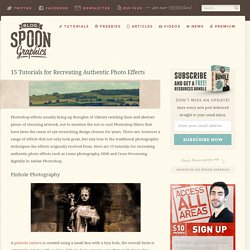
There are, however a range of effects that not only look great, but stay true to the traditional photographic techniques the effects originally evolved from. Here are 15 tutorials for recreating authentic photo effects such as Lomo photography, HDR and Cross Processing digitally in Adobe Photoshop. Pinhole Photography A pinhole camera is created using a small box with a tiny hole, the overall form is extremely simple with no lens. Begin here « zenhabits.com. Great starter posts: So, YOU Want To Be Successful?

Here’s a thought… Define It! The Belief Tree – Why Success is Binary Are you tapped in? 11 Mindful Ways To Remove Stress For Good Win Friends & Influence People: Four Images You Need to Know GET HAPPY—QUICKLY! Photoshop CS4: A Picture Worth a Thousand Words. I love Photoshop techniques that offer all kinds of possibilities for experimentation—and the following tutorial is a perfect example of one of those techniques.
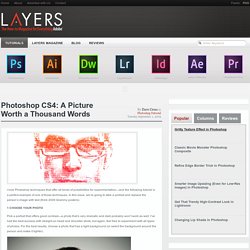
In this issue, we’re going to take a portrait and replace the person’s image with text (think 2009 Grammy posters). Pick a portrait that offers good contrast—a photo that’s very dramatic and dark probably won’t work as well. I’ve had the best success with straight-on head and shoulder shots, but again, feel free to experiment with all types of photos. For the best results, choose a photo that has a light background (or select the background around the person and make it lighter). Create a new document (File>New) in a size that’s smaller than your photo: the specifics don’t really matter.
Switch back to the photograph. Then, press Command-J (PC: Ctrl-J) to copy the selected pixels onto a new layer. Go back to the Select menu and choose Color Range again. Click the Create a New Layer icon at the bottom of the Layers panel. Create a Space Environment in Photoshop. Realistic Planet Photoshop. Um etwas Realismus in die Sache zu bringen, habe ich bei google unter "sattelitenaufnahmen" "kratern" etc.. gesucht.

Ihr könnt die Bilder, die ich verwendet habe, runterladen. zum Bildpaket Da das Wasser im Uferbereich heller ist, wendet / Schein nach außen ... an und übernimmt die Einstellung auf dem Bild. Jetzt kommt der schwierigste Teil: Lädt ein Bild (zum Beispiel erde.jpg) in die Datei rein und erstellt eine Schnittmaske ("strg+g" - in Photoshop CS2 "strg + alt + g"). DeviantART: where ART meets application!
Starry night over switzerland photo. Random photo Submit your photo Stumble Thru nature photography. Photoshop Crash Course. Text Effect. Quick Tutorial: Create a Reusable Retro Type Treatment In Illustrator. In this tutorial I will show you how to create a simple retro type treatment.
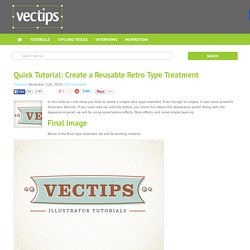
Even though its simple, it uses some powerful Illustrator features. If you have read my tutorials before, you know this means the Appearance panel! Along with the Appearance panel, we will be using some texture effects, Warp effects, and some simple layering. Final Image Below is the final type treatment we will be working towards. Tutorial Details Program: Adobe Illustrator CS5 (You should be able to create this tutorial in CS4 and CS3 but some of the tutorial images might look different.)Difficulty: Beginner / IntermediateTopics Covered: Appearance Panel, EffectsEstimated Completion Time: 15-20 minutes Step 1 Create a new document and type out some text with the Text tool (T).
Step 2 With the text still selected, choose Add New Fill from the pop-up menu of the Appearance panel. Step 3 Create another new fill in the Appearance panel, select the bottom fill item, and fill it with a light yellow color. Free Photoshop Brushes. PSDFAN - Adobe Photoshop Tutorials, Design Articles and Resources - Part 6. 50 Beautiful Retro and Vintage Photoshop Tutorials.
Six Revisions Skip site navigation 50 Beautiful Retro and Vintage Photoshop Tutorials May 2 2010 by Tomas Laurinavicius | 29 Comments Retro and vintage designs are valued for nostalgia and sentimental memories.
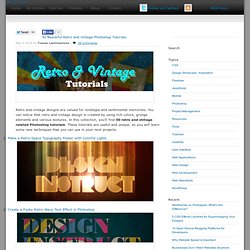
You can notice that retro and vintage design is created by using rich colors, grunge elements and various textures. 1. 2. 3. 4. 5. 6. 7. 8. 9. 10. 11. 12. Quick Heal e-Store - Payment Successful.