
Fundamentals. Android powers hundreds of millions of mobile devices in more than 190 countries around the world.
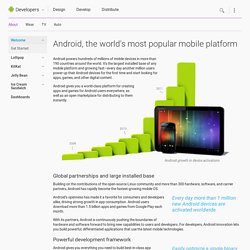
It's the largest installed base of any mobile platform and growing fast—every day another million users power up their Android devices for the first time and start looking for apps, games, and other digital content. Android gives you a world-class platform for creating apps and games for Android users everywhere, as well as an open marketplace for distributing to them instantly. Android growth in device activations Global partnerships and large installed base. Setup. Before installing Android Studio or the standalone SDK tools, you must agree to the following terms and conditions.
This is the Android Software Development Kit License Agreement 1. Introduction 1.1 The Android Software Development Kit (referred to in this License Agreement as the "SDK" and specifically including the Android system files, packaged APIs, and Google APIs add-ons) is licensed to you subject to the terms of this License Agreement. 2. Install. Terms. An Activity is an application component that provides a screen with which users can interact in order to do something, such as dial the phone, take a photo, send an email, or view a map.

Each activity is given a window in which to draw its user interface. The window typically fills the screen, but may be smaller than the screen and float on top of other windows. An application usually consists of multiple activities that are loosely bound to each other. Typically, one activity in an application is specified as the "main" activity, which is presented to the user when launching the application for the first time. Each activity can then start another activity in order to perform different actions. When an activity is stopped because a new activity starts, it is notified of this change in state through the activity's lifecycle callback methods.
Creating an Activity To create an activity, you must create a subclass of Activity (or an existing subclass of it). Implementing a user interface. Native Apps. Web Apps. Figure 1.

You can make your web content available to users in two ways: in a traditional web browser and in an Android application, by including a WebView in the layout. There are essentially two ways to deliver an application on Android: as a client-side application (developed using the Android SDK and installed on user devices in an APK) or as a web application (developed using web standards and accessed through a web browser—there's nothing to install on user devices). If you chose to provide a web-based app for Android-powered devices, you can rest assured that major web browsers for Android (and the WebView framework) allow you to specify viewport and style properties that make your web pages appear at the proper size and scale on all screen configurations.
Figure 1 illustrates how you can provide access to your web pages from either a web browser or your your own Android app. However, you shouldn't develop an Android app simply as a means to view your web site. Best Practices. Android is designed to run on many different types of devices, from phones to tablets and televisions.
As a developer, the range of devices provides a huge potential audience for your app. In order for your app to be successful on all these devices, it should tolerate some feature variability and provide a flexible user interface that adapts to different screen configurations. To facilitate your effort toward that goal, Android provides a dynamic app framework in which you can provide configuration-specific app resources in static files (such as different XML layouts for different screen sizes). Android then loads the appropriate resources based on the current device configuration. So with some forethought to your app design and some additional app resources, you can publish a single application package (APK) that provides an optimized user experience on a variety of devices.
What Does "Compatibility" Mean? Controlling Your App's Availability to Devices Device features Platform version. Practice. API.