
Branching Scenarios - the Whats, Whys, and Hows. Are you looking for a better way to train your employees than well-worn, linear click-and-read courses?
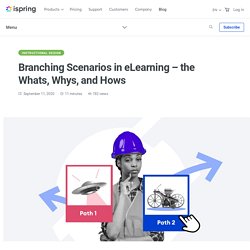
This is where branching scenarios can help. Place your learners into the role of decision makers, let them make their own choices and see the results they yield. What Are Branching Scenarios? Simply put, branching scenarios are routes through the learning content that depend on the actions made by a learner. They challenge a user to make decisions and then represent the consequences that arise based upon the action that is taken. There may be different levels of branching. “Lifesaver” provides a scenario with a high level of interactivity, and creating such a film requires professional filmmaking skills and significant costs. Now let’s look at another example. Dialogue sims are role-playing games that mimic real-life conversations between people and are typically used to help employees – mainly sales professionals and customer support agents – master their communication skills. 2. 3.
How to Create an Online Course – A Complete Guide (2020) Are you planning to create an online course?
Maybe you already started and now realize there’s more to this than your first idea! Here’s what you’ll get from this post: Online Course Design - 6 Graphic Design Principles. Before we plunge into online course design, let’s imagine that we are at a zoo or a museum where there are classes of small children on field trips from their school.
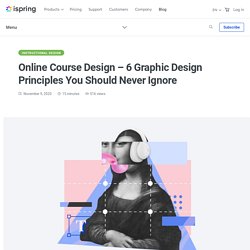
It’s chaos in a lot of ways, isn’t it? Although the kids are supposed to be with their teacher or leader, there are always a couple of them lagging behind, packed tightly together, or floating around with everyone else. If someone said, find the kid with the blue jacket and fair hair, could you? Yes, after your brain recovered from the overload! Now imagine that someone said, “Okay, go get all those kids to stand in a line and follow you to the dinosaur exhibit.” Instructional designers get information that resembles those small children every day and are tasked with the job of getting that information to line up and move in a specific direction so that everyone benefits.
Why Use Visual Design Principles First, let’s take a look at the illustration from the popular puzzle book, “Where’s Waldo?” So this is Waldo: 1. 2. 3. Remote Learning: 10 Best Practices for Online Training. Remote work now covers all jobs and aspects of an organization, and that includes HR, Learning and Development, and all the related functions.

So remote training is now at the forefront of every organizational L&D strategy. But as many have discovered, it’s not quite as simple as shifting all your ILT sessions to a Skype session; in fact, it’s far from it. How can you improve the remote learning experience? Compliance Training 101: All You Wanted to Know. Do you find corporate compliance training to be a real pain in the neck?
From the employer’s side, it might seem like a distraction from the main, profitable aspects of running a business, as well as an excess cost. And from the employee’s side, it might just seem like extra work, a distraction from their main tasks, and a pointless formality. But this line of thinking — on both sides — is shortsighted. In this article, we’re going to discuss what compliance training is, why it matters, and how to make it more effective. If you are familiar with compliance training and want to learn how to automate this process, click here to skip to that section. Easy-to-Use Online Training Software. What is SCORM? All You Need to Know in Simple Terms. After reading this article, you’ll know what SCORM is and how to turn a simple PowerPoint presentation into a SCORM course and upload it into a learning management system.
For a quick overview of SCORM, watch the video below. Skip it to the article if you prefer more comprehensive details. □ The 5 Best eLearning Authoring Tools. Are you looking for an elearning authoring tool that will let you create high-quality eLearning courses?
Well, you’ve come to the right place. In this article, we provide a detailed review of five popular eLearning software solutions. We’ll analyze their main features and compare their pricing to help you make a more informed purchase decision. But, first, let’s see what an eLearning authoring tool entails. What Is an eLearning Authoring Tool? Authoring tools are used to build digital educative content from little bits and pieces of information: text, images, audio, and video. All this content needs to be packed in a format that can be easily distributed via the Internet and that learners can open with minimum software installed, preferably just a web browser. HTML5 content is responsive and supported on a wide range of platforms and browsers. What Issues Can Authoring Tools Solve?
“eLearning authoring” is not just some flashy term that’s more about buzz than meaning. 1. iSpring Suite 2.