

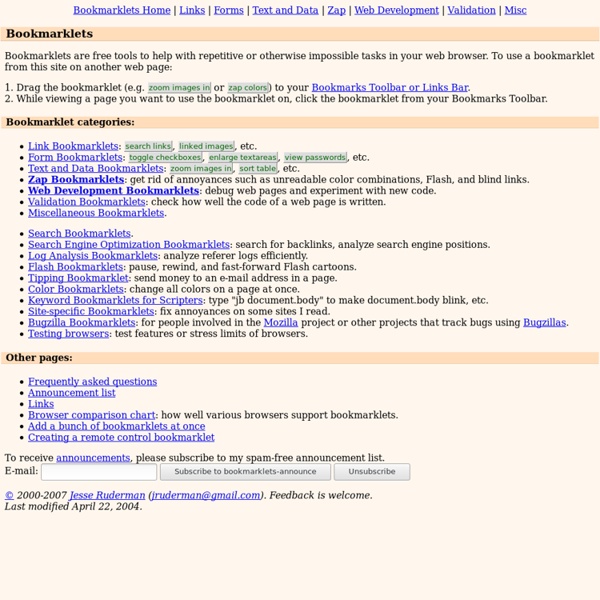
Bookmarklets for Zapping Annoyances Bookmarklets for Zapping Annoyances These bookmarklets help you deal with annoying web pages. (To keep bookmarklets in order to use them on other web pages, drag them to your Bookmarks Toolbar. Browsers: is Internet Explorer for Windows, is Netscape 7 or Mozilla, is Netscape 4, and is Opera. Details Removes java, flash, background music, and third-party iframes. This bookmarklet recurses into frames and iframes when it can, but destroys third-party iframes, which it cannot recurse into. This bookmarklet used to be called "zap embeds". Based on "Remove Plugins" by Brent Marshall. Makes text black on a white background, and makes links blue and purple. Neutralizes <marquee> and <blink>. Replaces marquees with non-scrolling divs and blink tags with non-blinking spans. Suggested by Michael Hendy. Removes event handlers, killing blind links and exit pop-up ads. Based on a Netscape 4 bookmarklet of the same name by Johan Sundström and updated to work in Internet Explorer and Mozilla. Suggested by Jeff Moon.
5 Recommended Bookmarklets To Simplify Tedious Tasks A bookmarklet is a piece of code saved as a bookmark. When you click it, instead of just taking you to a bookmarked website, it performs an action (which may include taking you to another website, but does not have to do that). Here are 5 recommended bookmarklets to boost your productivity by helping you instantly subscribe to, read, tweet, share and translate webpages. [To use the bookmarklets, simply add them to your bookmarks bar. 1. Here is a known scenario – you visit a cool blog and want to subscribe to it. 2. The ZAP reader bookmarklet opens a new window where it flashes text at high speed (text which you previously marked in a website). It’s a good idea to use a speed that you can read relatively easily when the text is important and you have to completely understand it. 3. The Bit.ly bookmarklet is the most useful way I know to share links through Twitter. If you think about it, Bit.ly lets you measure the effectiveness of your tweets. 4. 5. Image credit: vramak
Lynx Information Gmail / any alternative way to make tasks from emails? cek1227 says: By stealing ideas from many other people, I created a bookmarklet that works in Chrome, FF, and Opera. When I have an email open in GMail, I just click the bookmarklet, which pops up the RTM mobile task add dialog, with the task title prefilled to be the email title, and the URL preset to be the email itself. I also have default presets for list, location, etc. If you are not logged into the mobile RTM page, the first time you run this, you'll have to log in, and then select the bookmarklet again to get the task to fill in. Then, when I'm going through my RTM tasks, on this task, I just click the URL and the email pops up. One side benefit is that the add-task window stays open, so you can manage many emails, one after the other. To create the bookmarklet, on your bookmarklet bar, just add a bookmarklet (depends on which browser), and the put this script in the URL field. Obviously, you'll need to modify some of the presets in order to suit your own RTM habits.
RSS Readers (RSS Info) RSS Readers RSS and Atom files provide news updates from a website in a simple form for your computer. You read these files in a program called an aggregator, which collects news from various websites and provides it to you in a simple form. But what aggregator to use? Here are some choices: Top Picks Mac OS X: NetNewsWire This elegant Mac-like aggregator is easy to use and powerful. Windows: SharpReader Simple, but gets the job done. Linux: Liferea A simple Gtk newsreader. Runners-Up AmphetaDesk A news aggregator you access through a web browser. FeedDemon A more complicated aggregator for Windows. FeedReader Like SharpReader, but sporadically updated. News Is Free Lets you create your own customized news page with feeds from the sites you're interested in.
GTDGmail - The Firefox Extension that Combines Gmail with Gettin Quix adds tons of useful functions to your browser via a single bookmarklet We've written about bookmarklets plenty of times before here on Download Squad. They're a great (nearly) zero-footprint way to add add-on or extension-style functions to your web browser. Quix is a little different than many of the marklets I'm currently using. It's a bit like the run box on your Windows computer. Click Quix on your browser's bookmarks toolbar and an entry box appears -- into which you can type dozens of commands. They'll do everything from search Google for links back to the current page, Tweet the URL, add a ruler overlay, check WHOIS and SEO information, and loads more. Perhaps best of all, Quix is also extensible. If you're tloking for more like this, check out my previous list of 15 useful bookmarklets to power up any browser. [via FeedMyApp] Tags: add-ons, bookmarklets, browser, extensions, favelets, marklets, seo
Fluid - Free Site Specific Browser for Mac OS X Leopard 9 Bookmarklets To Instantly View Your To-Do Tasks on Remember The Milk There’s also an officially supported Remember The Milk bookmarklet (that loads what you see in the screenshot) that lets you add tasks with one-click, but there’s currently no bookmarklet to just load your task list quickly. Sure, you can open a new tab and head to the RTM website, but a mini-app such as a bookmarklet could easily help you get to your tasks a lot faster. Firefox users can open up the RTM iGoogle gadget in the sidebar, but Google Chrome users don’t have that much luck with a sidebar. There’s probably a lot of desktop applications and even extensions that could let you open up your task list. I tested the bookmarklets in Chrome, Firefox, Opera, Flock, IE (just for fun since I have the portable versions). To get the bookmarklets, just drag to your Bookmarks Bar (Chrome), Bookmarks toolbar (Firefox) or Personal Bar (Opera), Favorites toolbar (Flock). To Open In New Tab To Load A Popup To Get A ‘Sidebar’ In Google Chrome Related Extensions & Keyboard Shortcuts
Welcome to Wikispaces - Wikis for Everyone Gmail Craze: 30 + Tools and Hacks for Gmail » MakeUseOf.com All for Gmail: handy Firefox extensions, best Greasemonkey scripts, some desktop tools and lots of useful tips. Take this Gmail thingie to another level. Enjoy ;-) [NO LONGER WORKS] Gspace – multi-platform firefox addon that turns your gmail account into powerful online storage tool Gmail Search Extension – search your gmail account directly from the firefox search bar GcalQuickTab – toggle between gmail and google calendar with keyboard shortcuts GTDInbox – turns your account into flexible and feature-loaded ToDo-management service (GTD = Getting Things Done) GMail Manager – manage multiple GMail accounts right from your browser DragDropUpload – this handy extension lets you quickly attach one or more files to your emails by dragging them over the “Attach a file” link [update] CustomizeGoogle – removes ads, switches you from http to https, hides the spam counter, quick contacts box, invite box and forces fixed font E-Mail Notifier Toolbar | Gmail Notifier – as titles say ‘…notifier‘