
Pearltrees tips. Skin Retouching in Photoshop. This tutorial will help you learn how to speed up skin retouching and polish photos in Photoshop using basic techniques.
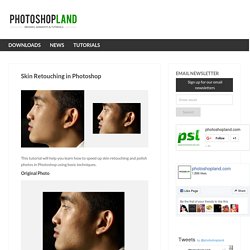
Original Photo Step 1 Duplicate the background image and rename it to Layer 1. Step 2 Go to Filter > Other > High Pass and set the Radius to around 4.5 pixels. The Ultimate Collection Of Useful Photoshop Actions - Smashing Magazine - StumbleUpon. Saving repetitive tasks as Photoshop actions can save you a lot of time, allowing you to automate your work and improve workflow efficiency.

A Photoshop action is a recording of a sequence of commands and operations that you can save and access later on. We’ve searched for the best downloadable Photoshop actions that can help you improve your workflow and perform complex techniques with the push of a button. In this collection, you’ll find more than 350 free hand-picked Photoshop actions that you can use to speed up your graphics creation. Give Your Photos a Retro Comic Book Effect.
Creating a old comic book effect for your photos is easy and the results are visually appealing.

More fun is achieved when adding captions to your photos using comic book fonts and design elements. This tutorial will show you how to give a comic book look to your photos using a couple of filters and some additional decorations. Process preview Read tutorial at Creative Closeup…