
Tom Mullaney (@TomEMullaney) Michelle Luhtala (@mluhtala) Meet Google Keep – Save your thoughts, wherever you are – Keep – Google. Chromebook stylus. Extensions. Play. “Brilliant and stunning . . . an absolute must read.” – GILLIAN FLYNN “A well-constructed package of dynamite.” – STEPHEN KING A most anticipated book by The New York Times • USA Today • Entertainment Weekly • Marie Claire • Elle • Harper's Bazaar • Bustle • Newsweek • New York Post • Esquire • Real Simple • The Sunday Times • The Guardian Exploring the psychological dynamics of the relationship between a precocious yet naïve teenage girl and her magnetic and manipulative teacher, a brilliant, all-consuming read that marks the explosive debut of an extraordinary new writer. 2000.
Understand what you read. Read&Write for Google Chrome™ Free Grammar Checker - Grammarly. Anchor - The easiest way to start a podcast. Flipgrid - Video for student engagement and formative assessment. Make Images, Videos and Web Stories for Free in Minutes. Teens, Social Media & Technology 2018. YouTube, Instagram and Snapchat are the most popular online platforms among teens.
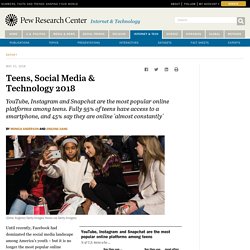
Fully 95% of teens have access to a smartphone, and 45% say they are online 'almost constantly' Until recently, Facebook had dominated the social media landscape among America’s youth – but it is no longer the most popular online platform among teens, according to a new Pew Research Center survey. Today, roughly half (51%) of U.S. teens ages 13 to 17 say they use Facebook, notably lower than the shares who use YouTube, Instagram or Snapchat.
This shift in teens’ social media use is just one example of how the technology landscape for young people has evolved since the Center’s last survey of teens and technology use in 2014-2015. Most notably, smartphone ownership has become a nearly ubiquitous element of teen life: 95% of teens now report they have a smartphone or access to one. These are some of the main findings from the Center’s survey of U.S. teens conducted March 7-April 10, 2018. Make Learning Awesome! AutoDraw. Soundtrap pour l'enseignement. Earth. Home – Zorbit's Math Adventure. Expeditions – Android Apps on Google Play. Google Expeditions is an immersive learning and teaching tool that lets you go on VR trips or explore AR objects.

Explore historical landmarks, go down to the atomic level, get up close with sharks, even visit outer space! In the classroom or with groups, Google Expeditions allows a teacher acting as a “guide” to lead classroom-sized groups of “explorers” through VR tours or show them AR objects. Guides can use a set of tools to point out interesting things along the way. Users that are not in groups can also explore on their own either in VR or AR. Snapseed - Apps on Google Play. Adobe Creative Cloud - Apps on Google Play. GET STARTED: New to Creative Cloud?

We have everything you need to get started — from apps to tutorials — on your device, wherever you are. ACCESS YOUR FILES: Add files to your Creative Cloud from your mobile device. Google for Education. Cast for Education. The whiteboard, reimagined for collaboration in the cloud. Synth - Apps on Google Play. Online Video Editor for Web, Mobile, Windows & Mac. Annotate images and videos — ThingLink.
Chromeunboxed. Using Google AutoDraw for Sketchnotes, Infographics, Drawings, and More. A while back, Google launched a fun tool called "Quick Draw" where you drew pictures on your computer or device, and Google's AI tried to guess what you were drawing.

Well it turns out that wasn't just a game, but was a way for Google to test out and improve the ability of its artificial intelligence to interpret doodles. One of the first applications of this has now been released in the form of AutoDraw. AutoDraw is a very simple and easy to use drawing tool, with most of the normal features such as drawing, filling colors, resizing, adding text, and more. Sketching with Google Keep. SKETCHNOTING IN EDUCATION: THE BEST PRACTICES, BENEFITS AND HOW-TO’S …
Google's Jamboard is a 4K digital whiteboard for collaboration. Bring Collaboration to the Next Level with the Google Jamboard App. When Google debuted the Google Jamboard, it seemed unlikely a $5,000 piece of hardware had any implications for education.

However, Jamboard was created to facilitate collaboration and to do so, Google created an Android app and an iTunes app so collaborators can participate in a Jam remotely. The app is free and does not require the Jamboard device to work. If your students have iPads or Play Store enabled Chromebooks, they can collaborate in the app tomorrow. Owners of a Jam can invite others to collaborate, just like in other G Suite apps and Google Hangouts can occur inside a Jam. This post is about the Jamboard app, not the Jamboard device. Jaclyn B. Stevens (@jaclynbstevens) The SAMR Swimming Pool. New tablets for Education - comparing the new Acer Chromebook Tab 10 and the new Apple iPad. Last week had two interesting announcements for EDU - a new iPad and the Acer Chromebook Tab 10 tablet.

There have been a lot of different reactions from the two, but most reactions were very positive towards the Chromebook Tab and very "meh" to the new iPad. Here are my thoughts and some articles that were posted about them. I've used iPads and Chromebooks, as well as managing them in the education space. The Getting Started Guide for Touchscreen Chromebooks in the Classroom. “The new Chromebooks are here!”

Many teachers will be saying that as their school transitions to Chromebooks for students or refreshes old Chromebooks. The new education model Chromebooks have touchscreens and convert to tablet mode. The combination of touch and Chrome OS is probably here to stay awhile. Lenovo has released a Chromebook with a screen students can literally draw on with a pencil.