Cross-hatching GLSL shader. Antialiased Cel Shading at The Little Grasshopper. Cel shading (also known as toon shading) is nothing new, but it’s a fun and simple way to learn about shaders.

This post walks through the development of a simple OpenGL 3.0+ demo for cel shading that antialiases the boundaries between color bands — without using multisampling! The antialiasing is achieved using shader derivatives (the fwidth function in GLSL). I posted some sample code at the end of this article that’s tested on Ubuntu, Snow Leopard, and Windows. On Snow Leopard, the demo falls back to using an older version of GLSL. I kept the code short and sweet; it doesn’t have any dependencies on libraries like SDL or GLUT. I settled on CMake for my build tool, which I’m starting to love. Per-Pixel Lighting Before writing a cel shader, let’s come up with a standard per-pixel lighting effect, then modify it to produce a cartoony result.
Triangle Tessellation with OpenGL 4.0 at The Little Grasshopper. This is the first of a two-part article on tessellation shaders with OpenGL 4.0+.
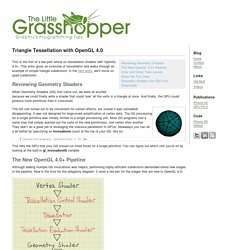
This entry gives an overview of tessellation and walks through an example of simple triangle subdivision; in the next entry, we’ll focus on quad subdivision. Reviewing Geometry Shaders When Geometry Shaders (GS) first came out, we were all excited because we could finally write a shader that could “see” all the verts in a triangle at once. And finally, the GPU could produce more primitives than it consumed. The GS unit turned out to be convenient for certain effects, but overall it was somewhat disappointing.
This tells the GPU that your GS should run three times on a single primitive. The New OpenGL 4.0+ Pipeline Although adding multiple GS invocations was helpful, performing highly-efficient subdivision demanded brand new stages in the pipeline. Tron, Volumetric Lines, and Meshless Tubes at The Little Grasshopper. With Tron: Legacy hitting theaters, I thought it’d be fun to write a post on volumetric line strips.

They come in handy for a variety of effects (lightsabers, lightning, particle traces, etc.). In many cases, you can render volumetric lines by drawing thin lines into an offscreen surface, then blurring the entire surface. However, in some cases, screen-space blur won’t work out for you. Maybe you’re fill-rate bound, or maybe you need immediate depth-testing. Hemispherical Screen-Space Ambient Occlusion (SSAO) for Deferred Renderers using OpenGL/GLSL » time to eVolvE.
My first blog entry!

Wow. What should I say? Probably ‘hello all’. But now, lets get started. I’m currently working on two projects for some university courses that are both based on deferred renderers. The other project I’m working on is for a course called ‘Realtime Rendering’ on which I work together with a colleague from university. Ok, wow, so a lot of pretext without having said anything about SSAO yet. Some approaches for SSAO do not use a hemispherical approach but simply sample the entire sphere (the first prominent example being the original Crysis by Crytek).
By sampling an entire sphere around the points p1 - p3, we mostly end up with too much darkening. If we consider these points as described in the example above, this gives good and somewhat correct results, but it’s not entirely clear why p1 should be darkened at all. Antialiased Cel Shading at The Little Grasshopper. Chapter 15. Blueprint Rendering and "Sketchy Drawings" GPU Gems 2 is now available, right here, online.

You can purchase a beautifully printed version of this book, and others in the series, at a 30% discount courtesy of InformIT and Addison-Wesley. Please visit our Recent Documents page to see all the latest whitepapers and conference presentations that can help you with your projects. Marc Nienhaus University of Potsdam, Hasso-Plattner-Institute Jürgen Döllner University of Potsdam, Hasso-Plattner-Institute In this chapter, we present two techniques for hardware-accelerated, image-space non-photorealistic rendering: blueprint rendering and sketchy drawing. Outlining and enhancing visible and occluded features in drafts of architecture and technical parts are essential techniques for visualizing complex aggregate objects and for illustrating the position, layout, and relation of their components. Reza Ali - Media Arts & Technology 594CM. Code-Beispiel - OpenGL/GLSL Radial Blur - FreeBASIC-Portal.de. Im folgenden Beispiel möchte ich zeigen, wie man einen Radial Blur Effekt erstellen kann.

Dazu verwenden wir die OpenGL Shading Language. Sie ermöglicht uns, auf der Grafikkarte spezielle Grafikeffekte darzustellen. Benötigt wird eine OpenGL 2.0 taugliche Grafikkarte. Wenn das folgende Programm nicht funktioniert, hilft möglicherweise ein Update des Grafiktreibers. Die unten folgende Textur heißt "Ziegelwand.png" und kann für ein richtiges Spiel durch eine Textur, die das Spielgeschehen abbildet, ersetzt werden (Stichwort: Render to Texture). '-----------------------------------------------------'2011 by Schildron'-----------------------------------------------------'Ein großer Dank gilt:' * für viel Hintergrundwissen und dem Aufbau des Radial Blur Shaders' * für Informationen, wie man GLSL mit FreeBASIC nutzt'-----------------------------------------------------Dim Shared As Integer Breite, HoheDim As String Tastendruck.
Radial Blur Filter. Radial blur is an effect that is often used in racing games and FPS-games.

In racing games it can give the feel of speed and in fps games it’s often used when something important has happened, for example the player has been hit by an enemy. Radial blur is one of many blur filters that can be created in a shader The image below shows to the left the original image and to the right the radial blurred one. The effects work like the following. First render the scene normally to a texture, then draw a full-screen quad with the radial blur shader. The radial blur shader blurs the image in the direction towards the center of the screen. The GLSL vertex shader: The GLSL fragment shader: GLSL.