
Amareswar Reddy: CORS issues with IE9 and workarounds. CORS(Cross-Origin-Resource-Sharing) is one of the features in HTML5 feature stack that enables a page to make AJAX requests to other domains.

This feature is introduced to circumvent the Same-Origin-Policy . I am not discussing about CORS in detail here as there are lots of online resources available. I am working on a product where html files are served from one domain and back-end requests should be made to another domain (of course sub-domain) for security reasons and API clarity. Luckily we need to support browsers with HTML5 capabilities like Chrome > 14, Safari > 5.0.5 , Firefox > 9, IE >8. I thought that IE9 is HTML5 complaint and promised to have support for it.
Application was implemented and we are running for release. I am here to explain the steps we following to resolve IE9 CORS issues. I found an interesting blog about limitations in IE9 CORS and work arounds. Here is the. Complete_HTTP_API_Reference. Take IIS Customization to the Next Level by Writing ISAPI Filters and Script Interpreters. IIS web.config, any other % symbols apart from %s. List of TCP and UDP port numbers. Wikipedia list article This is a list of TCP and UDP port numbers used by protocols for operation of network applications.
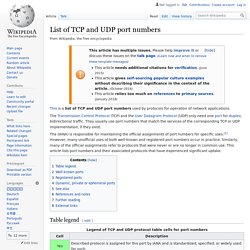
The (IANA) is responsible for maintaining the official assignments of port numbers for specific uses.[1] However, many unofficial uses of both well-known and registered port numbers occur in practice. Similarly, many of the official assignments refer to protocols that were never or are no longer in common use. This article lists port numbers and their associated protocols that have experienced significant uptake. Table legend[edit] Well-known ports[edit] The port numbers in the range from 0 to 1023 (0 to 210 − 1) are the well-known ports or system ports.[3] They are used by system processes that provide widely used types of network services. Registered ports[edit] The range of port numbers from 1024 to 49151 (210 to 214 + 215 − 1) are the registered ports. Introducing ASP.NET Web Pages 2 - Getting Started.
This guidance and application gives you an overview of ASP.NET Web Pages (version 2 or later) and Razor syntax, a lightweight framework for creating dynamic websites.

It also introduces WebMatrix, a tool for creating pages and sites. Level: New to ASP.NET Web Pages.Skills assumed: HTML, basic cascading style sheets (CSS). What you'll learn in the first tutorial of the set: What ASP.NET Web Pages technology is and what it's for. What WebMatrix is. Features/technologies discussed: Microsoft Web Platform Installer. Mike Pope originally wrote this tutorial.
Software versions used in the tutorial ASP.NET Web Pages (Razor) 2WebMatrix 3 What Should You Know? We're assuming that you're familiar with: How to enable PUT and DELETE verbs on IIS 7. How To Identify HTTP Errors When You Use the ServerXMLHTTP Object. Using the Winsock Control. A WinSock control allows you to connect to a remote machine and exchange data using either the User Datagram Protocol (UDP) or the Transmission Control Protocol (TCP).

Both protocols can be used to create client and server applications. Like the Timer control, the WinSock control doesn't have a visible interface at run time. Possible Uses Create a client application that collects user information before sending it to a central server. Create a server application that functions as a central collection point for data from several users.
Selecting a Protocol When using the WinSock control, the first consideration is whether to use the TCP or the UDP protocol. The TCP protocol control is a connection-based protocol, and is analogous to a telephone — the user must establish a connection before proceeding. The nature of the application you are creating will generally determine which protocol you select. Setting the Protocol Winsock1.Protocol = sckTCPProtocol Determining the Name of Your Computer. IIS 7.5 - where is Directory security > authentication methods? I need to turn on annoynmous and set windows integrated security on for a virtual directory. thanks. I don't see a Windows authentication entry ?? From the list on the feature page?????? List of HTTP header fields. HTTP header fields are components of the message header of requests and responses in the Hypertext Transfer Protocol (HTTP). They define the operating parameters of an HTTP transaction.
General format[edit] Field names[edit] A core set of fields is standardized by the Internet Engineering Task Force (IETF) in RFC 2616 and other updates and extension documents (e.g., RFC 4229), and must be implemented by all HTTP-compliant protocol implementations. Additional field names and permissible values may be defined by each application. The permanent registry of headers and repository of provisional registrations are maintained by the IANA. Non-standard header fields were conventionally marked by prefixing the field name with X- .[2] However, this convention became deprecated in June 2012 due to the inconveniences it caused when non-standard headers became standard.[3] A prior restriction on use of Downgraded- has also since been lifted.[4] Field values[edit]