
iPad Apps in Education (shared Google doc - add your ideas)
8 Outstanding iPad Apps to Create Tutorials and Flip your Classroom. Creation. Evernote as an Assessment Tool. 15 iPad Skills Every Teacher and Student should Have. Check the learning goals below and share with us your feedback.
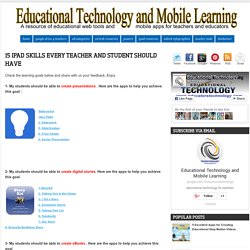
Enjoy 1- My students should be able to create presentations . Here are the apps to help you achieve this goal : Sliderocket Idea Flight3- Slideshark5- SlideGrabber6- Prezi Viewer4- Xavier Presentation. Gmail+1 = Student Email Addresses to Register for Online Services. The Gmail+1"hack" isn't a new trick and I can't remember when I first tried it, but it still works and it still provides a solution to a problem that a lot of teachers run into when they want their students to use a new web tool.

Let's say there's a new service that I want my students to use but my students don't have email addresses that they can use to register for that service. In that case I can quickly generate Gmail addresses for my students by using the Gmail+1 hack. Here's how the Gmail+1 hack works: 1. Meaningful iPad Integration by @TecheTeacher. 7 Fun Ways to Use QR Codes In Education. QR Codes Quick Response are so fun to integrate in classroom. Quick Response codes are bar codes with information. QR Codes can include contact information, websites, text, SMS, pictures and so much more. My students absolutely love using these in their activities.
Here are some ways to Integrate QR Codes in Your Lessons. What can you do with an iPad in the classroom? It’s a tool, it’s a tool, it’s a tool.
The iPad is not going to replace teachers or ‘fix’ education. There is a cost implication that must be taken into account and only an educator will know if it is right for their students. Indeed the cost-benefit analysis for an establishment must take into account a host of factors when considering iPad use in the classroom. However, if there are iPads in the classroom, there are a number of applications that can enhance learning and assist the educator in developing student skills.
Top 7 Guides on how to Use iPad in your Classroom. iPad is definitely a gadget of huge potential in education.

Many schools in the States and Canada are adopting it as a learning tool within their curriculum. Developers have already started creating e-textbooks with enhanced mobile compatibility. 7 Ways to Collect Student Work in an #iPad Classroom (Updated 09/15/2012) Next week, I'll be facilitating a short one-hour workshop on a topic that is deceptively simple on a computer, but can be complex on an iPad--how to get student work off an iPad in a place where the teacher can get to it in ONE place.
This short blog entry tries to offer some solutions. Let me know what you think, ok? Many apps--here's a short list--will output to WebDav, video or image format that ends up in your Camera Roll. Others will go to YouTube, cloud storage, and allow email sharing. Which solution works best? 5 Ways to Show Your iPad on a Projector Screen. Recent Mobile Learning Findings. Tim Bedley Landing Page. IPAD APPS FOR EDUCATION by Tim Bedley All apps are free unless otherwise noted.
Apps in the Elementary Classroom. One area that I have not written much about on this blog is educational apps.
This is mostly due to the fact that my school has one first generation iPad and two iPod Touches for the entire school. We also ban cell phones and other electronic devices, so these are not available for use in the classroom unless the teachers specifically plan for the kids to use them for a lesson or activity, hand them out to the kids and collect them at the end of the lesson. I won't pretend to be an expert on apps in the classroom, which is why I haven't covered their use here. However, with more and more schools investing in iPad carts, iPods and Bring Your Own Device (BYOD) policies, it's an important topic. 5 Brilliant Math iPad Apps.
1.

Rocket Math This brilliant, simple app appeals to children’s building and collecting instincts! By performing sums involving the four basic operations as well as other important skills like telling the time, students gradually build their rocket piece-by-piece before launching it into space to meet new challenges! Great for younger students or practice at home, as it feels more like a fun game than a homework chore. 2. GoClass - Create and Deliver Lessons on iPads. Last week I wrote about NearPod which is an iPad application for creating and delivering quizzes to students.

This morning, through David Kapuler, I learned about a similar free iPad application called GoClass. GoClass is a free iPad application for creating short lessons and delivering them to your students. The lessons can include annotated images, free hand sketches, text, and video. Creative Uses for iPad in the Classroom. Top 25 Mobile Apps in Academia. Everyone seems to talk endlessly about the role smartphones and other mobile technologies play in today’s classroom, especially when it comes to the best apps to get teachers organized and keep students learning.
Higher ed has not inoculated itself against the spread, and ranks from the university president down to the lowliest of fresh meat tote around a smartphone or a tablet these days. Some, of course, benefit the faculty more than others, and the following prove pretty popular among professors these days. 5 Critical Mistakes Schools Make With iPads (And How To Correct Them) The 88 Best iOS Apps For Mobile Learning.
Mobile learning is here to stay. Students and teachers alike can build entire libraries of apps and web tools that let them learn and do, well, anything. We’ve covered this just about every day and love finding new resources to share. So, if you haven’t yet, follow @edudemic on Twitter ! Alright, stupid self-promotion aside, let’s get on with the useful list. Best iOS Apps for Mobile Learning. Multiple Intelligences Apps for The iPad. Howard Gardner is an internationally recognized leader in the field of developmental psychology. He has prolifically authored several books and journal articles on the nature of intelligence. He is best known for his theory of multiple intelligences (Multiple Intelligences: New Horizons in Theory and Practice ). Gardner defines intelligence as the ability to solve problems in a given context. Consider a 12-year old Puluwat in the Caroline Islands, he says, who has been selected by his elders to learn how to become a master sailor " under the tutelage of master navigators he will learn how to combine knowledge of sailing stars and geography so as to find his way around hundreds of islands.
Gardner argues that there are at least 6 kinds of intelligences : Intrapersonal, Interpersonal, Musical, Linguistic, Mathematico Logical, Visual Spacial. I Education Apps Review - I Education Apps Review. Momswithapps.com — APPitic - 1,800+ EDUapps. Teacher Reviewed Educational Apps for 2012. 15 Ways To Use The New iPad In Classrooms. A Useful Twitter Cheat Sheet 3.97K Views 0 Likes Think you're supposed to actually type a full 140 characters for each tweet? Not quite.
That's just one of the many handy tips found in this useful Twitter Cheat Sheet.