
Vagrant Drupal Development. Vagrant Drupal Development (VDD) is fully configured and ready to use development environment built with VirtualBox, Vagrant, Linux and Chef Solo provisioner.
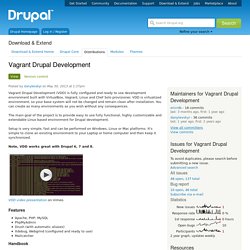
VDD is virtualized environment, so your base system will not be changed and remain clean after installation. You can create as many environments as you wish without any consequences. The main goal of the project is to provide easy to use fully functional, highly customizable and extendable Linux based environment for Drupal development. Setup is very simple, fast and can be performed on Windows, Linux or Mac platforms. It's simple to clone an existing environment to your Laptop or home computer and then keep it synchronized. Note, VDD works great with Drupal 6, 7 and 8. VDD video presentation on Vimeo. Features Apache, PHP, MySQLPhpMyAdminDrush (with automatic aliases)Xdebug, Webgrind (configured and ready to use)Mailcatcher Handbook Getting Started (Tutorial) For support, join us on IRC in the #drupal-vdd channel.
Default credentials. Getting Started with VDD — Vagrant Drupal Development. Introduction This tutorial will help you build your first development environment with Vagrant.
As a bonus you will be able to play with a fresh Drupal 8 site. Please note, VDD works great with Drupal 6, 7 and 8. Vagrant is a tool that automates the process of creating virtual machines with tools like Virtual Box or VMWare. You will not be working directly with Virtualbox when you are using the Vagrant tools, however. Think of Vagrant as a rich set of tools/commands that automate Virtualbox to utilize it to its full potential as a development environment. A Beginner's Guide To Drush: The Drupal Shell.
About Drush Drush is an awesome shell interface for managing Drupal right from your cloud server command line.
It is a very useful tool as it helps you perform various admin tasks using just one or two commands in the terminal, replacing the need for many clicks and page refreshes in the UI. This tutorial will go through some of the basic Drush commands and work with a standard Drupal installation to illustrate them. It assumes then that you already have Drush installed on your cloud server and you have a working copy of Drupal on it.
If you don't know how to do this, please refer to an earlier tutorial explaining all the steps. Note: All the following commands need to be performed from within the directory of a Drupal installation. To begin, first navigate your Drupal folder directory: cd /var/www/[drupal_folder_name] Some General Commands One of the most simple Drush commands is: How To Install Drush on a Cloud Server Running Ubuntu 12.04. About Drush Drush is a command-line interface specifically made for dealing with Drupal.
It provides a much faster management experience and is recommended if you are not afraid of using the command line. But don't worry, it's actually not so threatening at all. This tutorial will show you how to setup Drush on a cloud server running Ubuntu 12.04. Additionally, to illustrate its power, it will show you how to deploy a brand new Drupal site right there from the command line. You already have your cloud server set up and you operate with root privileges on it.
Vagrant, créez votre propre box. L'interêt principal de Vagrant est de proposer un environnement de développement identique à chaque développeur d'un projet.
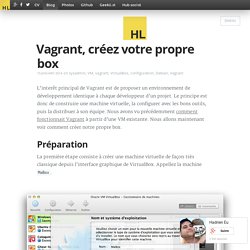
Le principe est donc de construire une machine virtuelle, la configurer avec les bons outils, puis la distribuer à son équipe. Nous avons vu précédemment comment fonctionnait Vagrant à partir d'une VM existante. Nous allons maintenant voir comment créer notre propre box. Préparation La première étape consiste à créer une machine virtuelle de façon très classique depuis l'interface graphique de VirtualBox.
Installez votre OS dessus en choisissant comme premier utilisateur vagrant avec le mot de passe vagrant. Passez en utilisateur root et installez SSH et sudo : $ su # apt-get install ssh sudo On va installer un éditeur texte aussi pour faciliter la suite. . # apt-get install vim Configurez sudo pour que les utilisateurs du groupe admin puisse avoir les droit superuser sans taper de mot de passe. # groupadd admin # usermod -G admin vagrant # vi /etc/sudoers # exit $ sudo ls. A list of base boxes for Vagrant - Vagrantbox.es.