
Flash 2Gb v3.6. Webmin. Repositorio con Herramientas de Seguridad. Convert pdf to image - Convert pdf to jpg - Convert online pdf to image. BackTrack Linux. ThinkingRock GTD. Getting Things Done Outlook Add-In Support. Test Your GTD-IQ. Download - Bulk Rename Utility. BasKet Note Pads. MonkeyGTD - MonkeyGTD. Asdf config.options.chkHttpReadOnly = false;\n <!
--{{{-->\n<div class='toolbar' macro='toolbar +saveTiddler -cancelTiddler deleteTiddler'></div>\n<div class='title' macro='view title'></div>\n<div class='editor' macro='edit title'></div>\n<div class='editor' macro='edit text'></div>\n<div class='editor' macro='edit tags'></div><div class='editorFooter'><span macro='message views.editor.tagPrompt'></span><span macro='tagChooser'></span></div>\n<!
--}}}--> <<tiddler MainMenu>>\n\nAuthorMainMenu\nMainMenu\nDefaultTiddlers\nPluginManager\nPresentationIndex\n /***\nPlace your custom CSS here\n***/\n/*{{{*/\n\n\n[[StyleSheetCommon]]\n/*}}}*/\n ! Story.prototype.refreshTiddler_activelink = Story.prototype.refreshTiddler;\nStory.prototype.refreshTiddler = function (title,template,force)\n{\n var theTiddler = Story.prototype.refreshTiddler_activelink.apply(this,arguments);\n if (! NextAction - trimpath - Google Code. Next Action is a Getting Things Done todo-list tracking tool.

It's a personal database for your action items and todo lists that you use through your web browser. Features Include: Fast and snappy. Easy to use. Open source. 43 Folders. 43 Folders Series: Inbox Zero. These are posts from a special 43 Folders series looking at the skills, tools, and attitude needed to empty your email inbox — and then keep it that way.
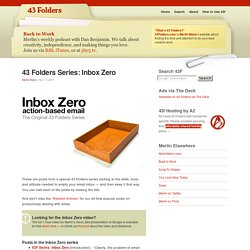
You can visit each of the posts by clicking the title. And don’t miss the “Related Articles” for our all-time popular posts on productively dealing with email. Looking for the Inbox Zero video? The full 1-hour video for Merlin’s Inbox Zero presentation at Google is available for free down here — or check out this post about the video and slideshow. Posts in the Inbox Zero series 43F Series: Inbox Zero [Introduction] - “Clearly, the problem of email overload is taking a toll on all our time, productivity, and sanity, mainly because most of us lack a cohesive system for processing our messages and converting them into appropriate actions as quickly as possible.”Inbox Zero: Articles of faith - “When I first suggested the email DMZ and said there was a way to get your inbox to zero in 20 minutes, I wasn’t lying. Related articles. Remember The Milk - Blog. I’m happy to introduce a guest post from Doug Ireton, who’s written a fantastic guide to Getting Things Done with RTM.

Doug is a Sr. Platform Engineer on the Windows Server team at Nordstrom, a luxury clothing retailer based in Seattle, Washington. He is an avid Remember The Milk user, and after almost a year has finally stopped fiddling with his RTM setup (mostly). Using RTM for work and personal tasks and projects, he has achieved Inbox Zero (at least at work…). He lives in a small Craftsman-style house in Seattle with his wife and two kids. Remember The Milk has all the features required to be a great web-based task manager for Getting Things Done (GTD) but its sheer flexibility means it can be daunting to build a well-oiled GTD machine. A good GTD system should: Allow you to keep track of daily tasks (e.g. The GTD system has five workflow phases: Collect, Process, Organize, Review, and Do. The setup below should take about 30-40 minutes. Create a List for Each Project. ThinkingRock. nLite - Deployment Tool for the bootable Unattended Windows installation - Download.
Nexty - GTD ToDo List Manager. Jello Dashboard. Merijn.org. Sysinternals Forums. Download TightVNC. Advanced Redes Tools by Tsarfin Computing. 19 Redes utilities. PowerToys para Windows XP. Actualizado: mayo 17, 2005 PowerToys son programas extras en los que trabajan los desarrolladores una vez que un producto ya está preparado para su fabricación. Incrementan la diversión así como las posibilidades de la experiencia con Windows. Nota: Nos hemos asegurado de que los PowerToys funcionan como deberían, pero no forman parte de Windows y Microsoft no se encarga de su soporte. De ahí que el Soporte Técnico de Microsoft no pueda responder a las preguntas sobre. Los PowerToys son solo para Windows XP. Tiene que desinstalar los PowerToys antiguos que tenga antes de proceder a la instalación de los nuevos.
Los PowerToys solo funcionan con configuraciones regionales de inglés-EEUU. Eche un vistazo a las opciones de PowerToy: Configurador de ClearType (nuevo) Con este PowerToy puede utilizar la tecnología ClearType para que sea más fácil leer el texto que aparece en la pantalla y además para facilitar su localización aparece en el Panel de Control. Abrir aquí la ventana de comando Tweak UI. Sysinternals Freeware.