
Customized Teaching and Testing. Buy Hot Selling Cheapest E03 Portable Mini LED Projector HD Video Proketor Support 1080P Projektor Proyectores VGA USB HDMI AV TV from Reliable product wrap suppliers on Ejiale Digital. 44 Diverse Tools To Publish Student Work. 44 Diverse Tools To Publish Student Work by TeachThought Staff Educators are often admonished to design work that “leaves the classroom.”
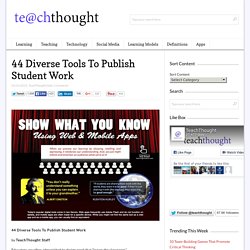
This is partly a push for authenticity. Work that is “real world” will naturally be more engaging to students because it has more chance to have credibility in their eyes, and usefulness in their daily lives. This kind of work has value beyond the current grading period and culminating report card. But work that is made public has other benefits as well. Tony Vincent from learninginhand.com revisited that idea with the following graphic that clarifies another talent of education technology–shared thinking.
Publishing Student Work vs Assessment In lieu of its perceived art and science, assessment is a murky practice. Anything a student “does” can be used as a kind of assessment. Trio Sparks Creativity With Easy Multimedia Collages. Mashups.
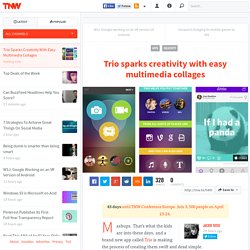
That’s what the kids are into these days, and a brand new app called Trio is making the process of creating them swift and dead simple. Mashups — compiling different multimedia elements into a single overarching message — sounds cool but it is not the easiest thing to accomplish, especially when you’re gathering material from disparate sources. Trio, a hybrid social networking and creative app, provides artistic elements that cater to nearly every taste to let you easily find and remix images, videos, animated GIFs, looping videos and music.
Elements come from Instagram, Vine, Giphy, iTunes and movie clips. Achieve any attitude you want with your creation, depending on what you include and juxtapose into your work. Of course, you do not have to use any of the packaged materials for your mashup. The social aspect of Trio facilitates connections and interactions with other Trio users. And of course, you can like, favorite and follow to your heart’s content. OneNote for Teachers - Interactive Guides. E Twinning non-conference. 100+ Google Tricks for Teachers. It's Google's world, we're just teaching in it.

Now, we can use it a little more easily. With classes, homework, and projects–not to mention your social life–time is truly at a premium for all teachers, so why not take advantage of the wide world that Google has to offer? From super-effective search tricks to Google tools specifically for education to tricks and tips for using Gmail, Google Docs, and Google Calendar, these tricks will surely save you some precious time.
Search Tricks These search tricks can save you time when researching online for your next project or just to find out what time it is across the world, so start using these right away. Convert units. Google Specifically for Education From Google Scholar that returns only results from scholarly literature to learning more about computer science, these Google items will help you at school. Google Scholar. Google Docs 22. 23. 24. 25. 26. 27. 28.
PowerPoint Heaven - The Power to Animate - Tutorials. PPT Point - Powerpoint Presentations for Teachers. Games in Education - home. MentorMob - Learn What You Want, Teach What You Love. Here are some cool Web 2.0 sites for young learners. Voki is certainly the first tool that you can use with your young learners.

It's site where you can create your animated and speaking avatar, with your own voice or using your text-to speech application. you can fully customize your character and your voki character moves his head and eyes with the movement of the mouse. Kids love this!! You can use voki to introduce a new topic, retell stories, use it as a class mascot, let your students sing and let them practise English. They do love to hear their voices. Voicethread is the best digital storytelling tool to use with your students no matter what age they are. Wiggio - Makes it easy to work in groups. Memiary for Education. PowToon : Create Animated Presentations Online. Gross Invasion of My Privacy Scene from Ghost Town Movie (2008.
Digital Tools for Teachers. Free technology teacher training videos for teachers. Microsoft DreamSpark. Free web tools for classroom educators. TCEA sessions touch on doing more with less By Laura Devaney, Managing Editor Read more by Laura Devaney Free web tools help engage students of all ages. Atom Smasher's Error Message Generator. Copy this link to send this page to a friend: Do not link directly to the image!
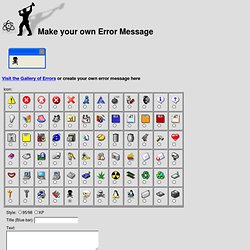
No Hot-Linking! Your link will not work! Feel free to copy this image and use it on your own web site, and please link back to here. No signs were harmed during the production of this web page; IANAL; void where prohibited; subject to change with or without notice; all information provided "as is" and any express or implied warranties, including, but not limited to, the implied warranties of merchantability and fitness are disclaimed; no other warranty expressed or implied; this is not an offer to sell securities; use only in well-ventilated area; keep away from fire or flame; not recommended for children; this supersedes all previous notices; no Microsoft(tm) products were used during the making of this web page or any images contained herein; all trademarks remain the property of their respective owners. Be the first to find out when new generators are posted! Home. Home.