
Browser Specific Hacks. Code Snippets. How To Create an IE-Only Stylesheet. CSS Specific for Internet Explorer. As much as we don't like to deal with the IE bugs, we still have to face it because your boss and visitors are still using Explorer.
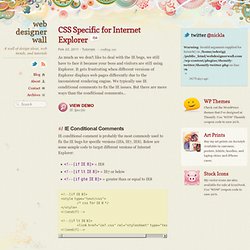
It gets frustrating when different versions of Explorer displays web pages differently due to the inconsistent rendering engine. We typically use IE conditional comments to fix the IE issues. But there are more ways than the conditional comments... View Demo IE Specific #1 IE Conditional Comments IE conditional comment is probably the most commonly used to fix the IE bugs for specific versions (IE6, IE7, IE8). CSS Animation Tools & Tutorials. Animating with CSS may have some limits, but overall they do offer a number of advantages over animations that are powered by JS.
Easier to work with and being hardware accelerated are just two of the key CSS advantages. Of course CSS powered animations do have some disadvantages, such as it being difficult to have complete control over them. That is where this post comes in. We have put together a collection of CSS animation tools, frameworks and tutorials to help ease your woes. 4 כללים שיכולים ליעל את ה-css שלכם - בקופסא. What No One Told You About Z-Index — Philip Walton. The problem with z-index is that very few people understand how it really works.
It’s not complicated, but it if you’ve never taken the time to read its specification, there are almost certainly crucial aspects that you’re completely unaware of. Don’t believe me? Well, see if you can solve this problem: The Problem In the following HTML you have three <div> elements, and each <div> contains a single <span> element. Here’s what the HTML and basic CSS look like. <div><span class="red">Red</span></div><div><span class="green">Green</span></div><div><span class="blue">Blue</span></div> Here’s the challenge: try to see if you can make the red <span> element stack behind the blue and green <span> elements without breaking any of the following rules: Do not alter the HTML markup in any way. To see if you can figure it out, click the edit on Codepen link above and play around with it for a bit.
Warning: Don’t click on the CSS tab of the example below or it will give away the answer. The Solution. Html - How to overlay one div over another div. Inner Shadows in CSS: Images, Text and Beyond. Shadows in CSS are quick and easy, whether you’re slapping on a box-shadow or a text-shadow.
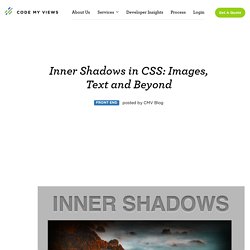
But how comfortable are you with inner shadows? Can you pull off an inset box-shadow? How do you do the same thing on some text? Today we’re going to learn some really simple inset shadow techniques that you can pull off with just a few lines of code. I’ll walk you through both the box-shadow and text-shadow syntax and how to change them to pull off an inset shadows. Shadow Syntax Before we jump into inset shadows, let’s look at the basic syntax for building the two different types of CSS shadows. Box-Shadow Box-shadows are probably the most common type of CSS shadows. As you can see, listed above in order, the order of values is horizontal offset, vertical offset, blur radius, spread radius and color. The latter two values, blur radius and spread radius are a bit more complicated. As you can see, no blur radius produces a shadow with a hard edge and a high blur radius produces a blurry edge.
CSS Web Gallery. The CSS Gallery List - Submission Made Easy. Best Websites In The World - CSSDA.
CSS-Tricks. Terminology, Syntax, & Introduction - A Beginners Guide to HTML & CSS. Before beginning our journey to learn HTML and CSS it is important to understand the differences between the two languages, their syntax, and some common terminology.
As an overview, HTML is a hyper text markup language created to give content structure and meaning. CSS, also known as cascading style sheets, is a presentation language created to give content style and appearance. To put this into laymen terms, HTML determines the structure and meaning of content on a web page while CSS determines the style and appearance of this content. The two languages are independent of one another. CSS should not reside within an HTML document and vice versa. Taking this concept a bit further, the HTML p element is used to display a paragraph of text on a web page.
Common HTML Terms When getting started with HTML you are likely to hear new, and often strange, terms. Elements Elements are designators that define objects within a page, including structure and content. Tags. CSS buttons. You know that there are a lot of impressive and awesome things out there that were made using CSS, we all know that, but sometimes they’re hard to find, so today we’re bringing you some of the best buttons we’ve found, they all were made using CSS, here you’ll be able to see a demo for those beauties, as well as the HTML and CSS code. Free Buttons There are many awesome designers and web developers out there, but few of them are eager to share their work for free, so first of all, let us thank the people who made the work that we’re bringing you today, and let us start by reviewing what they did.
Space CaCSS By Simurai Simple fading By Bartos Lazarski. Download free CSS templates - Free CSS Templates. Dynamic Drive CSS Library- CSS Image Gallery. CSS Image Gallery Author: Dynamic Drive This is a purely CSS based image gallery that displays larger versions of thumbnail images dynamically when the mouse hovers over them.
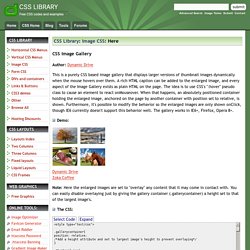
A rich HTML caption can be added to the enlarged image, and every aspect of the Image Gallery exists as plain HTML on the page. The idea is to use CSS's ":hover" pseudo class to cause an element to react onMouseover. When that happens, an absolutely positioned container holding the enlarged image, anchored on the page by another container with position set to relative, is shown. Demo: